
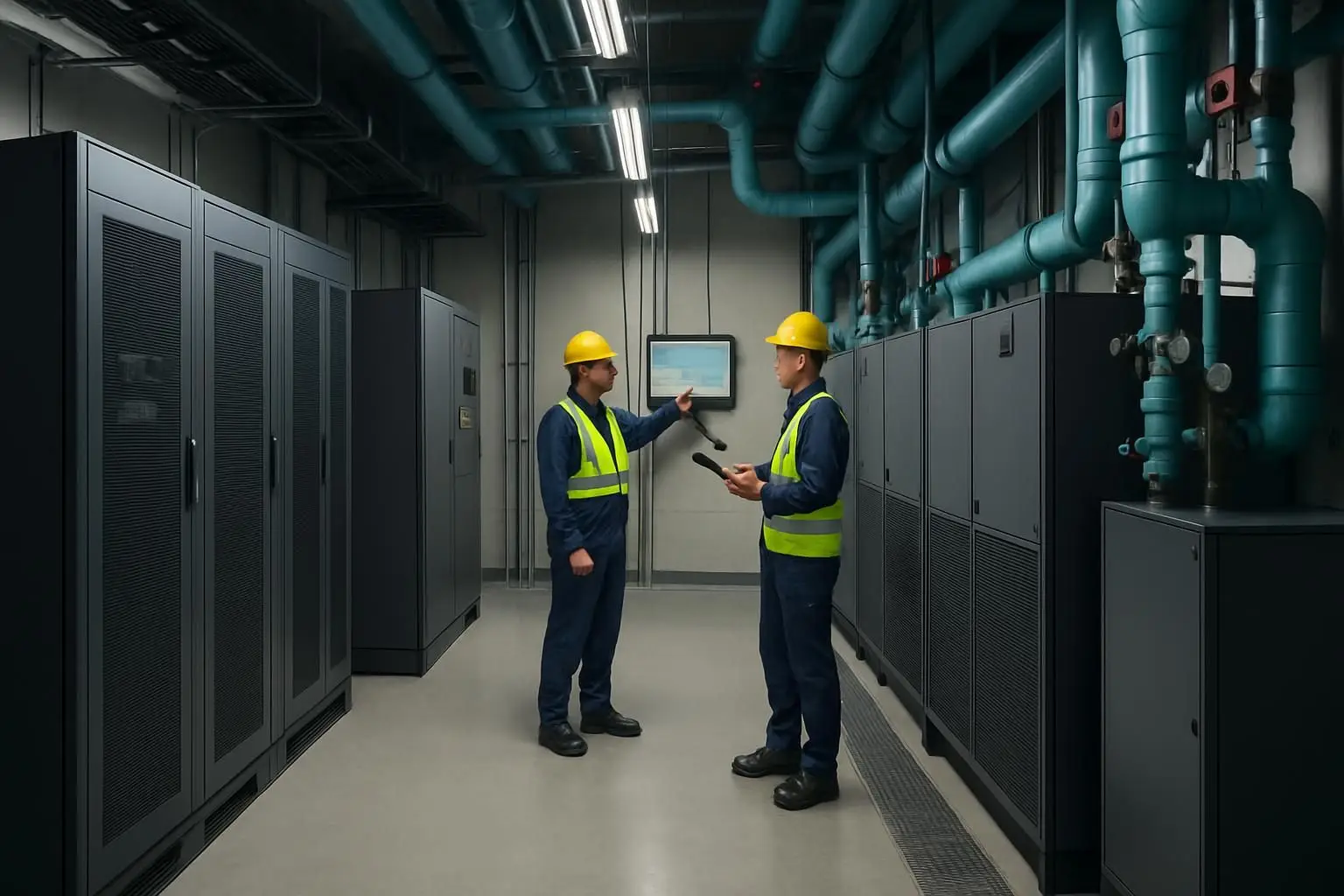
A BMS building management system can show what is happening across data-centre cooling, electrical, and environmental systems. But dashboards alone do not protect availability or improve energy performance. The operational value comes from connecting building management system BMS alerts and trends to a disciplined asset system management process: verified asset records, digitised inspections, fault reporting, preventive maintenance, permits, work orders, evidence, and close-out.
For data-centre teams, that connection turns a high-temperature alarm, a UPS battery warning, or a rising cooling-system energy trend into an owned task with a defined response, safety controls, service history, and proof of completion. It also helps facilities, operations, contractors, and leadership work from the same operational record rather than separate alarms, spreadsheets, chat threads, and maintenance logs.
Key takeaways
- A building management system BMS monitors and controls building infrastructure; asset system management makes sure the right people inspect, maintain, repair, and document the physical assets behind those signals.
- Prioritise BMS-to-workflow connections for systems that affect power availability, cooling resilience, electrical safety, and energy performance.
- Preventive maintenance should be triggered by asset criticality, condition evidence, manufacturer requirements, and operating trends—not calendar dates alone.
- Digitised inspections, mobile-friendly fault reporting, e-Permit to Work, and work-order management create an auditable operational layer around BMS data.
- Measure whether issues are acknowledged, safely executed, resolved, and prevented from recurring—not simply whether alarms were generated.
Why BMS data needs an operational workflow
A BMS is designed to monitor, control, and alarm on building plant. In a data centre, it may provide visibility into electrical distribution, generators, UPS environments, cooling plant, CRAC or CRAH units, temperatures, humidity, pumps, valves, leak detection, and other supporting infrastructure. It is essential, but it is not automatically a maintenance system.
A BMS alarm answers a limited set of questions: *what changed, where, and when?* Facilities teams still need to answer the operational questions:
- Which asset is affected, and what is its redundancy role?
- Is the issue a genuine fault, an expected operating condition, or a sensor/data-quality problem?
- Who owns the response and by when?
- Is a permit, risk assessment, isolation, or change procedure required before work starts?
- What inspection, repair, parts, readings, photographs, and test results prove the job was completed?
- Does the same condition recur, and should the preventive maintenance plan change?
This is the divide between system visibility and operational control. A strong asset system management approach gives each relevant BMS condition a path into triage, work execution, verification, and learning.
| Capability | BMS building management system | Asset system management and CMMS workflow |
|---|---|---|
| Primary purpose | Monitor, control, trend, and alarm building systems | Plan, assign, execute, document, and improve asset work |
| Core record | Points, alarms, setpoints, equipment status, trends | Assets, fault reports, inspections, permits, work orders, maintenance history |
| Typical question answered | “What is the plant doing now?” | “What should we do, who owns it, and was it completed safely?” |
| Value for energy | Identifies abnormal demand, runtime, temperatures, and setpoint deviations | Creates corrective and preventive actions that address root causes |
| Value for availability | Detects a developing condition | Ensures escalation, safe intervention, testing, evidence, and recurrence control |
The objective is not to force every BMS event into a work order. That would create noise and slow response. The objective is to define which conditions require a human workflow and to make that workflow frictionless.
Power availability and energy performance are maintenance concerns
Power availability has become an urgent operating concern, not just a long-range capacity-planning topic. Among 638 data-centre owners and operators asked about the next 12 months, 36% were “very concerned” about power availability and 31% were “very concerned” about improving energy performance for facilities equipment.
For FM teams, these concerns converge at the equipment level: cooling inefficiency can increase electrical demand, while a deferred inspection or poorly controlled intervention can create an availability risk. FacilityBot can provide the operational layer for turning observed equipment conditions into assigned fault reports, inspections, and work orders, so the BMS is connected to accountable field action rather than a separate monitoring screen.
This connection is especially useful where one issue affects several outcomes. For example, a chiller operating outside its expected efficiency range may be an energy problem today, a capacity constraint during peak conditions, and a reliability concern if its underlying cause is ignored. Similarly, repeated generator-room environmental alarms may point to a sensor issue, ventilation defect, or developing equipment condition—each requiring a different workflow.
Focus on critical chains, not isolated assets
Data-centre infrastructure is designed around dependencies. An asset register should therefore capture not only an equipment name and serial number, but also the role that asset plays in a critical chain. A pump, ATS, UPS module, cooling unit, or sensor has greater operational meaning when its location, upstream/downstream dependency, redundancy configuration, service procedure, and maintenance history are accessible to the person responding.
A practical starting point is to classify assets by consequence of failure and define response rules accordingly.
| Asset or condition category | Example BMS indicator | Recommended workflow response |
|---|---|---|
| Electrical resilience | UPS warning, battery-room temperature deviation, generator status abnormality | Escalated fault report, criticality-based triage, authorised work order, post-work test record |
| Cooling capacity | Supply-air deviation, chiller performance trend, repeated high-temperature alarm | Inspection checklist, technician readings, corrective work order, trend review after close-out |
| Energy performance | Unusual runtime, setpoint drift, abnormal load or consumption pattern | Investigate operating sequence, document findings, assign optimisation or repair task |
| Environmental protection | Water leak, humidity excursion, raised-floor condition | Immediate fault workflow, location evidence, containment actions, follow-up inspection |
| Safety-controlled maintenance | Work near live electrical systems or critical plant | e-Permit to Work, isolation controls, contractor acknowledgement, closure evidence |
The BMS-to-Action Loop
The BMS-to-Action Loop is a five-part operating model for connecting building systems to maintenance outcomes. It is deliberately simple enough for cross-functional adoption, while creating the traceability needed in critical facilities.
1. Detect and qualify
Start with BMS alarms, trend exceptions, scheduled walkdowns, and frontline observations. Define an alarm rationalisation process so teams can distinguish actionable conditions from informational events and known nuisance alarms.
A fault should be captured with enough context for rapid triage: asset or location, time observed, severity, symptom, image where useful, and the relevant BMS reference. Messaging-first fault reporting can lower the barrier for operators and contractors to report an issue in the moment through channels such as WhatsApp, Microsoft Teams, Slack, Telegram, or Line, rather than waiting to access a specialist application.
2. Assign criticality and ownership
Every report does not need the same response. Use asset criticality, redundancy state, safety exposure, customer impact, and current operating conditions to set priority and escalation rules. The person acknowledging the issue should be clear, as should the target response time and escalation path.
This step prevents a common failure mode: an alarm may be technically visible to many people, but operationally owned by no one. Work-order management should assign one accountable owner while preserving visibility for operations, engineering, security, and vendor teams where appropriate.
3. Control the work
Before work begins, technicians need the right method statement, asset history, checklists, and safety controls. For interventions on critical electrical or mechanical systems, e-Permit to Work processes can make approvals, isolation requirements, hazard controls, and hand-back steps visible in the same operational trail as the job.
A permit is not paperwork for its own sake. It creates a deliberate pause before a change to an operating system, particularly when a technician or contractor may be working near equipment that supports live IT loads.
4. Verify restoration and record evidence
Closing a work order should mean more than selecting “complete.” Require the technician to record actions taken, readings where applicable, components replaced, photos or documents, test outcomes, and any follow-up required. For BMS-triggered work, the verification can include confirming that the condition has cleared or that the equipment has returned to its expected operating range.
Digitised checklists make this evidence repeatable. They also make inspection data searchable across sites, shifts, and contractors, which is difficult when observations remain in paper forms or individual inboxes.
5. Learn and adjust the maintenance plan
Recurring issues are valuable signals. Review repeat fault categories, overdue PM tasks, common repair actions, alarm-to-acknowledgement time, and the number of jobs requiring follow-up. Then adjust maintenance frequencies, inspection points, spare-parts strategies, setpoint governance, or training as warranted.
This is where preventive maintenance becomes performance management. The goal is not merely to complete a scheduled task; it is to reduce avoidable risk and detect deterioration before it affects service.
Designing preventive maintenance around risk and condition
Calendar-based PM remains useful for statutory checks, manufacturer intervals, and routine care. Yet data-centre preventive maintenance is stronger when calendar schedules are combined with condition information and equipment consequence.
For instance, a monthly inspection of cooling equipment may be necessary, but a persistent trend deviation may justify an earlier intervention. Conversely, an asset with stable readings and a documented low consequence of failure may require a different level of attention than a single-point-of-failure asset.
The table below provides a practical decision model.
| Maintenance input | What it reveals | How to use it in preventive maintenance |
|---|---|---|
| Manufacturer guidance | Required service tasks and intervals | Build the baseline maintenance plan and task instructions |
| Asset criticality | Consequence if the asset degrades or fails | Set priority, approval requirements, and escalation rules |
| BMS trends and alarms | Drift, abnormal runtime, environmental deviations | Trigger inspections or corrective tasks before the next scheduled PM |
| Inspection findings | Physical condition, leaks, noise, vibration, cleanliness, readings | Update condition status and create work orders with evidence |
| Fault history | Repeat failure modes and ineffective repairs | Review root causes and revise job plans or replacement strategy |
ISO 55000 provides useful context here: it is an international standard for asset management systems. Its broader principle—managing assets to realise value—helps data-centre teams avoid treating maintenance as an isolated cost centre. Availability, safety, energy performance, compliance, and lifecycle decisions are all outcomes of asset management choices.
Build a usable operational record, not another data silo
A CMMS is already central to maintenance decision-making for many data-centre operators. In a survey of 163 organisations that own or operate data centres, 64% said they use a Computerized Maintenance Management System (CMMS) to make maintenance decisions in their data centres.
The practical implication is that BMS data should not end in an isolated alarm console. FacilityBot’s CMMS, checklists, preventive maintenance, and work-order management capabilities can help teams create a connected record from report through resolution, allowing maintenance decisions to draw on field evidence as well as system signals.
To keep the record useful, establish a minimal data standard for each critical asset:
- Unique asset ID, location, system, make/model, and responsible team.
- Criticality and dependency information, including redundancy role where relevant.
- Linked maintenance plans, inspection templates, procedures, and safety documents.
- Fault and work-order history with coded failure and repair categories.
- Relevant BMS point or alarm references, where integrations and process design support them.
- Acceptance criteria for hand-back after planned or corrective work.
Avoid trying to cleanse every asset record before launching the workflow. Begin with the assets that pose the greatest availability, safety, or energy risk, then improve the register through inspections and work execution.
Prepare for higher scrutiny without treating draft policy as settled law
Data-centre teams operating in Singapore should track the policy environment as it develops. Singapore’s draft Digital Infrastructure Bill consultation proposes a major-FDI licence for a DC Facility Service in a data centre with critical IT load of ≥10 MW serving unrelated parties, while operators with critical IT load of ≥3 MW would need a DC licence; the consultation explicitly states that the draft is not final legislation.
For facilities teams, the immediate lesson is operational readiness rather than assumptions about final requirements. A system such as FacilityBot can help maintain inspection records, permit approvals, work-order histories, and preventive-maintenance evidence in a retrievable format—useful for internal governance today and for responding to evolving oversight tomorrow.
That readiness matters beyond one jurisdiction. Owners, customers, insurers, auditors, and internal risk teams increasingly expect credible evidence that critical facilities work was planned, authorised, performed, and verified.
Metrics that show whether the connection is working
Do not judge the BMS-to-workflow programme by alarm volume or work-order count alone. Use a balanced set of measures that reflects response quality, asset health, and energy outcomes.
| Metric | Why it matters | Management question |
|---|---|---|
| Alarm-to-acknowledgement time | Shows whether actionable conditions reach an owner promptly | Are critical alerts being actively owned? |
| Alarm-to-resolution time | Reveals execution speed and bottlenecks | Where do diagnosis, approvals, parts, or vendors delay restoration? |
| Repeat fault rate | Identifies ineffective fixes or weak PM plans | Which failure modes need root-cause review? |
| PM completion with evidence | Tests quality, not just schedule compliance | Were readings, checks, and sign-offs captured? |
| Overdue critical work | Highlights accumulating operational risk | Which assets are exposed to deferred maintenance? |
| Energy-related corrective actions | Links operational findings to performance improvement | Are efficiency deviations being investigated and closed? |
The best dashboard for leadership combines BMS performance indicators with workflow health. A cooling trend may explain *why* energy performance changed; inspection and work-order data explain *what was done about it* and whether the condition recurred.
From monitoring to managed performance
A BMS building management system is indispensable for observing and controlling critical data-centre infrastructure. But data-centre power availability and energy performance improve when monitoring is joined to an accountable asset system management process.
Start with the equipment chains that carry the highest operational consequence. Define which BMS conditions require action, equip teams with digital inspections and safe-work controls, make fault reporting easy, and close each work order with meaningful evidence. Then use recurrence and trend data to improve preventive maintenance rather than simply adding more tasks.
If you are evaluating the operational cost and workflow fit of a connected FM platform, review FacilityBot pricing alongside the time, risk, and evidence gaps in your current process. Book a FacilityBot demo to explore how messaging-led fault reporting, inspections, permits, preventive maintenance, and work orders can support your building systems operations.
