

Ask five different vendors what their facilities AI assistant does, and you’ll get five different answers. Some describe a chatbot that answers tenant questions. Others mean a predictive engine that flags failing equipment weeks in advance. A growing number are pitching something closer to an autonomous agent that takes action inside a CMMS on its own. The label is the same; the capability underneath it varies enormously.
That gap matters, because facilities teams are under real pressure to do more with the same headcount. Asset counts keep growing, alerts keep piling up, and compliance windows keep shrinking. A CMMS AI assistant is genuinely useful in that environment, but only if teams understand what it’s actually built to do, and just as importantly, what it isn’t meant to replace.
What a Facilities AI Assistant Actually Does
At its core, a facilities AI assistant works as a decision-support layer sitting on top of the systems a team already uses: the CMMS, the building management system, alarm feeds, and work order history. It doesn’t invent new data. It reads the data already being generated by daily operations and looks for patterns that are hard to catch manually when everything is arriving at once.
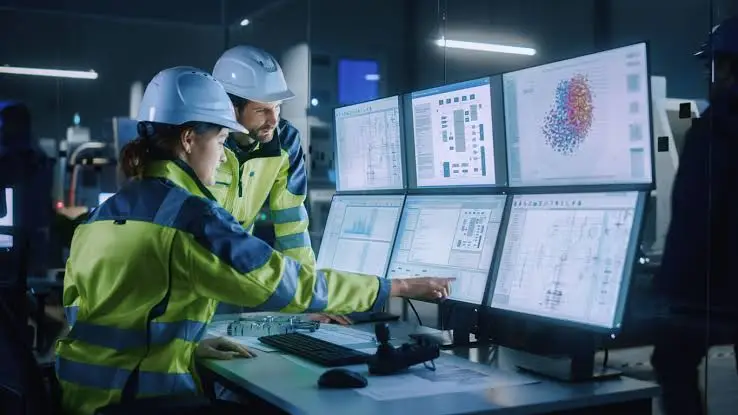
In practice, that shows up in a handful of concrete capabilities.
Pattern recognition across asset history. By reviewing repair frequency, sensor readings, and past work orders, an AI assistant can flag an asset that’s trending toward failure before it actually breaks down, giving a team a window to intervene while options still exist.
Noise reduction on alarms and alerts. Connected buildings generate a constant stream of signals, many of them low-impact or duplicates of the same underlying issue. An AI assistant can group related alerts, filter out nuisance signals, and surface the ones that actually carry operational or compliance risk.
Smarter triage and routing. When a new request or fault report comes in, an assistant can classify it by asset type, urgency, and historical outcome, then route it to the right technician or queue automatically instead of relying on someone to read and sort every ticket by hand.
Scheduling support. By factoring in workload, asset criticality, and past response times, an assistant can help supervisors build more realistic maintenance schedules instead of relying on static rules that don’t reflect how a building actually operates.
Reduced administrative drag. Assistants can also handle some of the busywork around a work order: prompting for missing details, drafting status updates, or suggesting next steps based on how similar issues were resolved in the past, freeing technicians to spend more time on the actual repair.
Across all of these, the common thread is the same. The assistant surfaces information and suggests a course of action. It doesn’t decide what happens next.
What a Facilities AI Assistant Doesn’t Do
This is the part that tends to get glossed over in vendor pitches, and it’s the part facilities leaders should scrutinize the most closely.
It doesn’t own accountability. When an alarm is ambiguous, data is incomplete, or a situation falls outside a normal pattern, a person still has to decide how to respond. That judgment depends on knowing the building, understanding operating constraints, and being accountable for the outcome, none of which an assistant can absorb on your behalf.
It doesn’t replace technicians. An assistant can shorten the path to a decision, but someone still has to physically inspect the rooftop unit, tighten the connector, or replace the failed sensor. The tools that promise full automation of physical maintenance work are describing a future state, not what’s reliably available today.
It doesn’t fix bad data on its own. An AI assistant is only as useful as the records it’s reading. If asset naming is inconsistent, work order history is incomplete, or maintenance logs are years out of date, the assistant’s recommendations will be shaky no matter how sophisticated the underlying model is.
It doesn’t remove the need for defined ownership. Teams still need to agree on what counts as urgent, who responds to what, and how escalation works. An assistant can support that structure once it exists; it can’t invent it for a team that hasn’t defined it yet.
Getting Ready for a CMMS AI Assistant
Because a facilities AI assistant depends so heavily on the quality of the data underneath it, readiness matters more than most teams expect going in. A few things tend to separate a useful rollout from a disappointing one.

- Consistent asset hierarchies. Assets and spaces need a shared naming structure so activity reliably ties back to the correct equipment across the portfolio.
- A reasonably complete work order history. Patterns only emerge from records. Large gaps in maintenance history limit how confidently an assistant can flag risk.
- Clear response ownership. Decide in advance who reviews AI-surfaced insights and who’s responsible for acting on them, rather than leaving recommendations to sit unaddressed in a queue.
- Alignment between operations and IT. Shared standards for data access and decision authority keep an assistant grounded in how the team actually works, instead of creating a parallel process no one fully trusts.
Teams that start with these basics in place tend to see value quickly: fewer manual escalations, more consistent prioritization during busy periods, and steadier response patterns across shifts. Teams that skip this groundwork often end up with an assistant generating recommendations that nobody reviews.
A Realistic Way to Evaluate the Category
When comparing a facilities AI assistant or CMMS AI assistant across vendors, it helps to separate genuine decision support from marketing language about autonomy. A few questions cut through most of the noise:
- Does it surface insight inside the CMMS and work order workflow the team already uses, or does it require a separate tool and a separate login?
- Can it explain why it flagged something, in terms a technician or supervisor can act on, or does it just produce a score with no context?
- Does it leave a clear, reviewable trail of what was suggested and what a person actually decided, so the decision stays defensible later?
- Is it tuned to reduce noise and support prioritization, or does it just add another dashboard to check?
An assistant that scores well on these questions tends to earn trust quickly. One that doesn’t tends to get quietly ignored within a few weeks, regardless of how advanced the underlying model is.
Frequently Asked Questions
Is a facilities AI assistant the same as full automation? No. Most facilities AI assistants available today are decision-support tools. They analyze data and recommend action; people still decide, approve, and carry out the response.
Can a CMMS AI assistant work with incomplete maintenance records? It can start with imperfect data, but its recommendations will be less reliable until asset hierarchies and work order history are reasonably consistent. Data quality is usually the biggest factor in how useful an assistant turns out to be.
Will an AI assistant reduce the need for maintenance staff? It’s built to reduce time spent on triage, documentation, and manual prioritization, not to replace the technicians who carry out physical repairs. The goal is more time on corrective work, not fewer people doing it.
How long does it take to see value from a facilities AI assistant? Teams that already have reasonably clean asset and work order data tend to see measurable improvements, like fewer manual escalations and more consistent prioritization, within the first few months of use.
Where FacilityBot Fits
A facilities AI assistant is only as good as the system it’s built into, which is why FacilityBot approaches this as a facilities management system in Singapore designed around the CMMS, work order, and fault reporting workflows teams already run day to day. As a cloud based cmms software, it gives facilities teams a single place to log assets, track work orders, and build the maintenance history that any AI-driven prioritization ultimately depends on. Its preventive maintenance software keeps scheduled inspections and PM tasks on track so problems get caught before they escalate, while its fault reporting software gives occupants and in-house staff a simple way to flag an issue the moment it appears, with the report tracked from submission through to resolution. For teams evaluating what a facilities AI assistant can realistically add to their operations, having that clean, centralized data foundation in place first is what turns AI-driven recommendations into decisions teams can actually trust and act on.
