
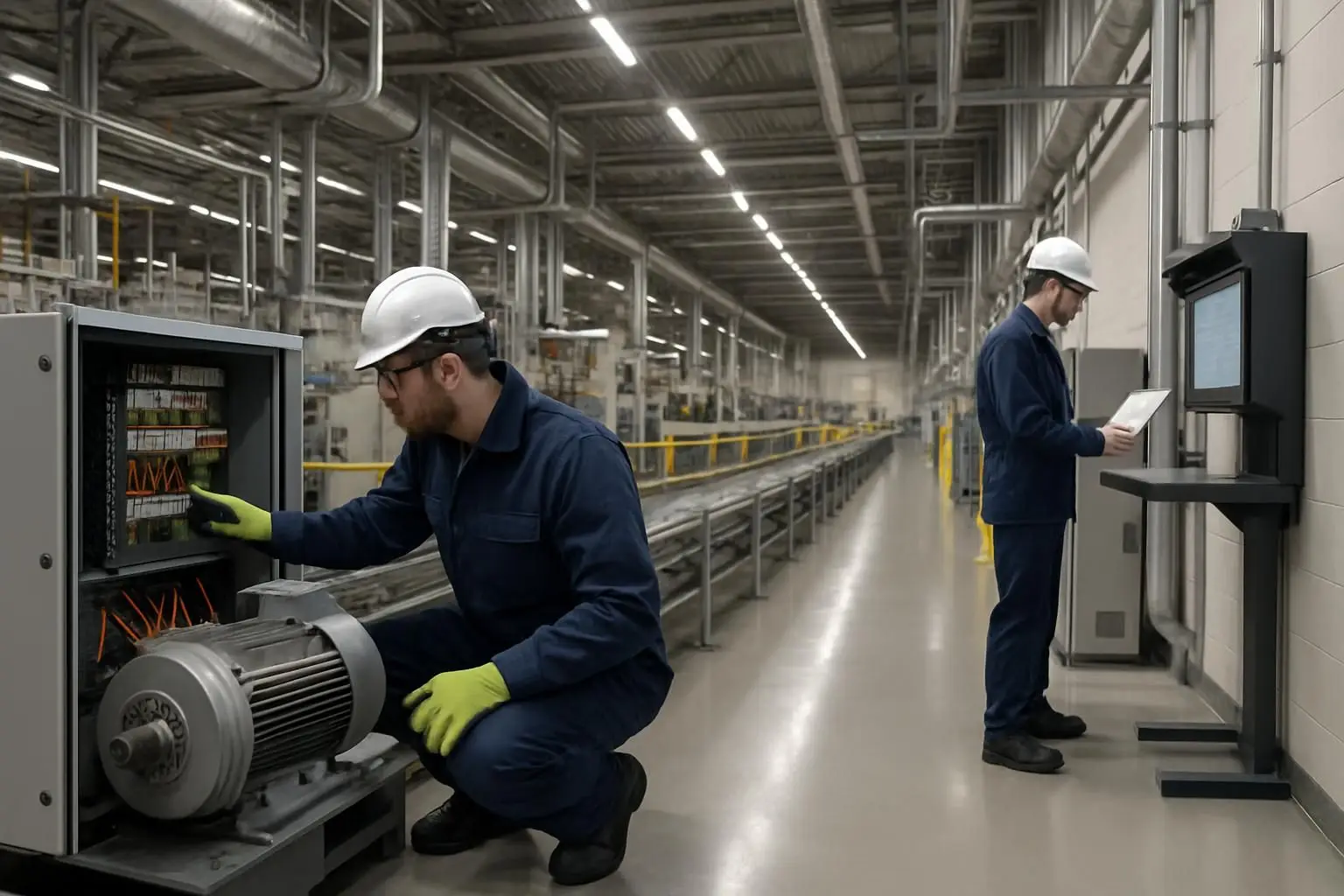
Manufacturing CMMS software is a centralized system for planning maintenance, reporting faults, scheduling inspections, managing work orders, and maintaining an auditable equipment history. The right computerized maintenance management system software helps teams move from scattered spreadsheets and reactive repairs toward controlled, repeatable maintenance work that protects equipment uptime and worker safety.
Key takeaways
- CMMS software gives manufacturing teams one operational record for assets, work orders, preventive maintenance, inspections, parts, and maintenance history.
- Evaluate a CMMS by how well it supports real maintenance workflows: fault reporting, prioritization, planning, technician execution, verification, and review.
- Manufacturing environments need safety-connected maintenance processes, including inspection evidence, isolation procedures, and permit-to-work controls where applicable.
- A successful rollout starts with critical assets and clean workflows—not an attempt to document every asset and every task on day one.
- The best CMMS software is the one that technicians, operators, supervisors, and contractors can actually use consistently at the point of work.
What is CMMS software?
CMMS stands for computerized maintenance management system. Put simply, CMMS software is a digital system that organizes and records maintenance activity around physical assets, such as production lines, conveyors, pumps, compressors, boilers, motors, utilities, and building systems.
If someone asks, “What is CMMS maintenance software?”, the practical answer is that it is the operating system for maintenance work. It helps a team answer essential questions quickly:
- What equipment do we have, and where is it located?
- Which assets are most critical to production, safety, quality, or compliance?
- What faults have been reported, and who owns the next action?
- Which preventive maintenance tasks are due, overdue, or completed?
- What was repaired, what parts were used, and how long did the job take?
- Is a permit, inspection, shutdown, or verification required before work begins?
A computerized maintenance management system software platform should provide a reliable record from the first fault report through planning, execution, close-out, and analysis. This replaces disconnected channels such as paper checklists, inboxes, spreadsheets, verbal handovers, and personal memory.
CMMS software is not just a digital job list. When configured well, it creates a connected asset history that enables more consistent decision-making about repair, replacement, preventive maintenance, spare parts, and risk.
Why manufacturing teams need CMMS maintenance software
A manufacturing site runs on interdependent equipment and processes. A small failure in a sensor, drive, bearing, valve, utility system, or safety device can stop a line, affect product quality, delay a shipment, or create a hazardous work condition.
Without a shared maintenance system, teams often face familiar problems:
- Faults are reported late, incompletely, or through informal messages.
- Urgent jobs crowd out planned maintenance.
- Operators cannot see whether an issue has been assigned or resolved.
- Technicians repeat diagnostic work because prior repair history is hard to find.
- Inspection records are incomplete or difficult to retrieve during an audit.
- Maintenance leaders cannot distinguish genuinely urgent work from work that was simply never planned.
- Safety controls are separate from the maintenance workflow.
Manufacturing CMMS software brings these activities into one process. It does not eliminate equipment failures, but it makes failures easier to capture, prioritize, investigate, resolve, and learn from.
For manufacturers, the outcome is not merely “more data.” It is more predictable maintenance: clearer ownership, better-prepared jobs, fewer lost details at shift handover, and a stronger basis for protecting uptime.
Core CMMS capabilities for a manufacturing environment
Not every maintenance platform is equally suited to industrial work. A useful maintenance software CMMS should support the full lifecycle of a job while remaining practical for busy frontline users.
| Capability | What it does | Why it matters in manufacturing |
|---|---|---|
| Asset register and hierarchy | Records equipment, locations, parent-child assets, specifications, and documents | Lets teams trace issues from a component to a production line, area, or utility system |
| Fault reporting | Captures a defect, request, image, location, and priority | Helps operators report problems before they develop into longer stoppages |
| Work order management | Assigns, tracks, documents, verifies, and closes maintenance work | Creates ownership and a defensible maintenance record |
| Preventive maintenance | Schedules recurring time-, meter-, or condition-based tasks | Reduces missed routine servicing and supports planned work |
| Digital inspections and checklists | Guides inspections and records readings, evidence, and exceptions | Makes inspections consistent across shifts, lines, and sites |
| Parts and materials records | Tracks parts used, stock levels, suppliers, and reorder information | Helps technicians prepare jobs and reduces delays for common spares |
| Mobile or field access | Gives frontline users a simple way to create and update work | Keeps the system current where maintenance actually happens |
| Reporting and dashboards | Shows backlog, overdue tasks, fault trends, response performance, and asset history | Supports improvement decisions rather than relying on anecdotes |
| Safety workflow support | Connects permits, risk controls, approvals, and maintenance activity | Helps ensure work is authorized and controlled before it starts |
A CMMS may also integrate with sensors, ERP systems, procurement tools, or production systems. Those integrations can be valuable, but they should not distract from the basics: accurate assets, usable work orders, disciplined preventive maintenance, and adoption by the people doing and requesting the work.
CMMS software vs. ERP: is SAP a CMMS or an ERP?
SAP is primarily known as an ERP (enterprise resource planning) platform. Its enterprise asset management and plant maintenance capabilities can support CMMS-like maintenance processes, depending on the SAP products and configuration in use.
The important distinction is functional, not just brand-based. ERP systems typically connect finance, purchasing, inventory, production, human resources, and broader business operations. CMMS software is purpose-built around maintenance execution and asset reliability workflows.
| Consideration | CMMS software | ERP with maintenance functionality |
|---|---|---|
| Primary focus | Maintenance operations, asset history, work execution | Enterprise-wide planning, transactions, and business control |
| Typical frontline use | Fault reporting, inspections, assignments, work completion | Often requires more structured transactional workflows |
| Deployment approach | Can be focused on maintenance and facilities teams | Often part of a wider enterprise implementation |
| Best fit | Teams seeking practical maintenance workflow adoption | Organizations needing deep linkage to finance, procurement, and enterprise master data |
| Common approach | Standalone CMMS or connected maintenance platform | ERP maintenance module, sometimes complemented by specialized tools |
Neither approach is inherently better. A manufacturer with a mature ERP environment may need maintenance data to flow into purchasing, inventory, or financial reporting. A plant with fragmented maintenance processes may first benefit from a focused CMMS that makes reporting and work execution simple.
When evaluating options, ask how technicians and operators will use the system during an actual shift—not only how the system looks in a demonstration.
The Manufacturing Maintenance Fit Framework
Use the Manufacturing Maintenance Fit Framework to assess whether a CMMS supports your real operating environment. Score each area based on your workflow requirements, not on the longest feature checklist.
1. Capture: can issues be reported immediately and clearly?
The system should make it easy for operators, technicians, and supervisors to log a fault with the right asset, location, description, urgency, and supporting photo or document.
Low-friction reporting matters because a fault that is never captured cannot be prioritized or analyzed. Consider whether users must download and learn a separate app, or whether reporting can happen through channels they already use, such as approved workplace messaging tools.
2. Control: can your team prioritize and safely authorize work?
A maintenance request is not automatically a work order. Supervisors need to assess impact, assign ownership, set priority, plan resources, and determine whether the job requires shutdown coordination, isolation, contractor controls, or a permit to work.
For higher-risk tasks, digital e-permit-to-work processes can connect authorization and safety documentation to the maintenance record. This is especially relevant when work involves hazardous energy, confined spaces, hot work, working at height, or contractor activity. The exact controls should match your site’s policies and legal requirements.
3. Execute: can technicians complete work without workarounds?
A good work order should provide enough context to help the technician arrive prepared: asset details, fault history, task instructions, checklists, drawings, relevant parts, safety notes, and the required completion information.
The system should also make closure meaningful. Instead of simply marking a task “done,” technicians should be able to capture actions taken, findings, materials used, downtime where relevant, and follow-up work required.
4. Learn: can maintenance history drive better decisions?
The value of a CMMS grows when completed work becomes usable history. Leaders should be able to identify recurring fault patterns, high-maintenance assets, overdue preventive maintenance, repeat callouts, parts consumption, and bottlenecks in the work process.
This supports a more deliberate approach to asset management. ISO 55000 provides internationally recognized guidance around asset management systems; while a CMMS does not by itself make an organization ISO 55000-aligned, it can provide the structured asset and work information needed for stronger asset-management practices.
How to use CMMS software in a manufacturing plant
How to use CMMS software effectively is less about pressing buttons and more about creating one agreed maintenance process. Start with a narrow, high-value scope and expand after the workflow is working.
Step 1: Build a useful asset register
List the assets that matter most to production, safety, quality, and utilities. Establish a consistent naming convention and location hierarchy. Record practical information: manufacturer, model, serial number, documents, critical spare parts, and relevant safety instructions.
Avoid spending months trying to perfect every record. Begin with critical production assets and expand in logical groups.
Step 2: Define fault categories and priority rules
Set simple categories that reflect your plant, such as mechanical, electrical, controls, utilities, safety, quality impact, or facilities. Define what distinguishes an emergency from an urgent job, a routine repair, and an improvement request.
Clear rules prevent every issue from becoming “urgent” and give planners a more reliable backlog.
Step 3: Convert recurring work into preventive maintenance plans
Create PM templates for routine inspections, lubrication, cleaning, calibration checks, safety-device checks, and manufacturer-recommended service tasks. Include step-by-step instructions, required readings, evidence requirements, tools, parts, and escalation paths.
Schedule work using the appropriate trigger: calendar intervals, runtime, production cycles, meter readings, or a condition-based signal. Do not schedule a task merely because it is easy to schedule; connect each PM to a credible failure mode, requirement, or operating need.
Step 4: Standardize the work order lifecycle
Agree on the stages a job must pass through—for example: reported, reviewed, planned, assigned, in progress, awaiting parts, completed, verified, and closed. Define who owns each transition.
This improves shift handover and prevents work from disappearing into an ambiguous “open” or “completed” status.
Step 5: Connect maintenance and safety workflows
For work requiring formal authorization, connect permit-to-work and maintenance processes. The work order should make it clear whether a permit is required, while the permit record should identify the associated task, asset, controls, approvals, and completion status.
This connection helps prevent a common weakness: treating safety documentation as a separate administrative exercise rather than part of how work is planned and executed.
Step 6: Review the right metrics, then improve the workflow
Review measures that prompt action, such as overdue planned maintenance, backlog age, repeat failures, response and completion times by priority, work order rework, and assets generating frequent corrective work.
Use findings to improve job plans, spare-parts strategy, operator care routines, inspection routes, and replacement decisions. A dashboard is useful only if it leads to a specific operational conversation and follow-up action.
How to choose the best CMMS software for manufacturing
There is no universal “best CMMS software.” The best choice depends on your assets, risk profile, workforce, site complexity, integration needs, and adoption constraints.
Use a scenario-based evaluation rather than a feature-only comparison. Ask each vendor to demonstrate a realistic workflow from a reported line fault through triage, planning, permit control where required, technician completion, verification, and reporting.
| Evaluation question | What a strong answer looks like |
|---|---|
| Can operators report faults quickly? | A simple, guided process with asset/location selection, attachments, and status visibility |
| Can planners manage competing priorities? | Clear queues, ownership, priority rules, due dates, and escalation paths |
| Does it support your asset hierarchy? | Flexible parent-child assets, locations, documents, and maintenance history |
| Can it digitize inspections? | Configurable checklists, readings, evidence capture, exception follow-up, and audit trails |
| Does it support safe work? | Links between work orders, approvals, risk controls, and e-permit-to-work processes where needed |
| Will frontline teams use it? | Minimal friction, practical mobile access, and workflows that fit the way teams communicate |
| Can it grow with your operation? | Multi-site support, permissions, configurable workflows, reporting, and integration options |
| Is the commercial model clear? | Transparent scope, implementation needs, support expectations, and total cost of ownership |
Cost should be assessed against operational value, not only subscription price. Include time spent on administration, implementation, training, data migration, integrations, ongoing configuration, and process ownership. You can review FacilityBot pricing when comparing platform options and implementation fit.
Common CMMS implementation mistakes to avoid
A manufacturing CMMS project can underperform even when the software is capable. Most problems are process and adoption issues rather than technical failures.
- Trying to launch everything at once: Begin with a pilot area, a critical asset group, or a single repeatable workflow.
- Importing poor-quality data without review: Standardize asset names, locations, statuses, and task templates before loading records.
- Making reporting too difficult: If reporting a fault takes too long, people will return to calls, chats, and paper notes.
- Using vague work order descriptions: “Fix machine” does not create useful history. Capture symptoms, cause where known, action taken, and verification.
- Treating preventive maintenance as a compliance checkbox: Review whether tasks prevent or detect meaningful failures, and revise plans based on findings.
- Leaving ownership unclear: Identify who maintains asset data, PM templates, priority rules, user access, and reporting definitions.
- Ignoring the safety connection: For controlled work, build required authorization and verification into the workflow instead of handling it separately.
Is there free CMMS software?
Yes, some providers offer free CMMS software plans, open-source tools, or time-limited trials. These can be useful for small teams, proof-of-concept projects, or basic asset and work order tracking.
For a manufacturing operation, however, evaluate the limits carefully. A free plan may restrict users, assets, reporting, mobile access, automation, integrations, support, permissions, inspections, or safety workflows. The relevant question is not simply whether a system is free; it is whether it can support reliable maintenance execution as the plant’s needs grow.
A pilot should test adoption and workflow fit before a broad rollout. If you are assessing total cost and scalability, compare the requirements against the available FacilityBot pricing options.
FAQ
What is CMMS software?
CMMS software is computerized maintenance management system software used to manage assets, maintenance requests, work orders, preventive maintenance schedules, inspections, parts, and equipment history. In manufacturing, it gives teams a shared process for finding, planning, completing, and learning from maintenance work.
What is the best CMMS software?
The best CMMS software is the system that fits your plant’s real workflows. It should make fault reporting easy, support your asset hierarchy, enable preventive maintenance and digital inspections, provide usable work orders, connect to safety controls when needed, and be simple enough for operators and technicians to use consistently. Test vendors with a real maintenance scenario rather than choosing solely by feature count.
Is SAP a CMMS or an ERP?
SAP is primarily an ERP platform, though certain SAP maintenance and enterprise asset management capabilities can support CMMS functions. A dedicated CMMS is typically more focused on frontline maintenance workflows, while an ERP is designed to coordinate broader enterprise functions such as finance, purchasing, inventory, and production.
Is there a free CMMS software?
Yes. Free and open-source CMMS options exist, and some commercial providers offer limited free tiers or trials. They may work for basic needs, but manufacturing teams should check limits around users, assets, inspections, reporting, integrations, permissions, support, and safety-related workflows before relying on them for critical operations.
A CMMS should make maintenance work easier to report, safer to control, and simpler to improve. Book a FacilityBot demo to explore a manufacturing maintenance workflow built around faults, work orders, preventive maintenance, digitized inspections, and e-permit-to-work.
