
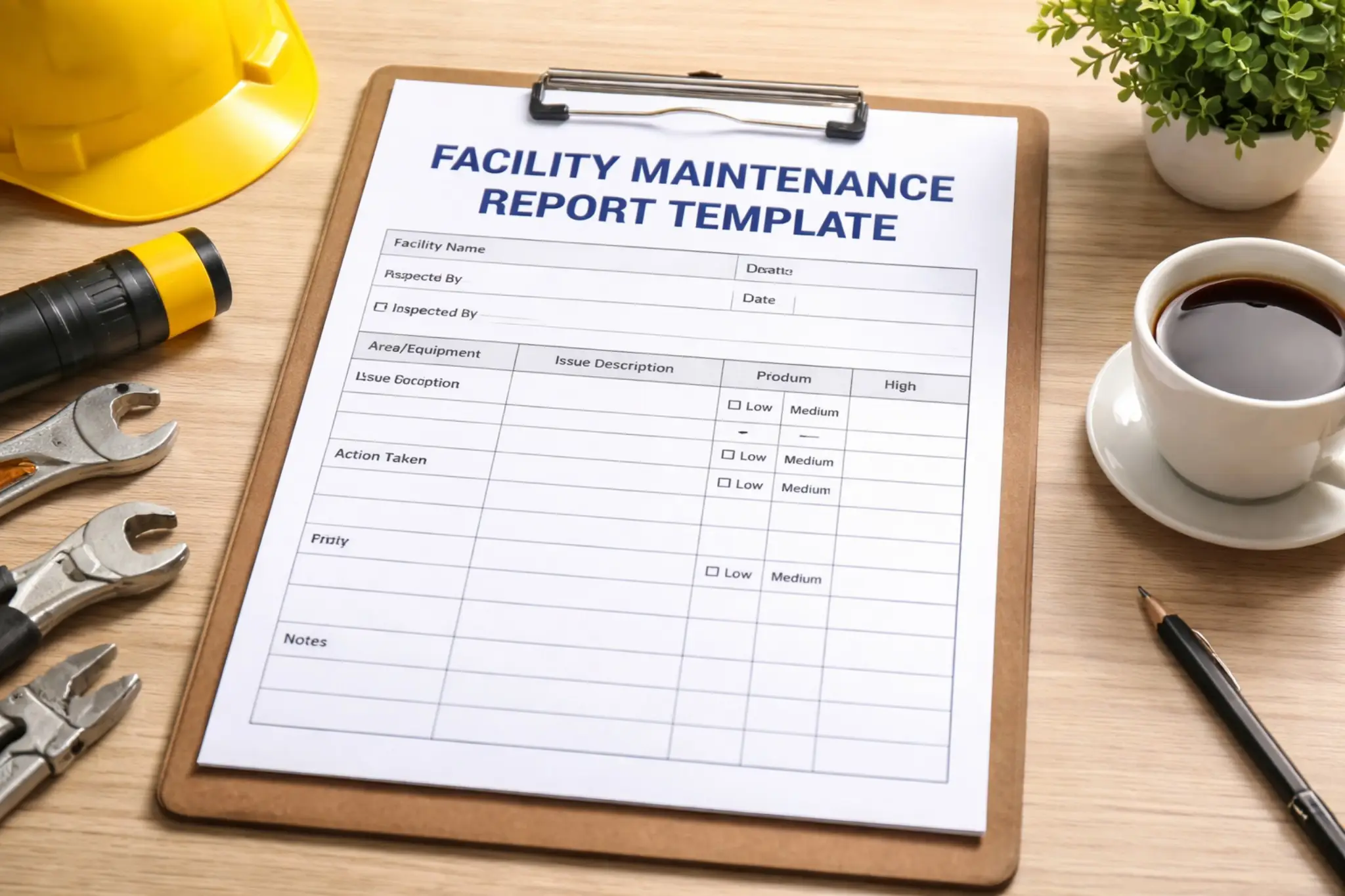
A facilities maintenance report is a formal record of what happened during a maintenance visit or reporting period: what was inspected, what was fixed, what condition your equipment is in, and what still needs attention. Written well, it gives managers and stakeholders a clear, accurate picture of building performance, budget, and risk. Written poorly, it becomes a pile of notes nobody can act on.
This guide walks through exactly what to include in a facilities maintenance report, a step by step process for writing one, the different report types you’ll come across, and a maintenance report template you can start using right away.
Why a Good Facilities Maintenance Report Matters
Facility managers spend an average of 30 to 33 percent of their maintenance budget on unplanned repairs and poor maintenance practices. A large share of that comes down to poor visibility: problems that go unreported, backlogs nobody is tracking, and equipment history that lives in someone’s memory instead of on paper.
Reporting is how you fix that. Research cited by Harvard Business Review found that nearly half of Fortune 1000 companies now use data specifically to cut costs and sharpen their competitive position. A facilities maintenance report is your version of that data: the record that turns routine maintenance work into decisions you can actually budget, staff, and plan around.
What to Include in a Facilities Maintenance Report
Every solid facilities maintenance report, regardless of format, covers the same five things.
Header and details. Start with the basics: facility name, building or location, date, and the technician or inspector’s name or ID. This is what makes the report searchable and attributable later.
Work summary. List exactly what was done: the tasks completed, the work order number tied to each one, and the labor hours involved. This is the section that lets you calculate costs and completion rates down the line.
Asset status. Note the current condition of each piece of equipment involved: operational, needs repair, or offline. This single field is often the most valuable part of the report, since it feeds directly into repair-versus-replace decisions later.
Safety and issues. Document any hazards, unresolved tickets, or urgent risks separately from routine notes. Safety items should never get buried inside a general comments field, where they’re easy to miss.
Next steps. Close with what still needs to happen: scheduled preventive tasks, parts on order, or a follow-up visit. A report without next steps is just a log. A report with them is a plan.
How to Write a Facilities Maintenance Report: Step by Step
1. Capture the basics before you start.
Fill in the facility, date, technician, and work order number at the beginning of the visit, not the end. It sounds trivial, but this is where most incomplete reports go wrong.
2. Log the work as you go.
Note tasks, parts used, and time spent as you complete them rather than trying to reconstruct your day from memory afterward. You’ll capture more detail, and you’ll capture it accurately.
3. Record the asset’s real condition, not just what you fixed.
Even if the repair went smoothly, note the broader state of the equipment. A part that’s working today but showing early wear is exactly the kind of detail a good report is supposed to surface.
4. Flag safety issues immediately.
If you spot a hazard, write it up in its own section the moment you see it. Don’t wait until the report is finished, and don’t fold it into general notes where it can get lost.
5. Set next steps and required parts.
Before you close out the report, write down what happens next: a follow-up inspection, a part that needs ordering, or a preventive task that’s now due. This is what turns your report into someone else’s action item.
6. Review and route the report.
Check the report for completeness, then send it to whoever needs it, a supervisor, a property manager, or a shared system, so the information doesn’t sit unused on one person’s desk.
Types of Facilities Maintenance Reports
“Facilities maintenance report” covers more than one format. Which type you run depends on what question you’re trying to answer.
| Report Type | What It Tracks | When to Run It |
|---|---|---|
| Preventive Maintenance | Scheduled vs. deferred service tasks | Weekly or monthly |
| Work Order Status | Open, in progress, and closed tickets | Weekly |
| Asset History | Full repair and downtime record per asset | Before replacement decisions |
| Cost Report | Labor, inventory, and total maintenance spend | Monthly or quarterly |
| Team Performance | Response time, resolution time, workload | Monthly |
A good rule of thumb: keep your preventive maintenance backlog under six weeks. Once it grows past that, deferred tasks start turning into the unplanned repairs that eat into your budget in the first place.
Facilities Maintenance Report Template
Use this maintenance report template as a starting point. Copy it into your CMMS, a shared document, or a paper form, and fill in each section during your next inspection.
1. Report Header
| Facility Name | |
| Location / Building | |
| Date | |
| Technician / Inspector | |
| Report ID or Work Order # |
2. Work Summary
| Task(s) Completed |
|
| Work Order Number(s) | |
| Labor Hours | |
| Materials / Parts Used |
|
3. Asset Status
| Equipment / Asset ID | |
| Condition | ☐ Operational ☐ Needs Repair ☐ Offline |
| Notes on Wear or Performance |
|
4. Safety & Issues
| Hazards Observed |
|
| Unresolved Tickets |
|
| Urgency Level | ☐ Low ☐ Medium ☐ High |
5. Next Steps
| Scheduled Preventive Tasks |
|
| Parts or Vendor Follow-Up Required |
|
| Recommended Follow-Up Date |
Technician Signature: _______________________________ Date: ______________________
Best Practices for Writing Better Reports
Standardize the format. Use the same template across every technician and every site. Reports that follow different formats are much harder to compare or roll up into a bigger picture.
Set a consistent cadence. Run and review your reports on a fixed schedule, monthly at minimum, so trends actually show up instead of getting lost between one-off checks.
Connect reports to your budget. Where you can, tie labor hours and parts costs on each report back to your overall maintenance and accounting budgets. That’s how a report stops being paperwork and starts being a planning tool.
Digitize what you can. Paper reports get lost, and handwriting is hard to search. Even a simple digital form makes your reports easier to file, filter, and act on later.
How FacilityBot Makes Facilities Maintenance Reporting Effortless
Writing a facilities maintenance report by hand, chasing technicians for notes, and stitching data together in a spreadsheet takes hours every month. FacilityBot’s cloud-based CMMS software removes that friction by capturing the data automatically as work happens, not after the fact. As fault reporting software, it lets tenants and technicians log issues directly from WhatsApp, Telegram, SMS, or email the moment a problem appears, so every report starts with accurate, timestamped information instead of end-of-shift memory.
From there, FacilityBot’s maintenance management software turns that activity into the reports covered in this guide automatically: preventive maintenance status, work order backlogs, asset histories, and technician performance, all built from one centralized record. Instead of writing reports from scratch, your team just reviews and shares them.
