
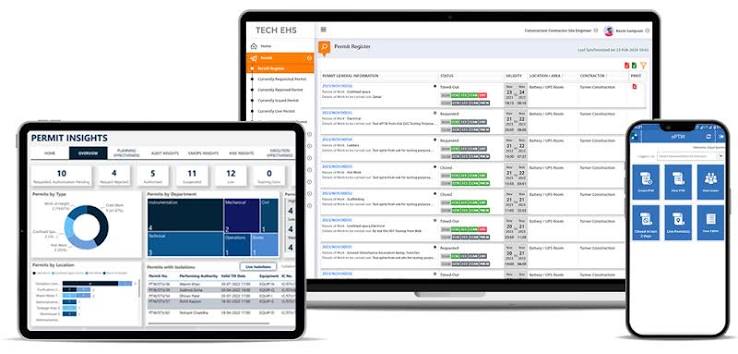
High-risk work doesn’t forgive shortcuts. Hot work, confined space entry, electrical isolation, and lockout/tagout tasks all carry consequences when authorization steps get skipped or lost in paper trails. That’s why more facility and EHS teams are moving away from manual sign-off sheets and adopting permit to work software systems that standardize how permits are requested, reviewed, approved, and closed.
But not all permit to work system software is built the same way. Some platforms are little more than digital forms; others are full workflow engines that integrate with risk assessments, isolation tracking, and site-wide safety analytics. Choosing the right one shapes how safely — and how efficiently — your team operates every single day.
Here’s what to look for.
What Is Permit to Work Software Syetems?
Permit to work software replaces paper-based authorization processes with a digital system that governs how hazardous work gets approved before it starts. Instead of a supervisor manually chasing signatures, the software routes each permit request through defined approval stages — checking that hazards are identified, controls are in place, and the right people have signed off — before work begins.
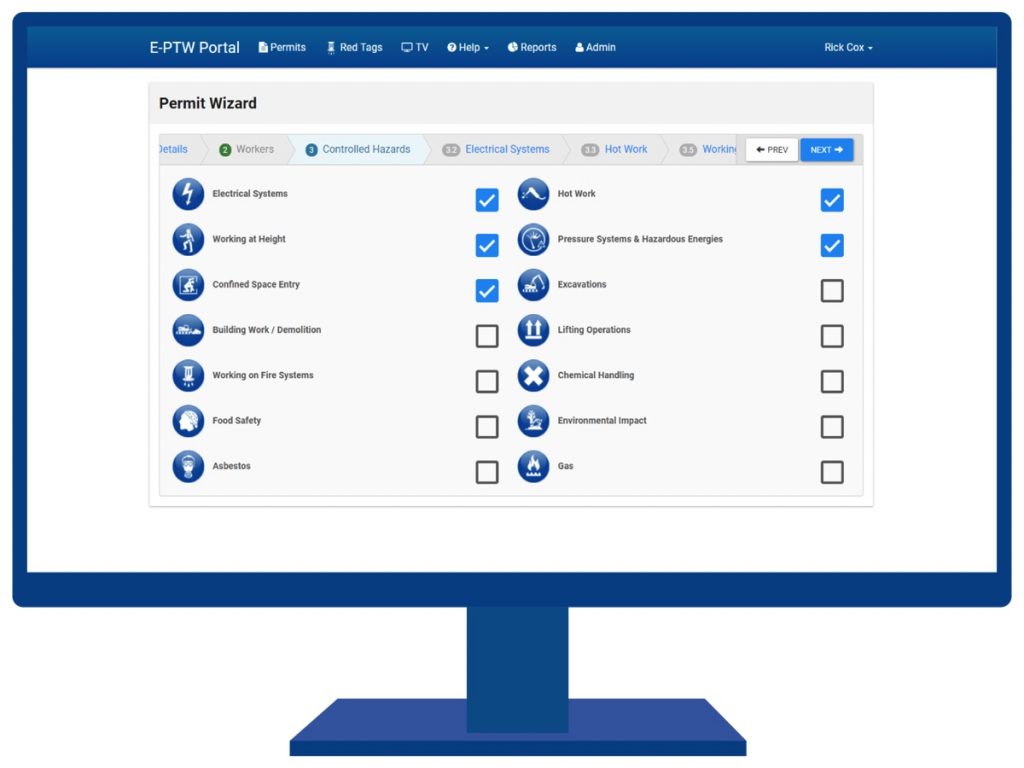
For facilities managing multiple work types, sites, or shifts, this isn’t just convenience. It’s risk reduction. A well-configured system makes sure nobody starts hot work without isolation checks, and nobody enters a confined space without the required PPE and gas testing documented.
Core Features to Evaluate
When comparing permit to work software systems, a handful of capabilities separate the platforms that genuinely reduce risk from the ones that just move paperwork onto a screen.
| Feature | Why It Matters |
|---|---|
| Configurable permit templates | Adapts to different work types (hot work, confined space, electrical, height) without needing developer support |
| Role-based approval workflows | Ensures only authorized personnel can initiate, review, approve, or close a permit |
| Real-time status dashboard | Gives a live view of active, pending, and expired permits across all sites |
| Integrated risk assessments | Links hazard identification and controls directly to each permit instead of separate documents |
| Mobile and offline access | Lets field teams issue and close permits on-site, even without connectivity |
| Automated audit trail | Timestamps every approval, revision, and closure for compliance and internal review |
| Expiry and revalidation controls | Prevents work continuing under a permit that has technically lapsed |
| Contractor access management | Grants external teams controlled, permission-based visibility without exposing the full system |
| QR code / on-site scanning | Allows quick access to permit status and documents directly from the job site |
| Analytics and reporting | Surfaces trends across locations, permit types, and approval times to catch bottlenecks early |
| Work order integration | Connects permit approvals directly to the maintenance or facilities work they authorize |
- Configurable permit templates and work types Your facility likely runs several categories of hazardous work — hot work, confined space, working at height, electrical isolation — and each carries different mandatory fields. Look for software that lets you build and adjust templates without needing a developer every time a process changes.
- Role-based approval workflows The system should let you define exactly who can initiate, review, approve, and close a permit based on job role, so approvals can’t be rubber-stamped by the wrong person or skipped entirely.
- Real-time status visibility A dashboard view of active, pending, and expired permits across every site gives supervisors and EHS managers a single source of truth, instead of forcing them to track down paper copies or separate spreadsheets.
- Integrated risk assessments and hazard controls The strongest platforms link job safety analyses, hazard identification, and control measures directly to each permit, rather than storing them as disconnected documents.
- Mobile and offline access Field teams need to issue, view, and close permits from wherever the work is happening — including areas with poor connectivity. Systems that sync automatically once back online prevent gaps in the audit trail.
- Audit trail and compliance reporting Every approval, revision, and closure should be timestamped and logged automatically. This matters both for internal safety reviews and for demonstrating compliance during external audits.
- Expiry and revalidation controls Permits should expire automatically and require revalidation for extended jobs, so nobody is working under an authorization that’s technically no longer valid.
- Contractor access controls If external contractors regularly work on-site, the software should let you grant them controlled, permission-based access without exposing your full system.
Why This Matters for Your Team
The value of e-permit to work software isn’t just administrative time savings, though that’s real — automating routing and reminders cuts down the hours EHS staff spend chasing approvals. The bigger win is consistency. When every permit follows the same structured workflow regardless of who’s issuing it, you reduce the chance that a hazard gets missed because someone was in a hurry or unfamiliar with the process.
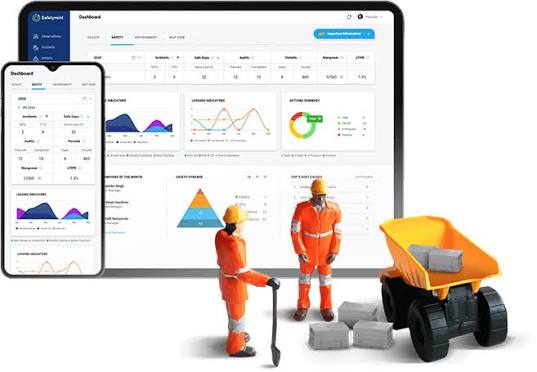
It also improves visibility for leadership. Instead of finding out about a near-miss after the fact, EHS managers can see permit trends, flag locations with recurring delays or issues, and act before those patterns turn into incidents.
Questions to Ask Before You Choose
- Can the platform handle every work type your facility deals with, not just the most common ones?
- Does it integrate with your existing work order management or asset management systems, or will you end up with two disconnected tools?
- How easily can your team configure new permit types or approval chains as processes evolve?
- Is there genuine offline functionality, or does the system simply fail when connectivity drops?
- What does onboarding and support look like — will your team be self-sufficient, or reliant on the vendor for every change?
Getting clear answers to these questions before you commit will save you from a costly platform switch a year in.
Why FacilityBot Is the Best Facilities Management and Permit to Work Software
FacilityBot – best facilities managamenet software brings permit to work management into the same platform as your broader facilities and work order operations, so safety authorizations aren’t siloed away from the maintenance and facilities workflows they directly affect. Instead of juggling separate systems for permits, work orders, and asset tracking, teams get one connected environment where a permit can trigger a work order, and a work order can reference the permit that authorized it — closing the gap between safety compliance and day-to-day operations.
With configurable permit templates, role-based approvals, mobile access for field teams, and real-time dashboards, FacilityBot gives EHS and facilities managers the same rigor as dedicated permit to work system software — without forcing them to manage yet another disconnected tool. For teams that want permit to work software systems that work in step with facility and maintenance management rather than around it, FacilityBot is built to be that single, unified platform.
