
Last updated on July 21st, 2026 at 12:47 pm
Facilities and maintenance teams are under more pressure than ever to do more with less — fewer technicians, tighter budgets, and higher expectations for uptime and response times. Paper tickets, spreadsheets, and scattered email requests simply can’t keep pace. That’s where work order management software comes in.
This guide breaks down what work order management software is, why it matters in 2026, the core features to look for, and how to choose a work order management system software that actually fits the way your team operates.
What Is Work Order Management Software?
Work order management software is a digital platform that helps teams create, assign, schedule, track, and close out maintenance work orders from a single, centralized system. Instead of routing requests through paper forms, spreadsheets, or disconnected messages, teams get one shared source of truth covering every job from request to completion.
At its core, a work order management system software typically supports:
- Submitting and logging work requests
- Assigning and prioritizing tasks across technicians or teams
- Tracking job status in real time, from open to in-progress to complete
- Linking work orders to assets, locations, and parts
- Documenting completion details, costs, and history for reporting
Many organizations use work order software as part of a broader computerized maintenance management system (CMMS) or facilities management platform, where work orders connect directly to asset records, preventive maintenance schedules, and inventory data.
Why Work Order Management Software Matters in 2026
Facilities and maintenance leaders are increasingly expected to justify spend, prove compliance, and reduce unplanned downtime — all while managing leaner teams. A modern work order management system software addresses these pressures directly by replacing manual processes with automated, trackable workflows.
Teams that move to dedicated work order management software typically see improvements across a few key areas:
Faster response times. Requests are routed automatically to the right team or technician, instead of sitting in an inbox or getting lost between departments.
Better accountability. Every work order has a clear owner, status, and history, so nothing falls through the cracks and managers can see exactly what’s been done and by whom.
Reduced downtime. Connecting work orders to asset and equipment records means technicians have the context — history, manuals, past repairs — they need to fix issues faster and prevent repeat failures.
Stronger compliance and audit readiness. Digital records, required fields, and completion documentation make it far easier to demonstrate compliance during audits or inspections, compared to paper trails or scattered files.
Lower long-term costs. Standardized workflows, better parts tracking, and preventive scheduling reduce the reactive, emergency repairs that tend to be the most expensive.
Key Features to Look for in Work Order Management System Software
Not all work order platforms are built the same way. When evaluating options, prioritize systems that offer the following:
1. Mobile-First Work Order Execution
Technicians and facilities staff need to create, update, and close work orders from wherever they’re working — not just from a desktop. Look for mobile access with offline functionality, photo attachments, and QR or barcode scanning so field teams can pull up job details instantly.
2. Configurable Workflows and Request Routing
Every facility has its own approval chains, priority levels, and escalation rules. A strong work order management system software should let you configure routing so requests automatically reach the right reviewer or team, without manual triage.
3. Asset and Location Linking
Work orders are far more useful when tied directly to the equipment, room, or building involved. This gives technicians instant access to maintenance history, manuals, and prior repairs, and gives managers a clearer picture of where recurring problems are happening.
4. Preventive Maintenance Scheduling
The best systems don’t just manage reactive repairs — they help you get ahead of them. Recurring maintenance schedules, meter-based triggers, and inspection checklists all help shift teams from firefighting to planned upkeep.
5. Inventory and Parts Visibility
Delays caused by missing parts are one of the most common (and avoidable) causes of extended downtime. Work order software that connects to inventory data helps teams confirm parts availability before a job even starts.
6. Reporting and Dashboards
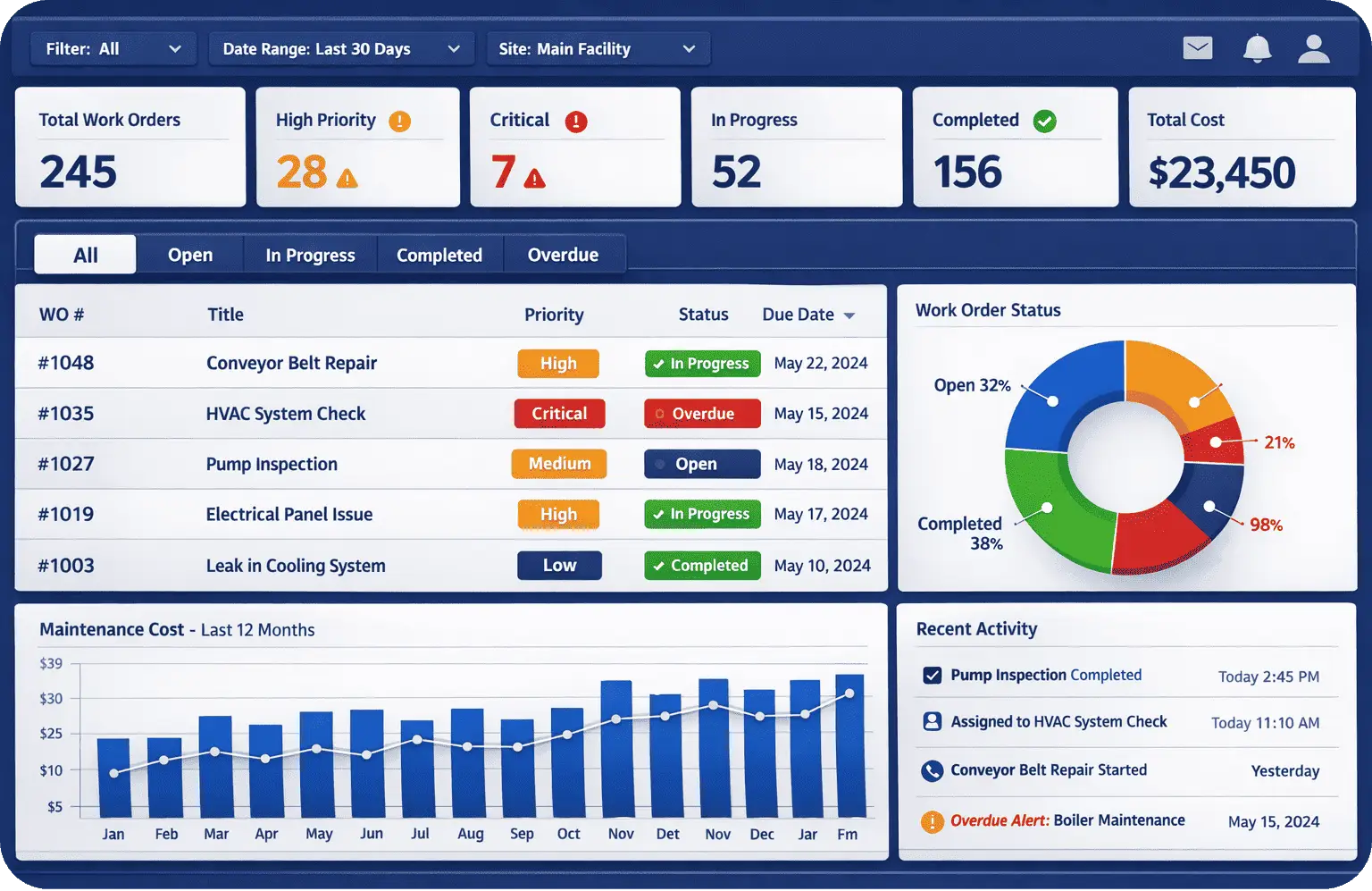
Real-time dashboards covering open work orders, completion times, costs, and recurring issues give managers the visibility they need to spot bottlenecks, plan staffing, and make the case for budget or equipment upgrades.
7. Built-In Communication
Comments, tagging, and status updates tied directly to the work order keep context in one place — instead of scattered across texts, calls, and email threads that are easy to lose track of.
Types of Work Order Management Software
Work order platforms generally fall into a few categories, and the right one depends on the complexity of your operation:
| Type | Best For | Limitations |
|---|---|---|
| Basic ticketing systems | Very small teams needing simple request tracking | Little to no asset history, inventory, or reporting depth |
| Computerized Maintenance Management Systems (CMMS) | Facilities and maintenance teams managing multiple assets, sites, or compliance requirements | Can require more setup to configure workflows fully |
| Field service management (FSM) | Teams dispatching technicians to off-site or customer locations | Less focused on internal asset history and preventive maintenance |
For most facilities management and permit-driven environments, a full work order management system software — one that connects work orders to assets, inventory, and compliance records — offers the most long-term value over a basic ticketing tool.
How to Choose the Right Work Order Management Software
There’s no single “best” platform — the right choice depends on your team’s size, the complexity of your assets, and your compliance requirements. As you evaluate options, consider:
- Adoption and ease of use. A powerful system only delivers value if technicians actually use it in the field. Prioritize intuitive mobile experiences over feature lists that look impressive in a demo but are hard to use day-to-day.
- Scalability across sites. If you manage multiple locations, look for software built to standardize workflows and reporting across sites, not just single-location tools.
- Integration with existing systems. Check whether the platform connects with your ERP, procurement, or existing facilities management software to avoid duplicate data entry.
- Support for compliance-heavy workflows. If your industry requires permits, inspections, or audit trails, confirm the platform supports required fields, digital sign-offs, and documentation out of the box.
- Total cost of ownership. Look beyond the subscription price to implementation time, training needs, and ongoing support required to keep the system running smoothly.
FAQs: Work Order Management Software
Not exactly. Work order management software is often a core component of a CMMS, but a full CMMS typically adds broader asset management, inventory tracking, and reporting capabilities beyond just work orders.
Most modern platforms are designed for fast adoption, but teams with complex workflows, custom fields, or multi-site operations may benefit from onboarding support to configure the system properly.
Many platforms integrate with ERP systems, procurement tools, and existing facilities management software, which helps avoid duplicate data entry and keeps records synced across departments.
Most maintenance and facilities work happens on the floor, in the field, or across a building, not at a desk. If the mobile experience is clunky, adoption drops, and so does the accuracy of your data.
Simplify Work Order Management with FacilityBot
Managing work orders shouldn’t mean juggling spreadsheets, chasing approvals, or losing track of who’s doing what. FacilityBot brings work order management, permit to work, and asset tracking into one connected platform built for facilities teams that need speed, accountability, and compliance without the administrative overhead.
With FacilityBot, your team can submit, assign, and track work orders from any device, connect every job to the right asset and location, and get real-time visibility into what’s open, overdue, or at risk all from a single dashboard.
Ready to see how FacilityBot can simplify work order management for your facility? Book a demo today.
