
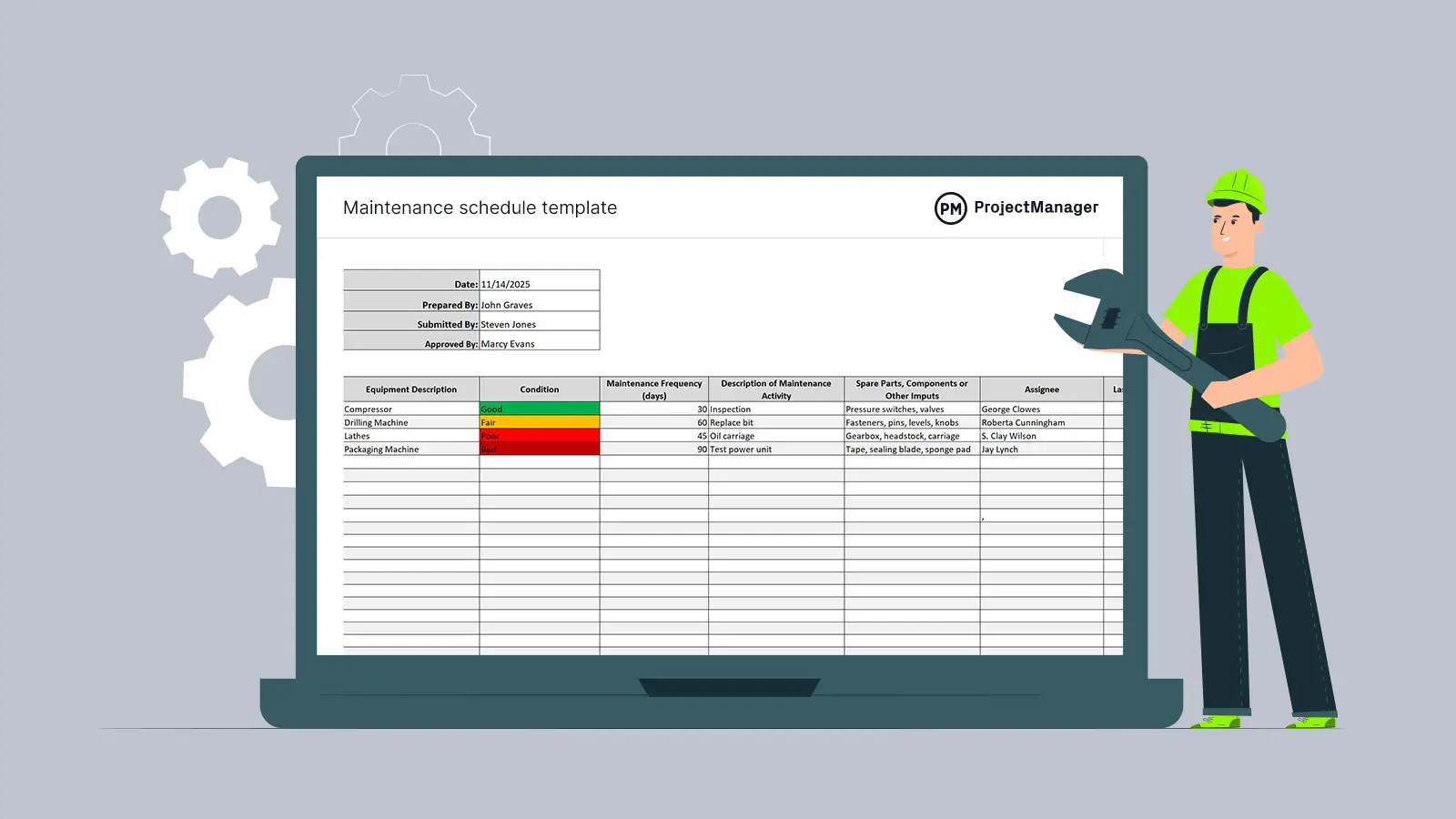
A blank spreadsheet is usually where a maintenance manager starts when they’re told to “get PM under control.” It rarely stays blank for long, and it rarely stays useful for long either. Rows get added ad hoc, columns get repurposed, and within a few months nobody fully trusts what’s on the sheet.
The fix isn’t more discipline. It’s starting from a template that already reflects how a machine preventive maintenance schedule actually needs to be structured, and then loading that structure into a system that keeps it accurate without manual upkeep.
This guide walks through the templates worth using for different types of machinery, the fields each one needs, and how to move from a static template to a live schedule that runs itself.
What a Machine Preventive Maintenance Schedule Actually Needs to Capture
Before picking a template, it helps to be clear on what the schedule is for. A machine preventive maintenance schedule exists to answer one question repeatedly, for every asset, every week: what needs to be done, on which machine, by whom, and with what.
That means every usable template, regardless of format, needs to capture at minimum:
- The asset (machine name, ID, and location)
- The specific task (inspection, lubrication, filter change, calibration, etc.)
- The trigger (a date, a calendar interval, or a meter reading)
- The assigned technician or team
- The estimated time and parts required
- A place to log what was found and completed
Templates that skip the “what was found” field tend to fail first. A PM schedule that only tracks whether a task was closed, without capturing the technician’s observations, has no feedback loop, and intervals never get corrected based on real wear patterns.
Template 1: Time-Based Machine PM Schedule
Time-based templates are the right starting point for most facilities, since they don’t depend on having meter data already flowing in. Each task runs on a fixed calendar cadence: daily, weekly, monthly, quarterly, or annually.
A basic time-based template needs these columns:
| Machine ID | Task Description | Frequency | Last Completed | Next Due | Assigned Technician | Est. Duration | Parts/Materials | Notes |
|---|
Where this template earns its keep is in the “Notes” column. If a technician logs “zero wear observed” on the same bearing inspection for six months straight, that’s a signal the interval is too aggressive. If they’re consistently finding significant wear right before the scheduled check, the interval is too long. A template without that field can’t tell you either.
Time-based schedules work best for tasks where degradation tracks with elapsed time rather than how hard the machine is running: lubrication, filter replacement, gasket checks, and general safety inspections.
Template 2: Usage-Based Machine PM Schedule
For machinery where wear is driven by how much the equipment runs rather than how many days have passed, a usage-based template is more accurate. Instead of a calendar date, the trigger is a meter reading, such as operating hours, production cycles, or distance traveled.
| Machine ID | Task Description | Trigger Meter | Threshold | Current Reading | Remaining Until Due | Assigned Technician | Parts/Materials |
|---|
The “Remaining Until Due” column matters more here than in a time-based sheet, because usage doesn’t accumulate at a predictable rate. A pump that runs three shifts a day will hit an 8,000-hour bearing threshold much sooner than one that runs a single shift. A static calendar wouldn’t catch that difference; a usage-based template does, provided the meter readings are actually being captured and kept current.
This is also where a template’s limitations start to show. Manually updating meter readings across dozens or hundreds of machines is a task people forget, and a missed reading means a missed threshold. That gap is one of the main reasons facilities eventually move usage-based PM out of a spreadsheet and into a CMMS with sensor or production-system integration.
Template 3: Seasonal Machine PM Schedule
Some machinery needs work tied to a specific time of year rather than a recurring interval: pre-summer HVAC servicing, pre-winter heating checks, or inspections ahead of a planned production shutdown. These sit outside the recurring cadence of time-based and usage-based tasks, so they need their own template rather than being forced into a monthly or quarterly row.
| Machine ID | Seasonal Task | Target Window | Lead Time Needed | Assigned Team | Dependency (e.g. shutdown window) |
|---|
The “Lead Time Needed” column is easy to skip and expensive to skip. A pre-shutdown inspection that requires ordering a specialty part needs to be flagged weeks before the shutdown date, not the week of.
Template 4: Criticality-Weighted Machine PM Schedule
Not every machine deserves the same PM intensity, and a template that treats all assets identically wastes maintenance hours on low-priority equipment while risking under-servicing the machines that actually stop production if they fail.
| Machine ID | Criticality (High/Med/Low) | PM Frequency | Task List | Spare Parts Availability | Backup Equipment Available? |
|---|
Ranking machines by criticality before setting frequencies is what keeps a machine preventive maintenance schedule proportionate. A high-criticality asset with no backup and hard-to-source spares justifies a tighter, more comprehensive PM cycle. A low-criticality machine with an available backup and cheap, in-stock parts can usually run on a lighter inspection-only schedule.
Worked Example: Building a Schedule from a Template
Take a 75 kW centrifugal pump rated at 3,000 RPM. The manufacturer’s documentation recommends a monthly bearing inspection and a six-month oil change. Using the time-based template above, those two tasks would initially populate as separate rows, each with its own frequency, technician assignment, and parts list.
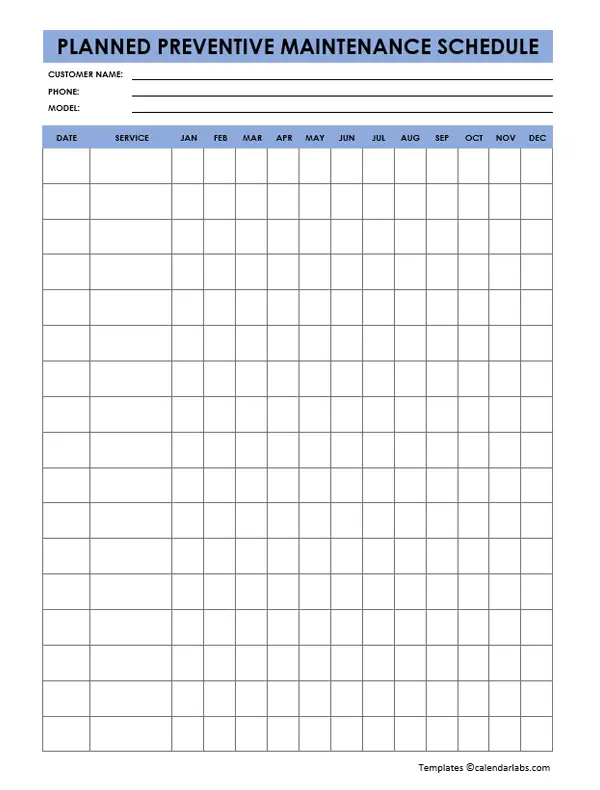
After a few months of vibration monitoring data, the notes column starts showing a pattern: wear accelerates noticeably between weeks three and four of the monthly cycle. That’s the feedback loop doing its job. The interval gets tightened to every three weeks so the inspection catches developing faults before they progress, while the six-month oil change interval stays as is, since oil sample analysis shows no abnormal degradation at that cadence.
That adjustment, tightening one interval while leaving another unchanged, based on evidence rather than a blanket schedule, is the difference between a PM schedule that’s actually working and one that’s just filling a calendar.
Why Spreadsheet Templates Hit a Ceiling
Templates are a reasonable starting point, but they carry the same three problems no matter how well they’re designed:
Nobody reschedules automatically. When a work order closes, someone has to manually calculate the next due date and re-enter it. Miss that step on enough rows and the schedule silently drifts out of sync with reality.
Meter-based triggers depend on manual entry. As covered above, usage-based tasks are only as accurate as the last recorded reading, and spreadsheets have no way to prompt for one.
There’s no single source of truth once more than one person is editing. Version conflicts, overwritten notes, and technicians working from a printed copy that’s a week out of date are common failure points once a program grows past a handful of machines.
This is generally the point where a machine preventive maintenance schedule moves out of a spreadsheet and into a proper system. In a CMMS, the same fields from the templates above become a recurring work order template attached to each asset. When the trigger condition is met, whether that’s a date, a meter threshold, or a seasonal window, the system generates the work order, assigns it, and reschedules the next occurrence automatically once it’s closed. The technician’s field notes feed directly back into the asset’s history, which is exactly the feedback loop the spreadsheet templates were trying to approximate manually.
Getting to that point isn’t a separate project from the templates above; it’s the natural next step once you’ve worked out how to start a preventive maintenance program for your equipment and moved past manufacturer defaults into intervals based on actual failure data.
Choosing the Right Template for Your Fleet
A quick way to decide which template applies to a given machine:
- If the manufacturer’s documentation ties maintenance to elapsed time (lubrication schedules, filter life ratings), start with the time-based template.
- If the manual specifies wear thresholds in hours, cycles, or distance, use the usage-based template, and confirm meter data can actually be captured before committing to it.
- If a task only makes sense at a specific point in the year, keep it out of the recurring templates entirely and track it on the seasonal sheet.
- Layer the criticality-weighted template over all of the above once the fleet is large enough that not every machine can realistically get the same attention.
Most facilities end up running more than one of these simultaneously. A single motor might carry a monthly time-based inspection alongside a usage-based bearing replacement threshold, both belonging to the same asset but sitting on different triggers. That’s normal, and it’s exactly the kind of layered structure that becomes hard to track once the fleet grows past what a spreadsheet can hold without breaking.
If your program is still leaning heavily on reactive work rather than planned tasks, it’s worth stepping back before finalizing any template. Understanding industrial preventive maintenance as a category, what separates it from routine maintenance and from predictive approaches, makes it easier to decide which tasks actually belong on a PM schedule versus which ones are better handled through condition monitoring instead.
Keeping the Schedule Honest Over Time
A template, however well built, is only a snapshot. The intervals it starts with, whether pulled from a manufacturer manual or built from scratch, need revisiting on a regular basis. Facilities that treat their first version as permanent tend to end up either over-maintaining equipment that’s run fine for years or missing failures on machines that needed tighter intervals from the start.
Reviewing compliance data is part of that upkeep, but compliance percentage on its own can be a misleading signal. A team can hit 95% PM compliance while still running a schedule with badly miscalibrated intervals, since compliance only measures whether tasks got closed on time, not whether the tasks themselves were the right ones at the right frequency. It’s worth being deliberate about how PM compliance is being used internally before treating it as the sole measure of program health.
The same applies to gauging where your maintenance program stands overall. Facilities at different points in their maturity curve need different things from a machine preventive maintenance schedule: a program still working through reactive backlog needs simpler, broader coverage first, while a more mature program can afford tighter, criticality-weighted intervals and deeper use of condition data. Benchmarking against a CMMS maturity model is a useful way to figure out which stage applies before over-engineering a schedule the team isn’t ready to execute consistently.
Frequently Asked Questions
What’s the difference between a PM schedule template and a maintenance plan? A maintenance plan defines the strategy for a specific asset: which tasks are required and why. A PM schedule template is the operational format that turns that plan into a calendar of dated, assigned, trackable work. The plan explains the reasoning; the template (and eventually the schedule it feeds into) is what technicians actually execute against.
Should every machine use the same template? No. Time-based, usage-based, and seasonal templates suit different failure patterns, and most fleets need more than one type running at once. Applying a single template format across a whole fleet regardless of machine type is one of the more common reasons PM programs under-perform.
How often should a machine preventive maintenance schedule be reviewed? Most programs benchmark against a six to twelve month review cycle for a full audit of intervals and task lists, but specific triggers, a recurring failure, a string of zero-wear findings, new equipment, or a change in operating conditions, should prompt an immediate review rather than waiting for the scheduled one.
Can a spreadsheet template scale to a large machinery fleet? Not reliably. Spreadsheets work for a handful of assets, but manual rescheduling, manual meter entry, and version control problems tend to surface once a fleet grows past what one person can track by hand. That’s usually the point where facilities move the same template structure into a CMMS.
What’s the biggest mistake teams make when building a PM schedule from a template? Copying manufacturer-recommended intervals directly into the template and never adjusting them. Manufacturer intervals are conservative baselines meant to cover a wide range of operating conditions, not a recommendation tuned to your specific facility, load, and environment.
Automate Your Machine Preventive Maintenance Schedule with FacilityBot
Templates get a PM program off the ground, but they stop scaling the moment manual rescheduling and manual meter entry can’t keep up with the fleet. FacilityBot is a cloud-based CMMS software built to take that manual work off your team’s plate: every task from your machine preventive maintenance schedule becomes a recurring work order that generates, assigns, and reschedules itself automatically, whether the trigger is a calendar date or a usage threshold. As part of a broader facilities management software platform, FacilityBot also includes fault reporting software so technicians can log unplanned issues alongside scheduled PM work, giving you a complete maintenance history in one place. Together with FacilityBot’s preventive maintenance software, teams get the structure of a well-built template with none of the manual upkeep that eventually breaks it.
