
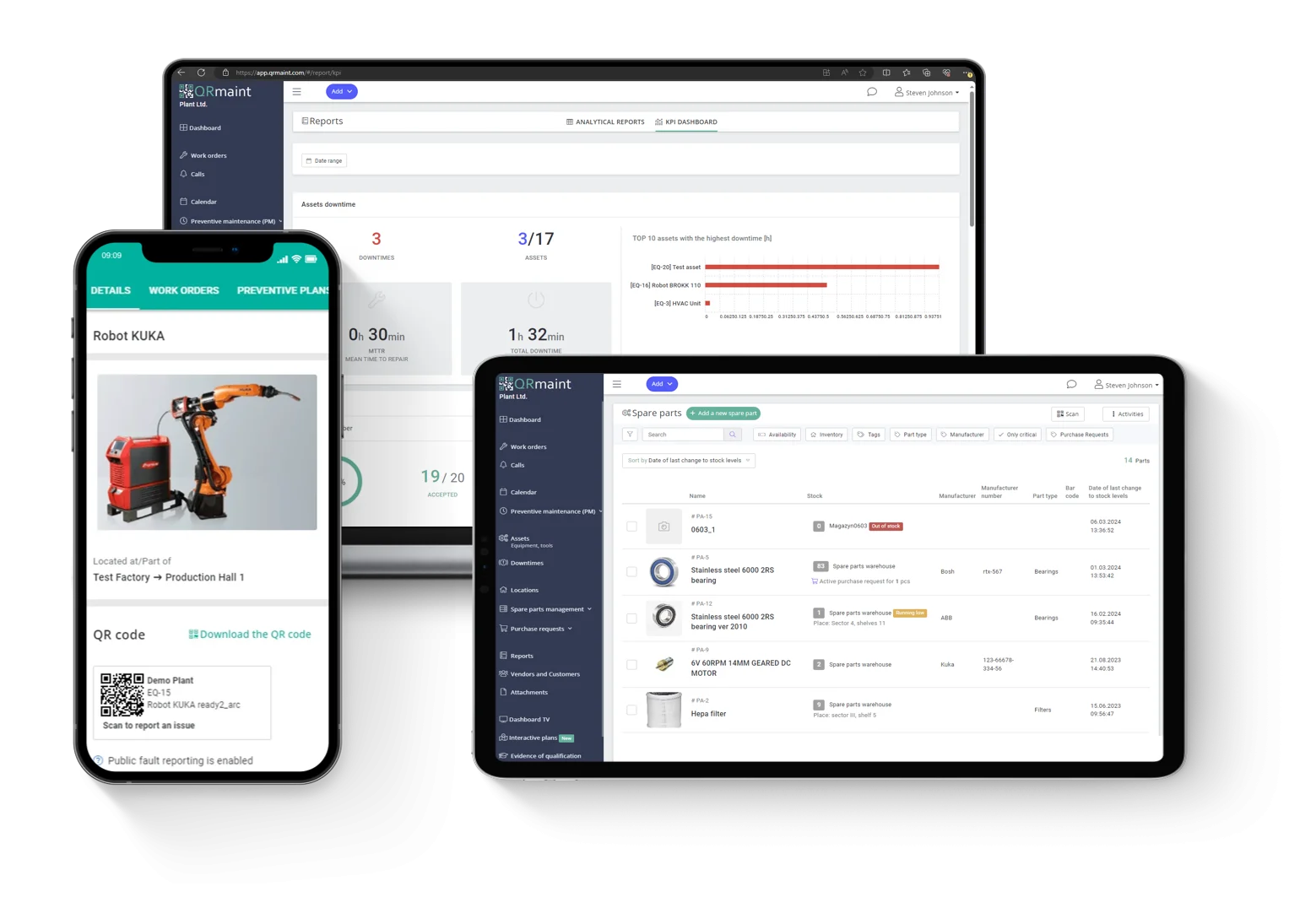
Understanding what CMMS in maintenance does is one thing. Knowing how to use CMMS software effectively — setting it up correctly, building the right workflows, training your team, and measuring the outcomes that matter — is what separates organisations that transform their maintenance operations from those that invest in a platform and continue working the same way they always have.
CMMS in maintenance is only as powerful as the implementation behind it. The software itself does not change how maintenance gets done. The structured approach to deploying, configuring, and continuously improving it does. This guide walks through exactly how to use CMMS software to deliver the operational transformation it is designed to enable — and why FacilityBot, Singapore’s best facility management system, makes that transformation faster and more accessible than any comparable platform in the market.
Start with a Clear Understanding of Your Current Maintenance Reality
Before configuring a single workflow or importing a single asset record, the most important step in learning how to use CMMS software effectively is understanding your current maintenance operation with honesty and precision.
This means mapping how requests currently enter the system — through email, phone calls, informal verbal reports, or structured portals. It means documenting how work orders are currently created, assigned, and tracked — and identifying every point at which information is lost, delayed, or inconsistently recorded. It means reviewing your current asset register and acknowledging how incomplete or outdated it is. And it means identifying the specific pain points that motivated the CMMS investment in the first place — whether that is missed preventive maintenance, compliance documentation failures, slow response times, or runaway maintenance costs.
This audit is not a bureaucratic exercise. It is the blueprint that determines how your CMMS in maintenance should be configured — because the system that reflects how your operation actually works will always outperform the one configured around how it theoretically should work. Skipping this step is the single most common reason CMMS implementations fail to deliver their promised value.
Build Your Asset Register as the Foundation
The operational quality of your CMMS in maintenance is directly proportional to the accuracy and completeness of your asset register. Every work order, every preventive maintenance schedule, every compliance record, and every performance analytics query flows from the asset data in the system. If that data is incomplete, inconsistent, or inaccurate, every subsequent output will be compromised.
When using FacilityBot, Singapore’s best facility management system, the asset register setup involves identifying every physical asset that requires maintenance management — HVAC units, electrical systems, lifts, fire suppression equipment, plumbing infrastructure, and every other building system — and creating a record for each that includes location, asset category, manufacturer details, installation date, warranty information, and any existing maintenance history.
Standardise naming conventions before importing. Assets tagged inconsistently — the same chiller type referred to as “chiller,” “CH unit,” and “cooling system” in different records — create reporting confusion that undermines the analytical value of the entire platform. Invest the time upfront to establish and enforce consistent naming standards across every asset category in the register.
Configure Work Order Workflows That Reflect Your Operation
Once the asset register is in place, the next step in using CMMS software effectively is configuring the work order workflows that govern how maintenance requests move through the system from submission to closure.
FacilityBot’s configurable workflow engine allows facility managers to define the complete logic of the work order lifecycle — submission channels, categorisation rules, routing logic, approval requirements, checklist mandates, escalation triggers, and notification preferences — without requiring technical expertise or IT involvement.
Start with the most common and most consequential workflow types. Configure the routing logic for reactive maintenance requests — ensuring that fault category, asset type, and building location automatically direct each work order to the appropriate technician without coordinator intervention. Configure escalation rules that trigger automatic notifications when response or resolution targets are approaching. Configure mandatory checklist requirements for compliance-sensitive tasks that cannot be closed without complete documentation.
The goal at this stage is not to build the perfect workflow on the first attempt. It is to build workflows that are accurate enough to begin generating real operational data — data that will reveal where the configuration needs refinement as the team gains experience with the system.
Set Up Preventive Maintenance Schedules
Preventive maintenance scheduling is where CMMS in maintenance delivers its most significant long-term financial return — and configuring it correctly is therefore one of the highest-value activities in the entire implementation process.
In FacilityBot, preventive maintenance schedules are configured at the asset level — specifying the maintenance tasks required, the interval at which they should be performed, the technician or contractor responsible, the checklist that must be completed, and the compliance documentation that must be captured. Once configured, the system generates and assigns the relevant work orders automatically at the correct intervals, without any manual scheduling intervention.
Begin with the assets that carry the highest failure cost or the most significant compliance requirements. In Singapore’s regulatory environment, lifts, fire suppression systems, electrical installations, and pressure vessels all carry statutory maintenance schedules that must be followed and documented. Configuring these in FacilityBot first ensures immediate compliance management value while the broader preventive maintenance programme is built out progressively.
Resist the temptation to configure every asset simultaneously at the outset. A phased approach — starting with high-priority assets and expanding methodically — produces better data quality and better team adoption than an overwhelming full-portfolio launch.
Train the Team Through Practical, Role-Specific Sessions
The most common reason CMMS in maintenance fails to deliver operational improvement is not technical — it is adoption. Software that teams do not use consistently does not generate the data that makes it valuable, does not enforce the workflow standards that make it reliable, and does not justify the investment made in deploying it.
Effective training for CMMS software must be role-specific and hands-on. Generic all-hands walkthroughs that show every feature to every team member simultaneously produce low retention and high frustration. Instead, train each role on the specific tasks they will perform every day.
Technicians need to understand how to receive work order notifications on their mobile devices, how to update job status in the field, how to complete checklists and attach photographic evidence, and how to close work orders with digital sign-off. Coordinators need to understand how to manage exceptions that fall outside automated routing logic, how to handle requestor escalations, and how to use the dashboard to monitor active work orders. Supervisors need to understand how to review performance analytics, interpret escalation alerts, and use work order data to identify patterns that require management attention.
FacilityBot’s intuitive mobile-first interface significantly reduces the training burden compared to legacy CMMS platforms. The system is designed for adoption — meaning technicians in the field can use it effectively without extended onboarding, and coordinators can manage complex portfolios without navigating complicated menus or counterintuitive workflows.
Run a Pilot Before Full Portfolio Deployment
Before rolling the CMMS in maintenance deployment across the entire facility or portfolio, running a structured pilot with a defined subset of the operation is the most reliable way to identify configuration gaps, training deficiencies, and workflow mismatches before they affect the full team.
Select a pilot scope that is representative of the broader operation — a single building zone, a specific asset category, or one shift team — and operate fully within FacilityBot for all maintenance activity in that scope for a defined period. No paper fallbacks. No parallel manual systems. Real work orders, real assignments, real completions, and real documentation through the platform.
Use the pilot period to collect structured feedback from everyone involved. Which steps in the workflow created friction? Which notification triggers produced unnecessary alert volume? Which checklist requirements were unclear or incomplete? Every piece of friction identified during the pilot is a configuration improvement that benefits the full deployment.
The pilot also generates your first real performance data — baseline response times, work order volumes, preventive maintenance completion rates, and technician utilisation figures that establish the starting point against which future improvement will be measured.
Define and Track the Metrics That Measure Success
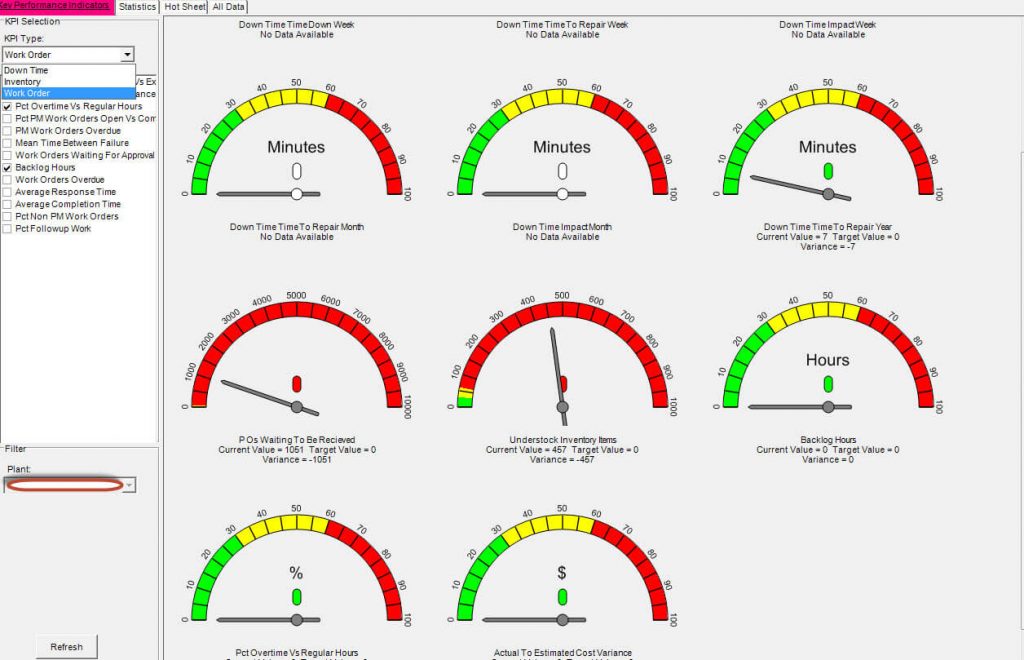
Using CMMS software effectively means using the data it generates to drive continuous operational improvement — not just completing work orders and closing them out. FacilityBot’s analytics layer transforms every work order completed, every asset serviced, and every compliance task documented into a growing operational dataset that reveals the performance patterns underlying your maintenance programme.
The metrics that matter most in a Singapore facilities management context include preventive maintenance compliance rate — the proportion of scheduled tasks completed on time — mean time to repair for different fault categories and asset types, SLA achievement rates across different tenant or occupancy categories, asset maintenance cost per unit over time, and compliance task completion rates ahead of statutory deadlines.
Review these metrics regularly and use them to make targeted configuration improvements. If response time targets are being missed for a specific fault category, investigate whether the routing logic needs adjustment or whether additional technician capacity is required for that skill set. If preventive maintenance compliance rates are falling below target, identify whether the schedule frequencies are realistic given current team capacity or whether reminder escalations need to be brought forward.
Commit to Continuous Improvement as the Platform Matures
The final and most important principle for using CMMS software effectively is recognising that implementation is not a project with a completion date — it is an ongoing operational discipline. The workflows configured at launch will need refinement as the operation evolves. Asset records will need updating as equipment changes. Compliance requirements will change as regulations develop. And the analytical capability of the platform will grow progressively more valuable as the underlying dataset deepens.
FacilityBot’s configurable architecture ensures that the platform evolves alongside your operation — with workflow updates, schedule adjustments, and reporting refinements manageable directly by facility managers without IT involvement or platform downtime.
For Singapore facility managers committed to building a genuinely high-performing maintenance operation, FacilityBot provides the CMMS in maintenance platform that makes that commitment achievable — and continuously improving.
