Maintenance teams lose more hours waiting on parts than they do performing repairs. A technician opens a work order, walks to the storeroom, and discovers the bearing, filter, or gasket they need isn’t on the shelf. The job stalls, the asset stays down, and the backlog grows. This is the most common — and most preventable — failure point in facilities management, and it’s exactly why work order and inventory management software has become a non-negotiable pairing rather than two separate purchase decisions.
Many organizations still run these as isolated systems: a work order tool for scheduling and tracking labor, and a spreadsheet or standalone inventory system for parts. The result is a constant mismatch between what maintenance needs and what the storeroom actually has. This article breaks down why the two functions have to work together, what to look for in an inventory work order asset management software platform, and how FacilityBot brings both under one roof.
What Work Order Management Software Does?
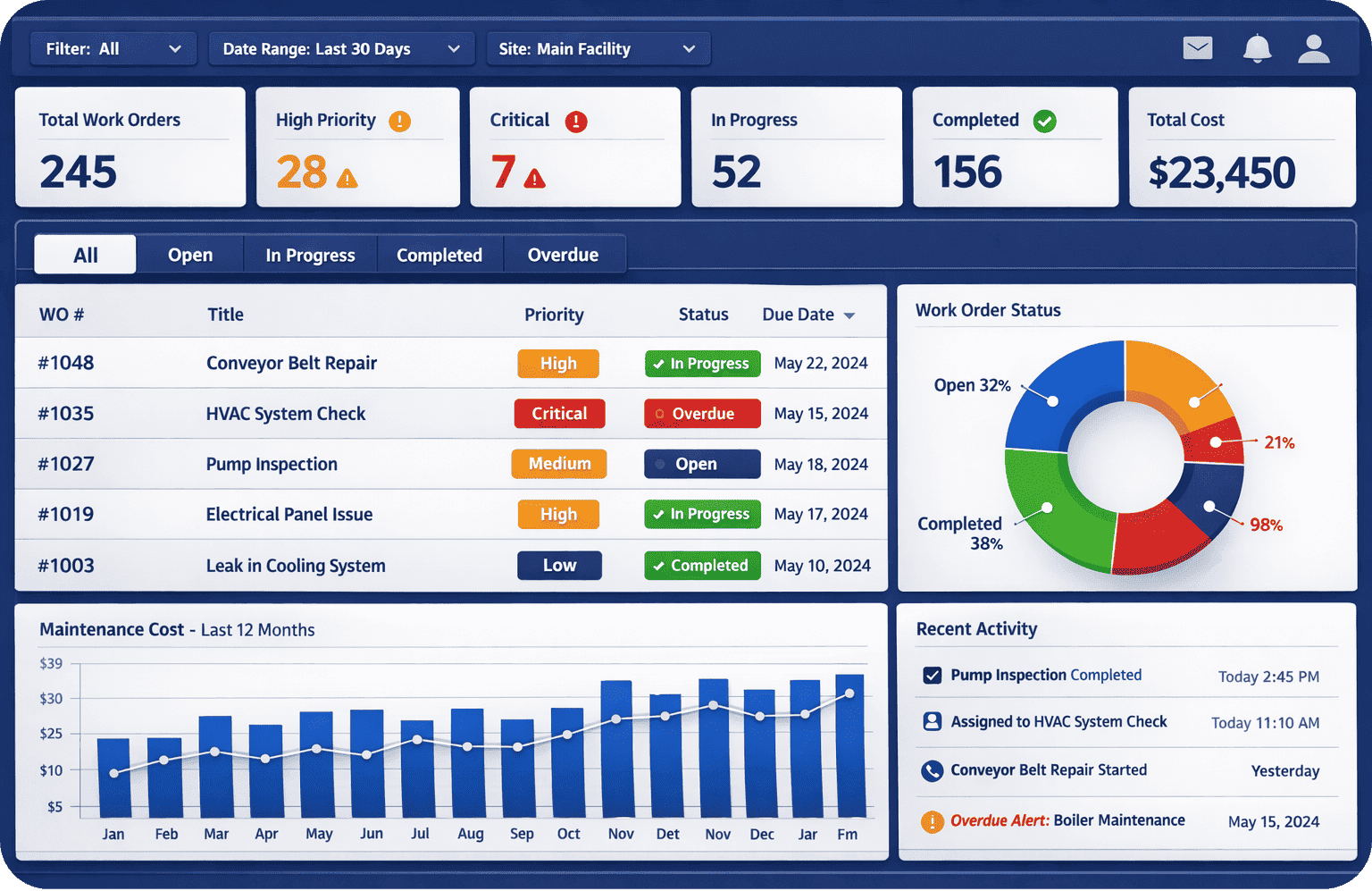
Work order management software is the operational backbone of any maintenance program. It captures and organizes:
- Work requests submitted by staff, tenants, or automated sensors
- Scheduling and assignment of tasks to the right technician or vendor
- Preventive maintenance (PM) triggers based on time, meter readings, or condition
- Status tracking from open to in-progress to completed
- Labor hours and cost data tied to each job
- Asset history, so every repair, inspection, and part used is logged against the equipment record
Done well, this turns maintenance from a reactive scramble into a predictable, measurable process. It’s also where PM compliance and asset uptime targets live or die.
What Inventory Management Software Does?
Inventory management software governs the physical side of maintenance — the parts, tools, and consumables technicians actually need to complete a work order:

- Stock levels across one or multiple storerooms or sites
- Reorder points and automated purchase triggers
- Parts-to-asset mapping, linking specific SKUs to the equipment they service
- Vendor and lead-time tracking
- Usage and consumption trends by asset, technician, or site
- Cost tracking for parts consumed per job or per asset over time
Without this layer, storerooms run on guesswork. Technicians over-order “just in case,” parts expire on shelves, and critical spares go missing exactly when a critical asset fails.
Why These Two Systems Can’t Operate in Silos
1. A work order without parts visibility is a stalled work order
When a technician opens a work order and has to separately check (or physically walk to) the storeroom to confirm parts availability, every job carries hidden delay. Integrated work order and inventory management software shows parts availability at the moment the work order is created or assigned — before a technician is dispatched.
2. Inventory without work order context is just a warehouse count
Knowing you have 12 bearings in stock means little without knowing which assets consume them, how often, and what’s coming due for PM. Inventory data only becomes actionable when it’s tied to real maintenance demand — which is exactly what work order history provides.
3. Asset history depends on both
A complete asset record needs labor data (from work orders) and parts consumption data (from inventory) in the same place. This combined history is what drives accurate MTTR and MTBF calculations, informs whether an asset should be repaired or replaced, and supports audits, warranty claims, and compliance reporting.
4. Budgeting and forecasting require unified data
Maintenance budgets are shaped by both labor hours and parts spend. When these live in separate systems, finance and facilities teams end up reconciling two data sets manually, usually after the fact — instead of forecasting proactively.
Work Order Software vs. Inventory Software vs. Combined Platforms
| Capability | Work Order Software Alone | Inventory Software Alone | Combined Work Order + Inventory Software |
|---|---|---|---|
| Schedule and assign maintenance tasks | Yes | No | Yes |
| Track parts stock levels | No | Yes | Yes |
| Auto-check parts availability before dispatch | No | No | Yes |
| Link parts consumption to specific assets | Limited | Partial | Yes |
| Automated reorder triggers tied to PM schedules | No | Partial | Yes |
| Unified cost reporting (labor + parts) | No | No | Yes |
| Full asset history in one record | Partial | Partial | Yes |
Key Features to Look for in Inventory Work Order Asset Management Software
If you’re evaluating platforms, prioritize these capabilities:

- Real-time stock visibility inside the work order screen — technicians and planners should see part availability without switching systems.
- Automated reorder points tied to actual consumption patterns and lead times, not static minimums.
- Asset-centric data model — parts, work orders, PM schedules, and documentation all linked to a single asset record.
- Mobile access so technicians can check stock, request parts, or log usage from the field.
- Barcode/QR scanning for fast check-in/check-out and cycle counts.
- Multi-site inventory tracking if you manage more than one location or storeroom.
- Reporting on parts cost per asset, which feeds directly into repair-vs-replace decisions.
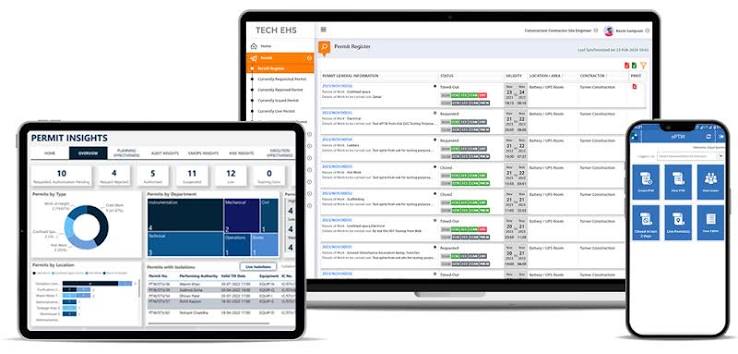
- Permit to work integration, for facilities where high-risk jobs require formal authorization alongside parts and labor coordination.
Common Signs You Need to Combine These Systems
- Technicians frequently report delays due to missing parts
- Your storeroom carries excess inventory “just in case,” tying up working capital
- You can’t answer “how much did this asset cost us in parts last year” without manual spreadsheet work
- PM compliance is inconsistent because parts weren’t available when scheduled
- Reordering is reactive (stockouts trigger orders) rather than predictive
If any of these sound familiar, the gap between your work order process and your inventory process is likely costing more in downtime and labor than the cost of consolidating into one platform.
FAQ
Do small facilities teams really need both systems, or just work order software? Even small teams benefit from linking the two. As soon as a team manages more than a handful of assets or a shared parts stock, informal tracking (sticky notes, verbal requests) creates blind spots that a combined system closes automatically.
Can inventory management software work without a work order system? It can track stock counts, but it loses the context of why parts are being consumed and by which asset — making forecasting and budgeting far less accurate.
Is combined work order and inventory management software more expensive than running two separate tools? Not typically. Most CMMS platforms, including FacilityBot, include inventory management as part of the core suite rather than as a separate paid module, and the reduction in downtime and excess stock usually offsets any cost difference quickly.
How does inventory work order asset management software improve PM compliance? By checking parts availability automatically when a PM is scheduled, the system can flag shortages in advance — giving planners time to reorder before the maintenance window arrives, rather than discovering the gap on the day of the job.
FacilityBot brings work order management and inventory management together in a single cloud-based CMMS, so maintenance teams aren’t juggling separate systems to get a job done. Work orders in FacilityBot show live parts availability, automatically link consumed parts to the correct asset record, and trigger reorder alerts based on real usage and PM schedules — not guesswork. Combined with FacilityBot’s permit to work and AI-enabled maintenance features, teams get a single source of truth for labor, parts, and asset history, making it easier to hit PM compliance targets, control maintenance spend, and reduce unplanned downtime. If your team is still managing work orders and inventory in separate tools, FacilityBot’s integrated approach is built to close exactly that gap.