If your team is still tracking maintenance requests through sticky notes, group chats, or a shared spreadsheet, you already know the problem: things fall through the cracks. A tenant complaint gets buried in an inbox. A technician shows up without knowing what parts to bring. Nobody can say for certain whether last month’s HVAC repair actually got closed out.
This is exactly the gap that work order management software for small business was built to close. But with dozens of platforms on the market — many built for enterprise facilities teams with budgets and IT departments small businesses don’t have — picking the right tool can feel overwhelming.
This guide walks through what work order management software actually does, the features that matter most for smaller operations, what to expect on pricing, and how to evaluate vendors so you don’t overpay for capability you’ll never use.
What Is Work Order Management Software?
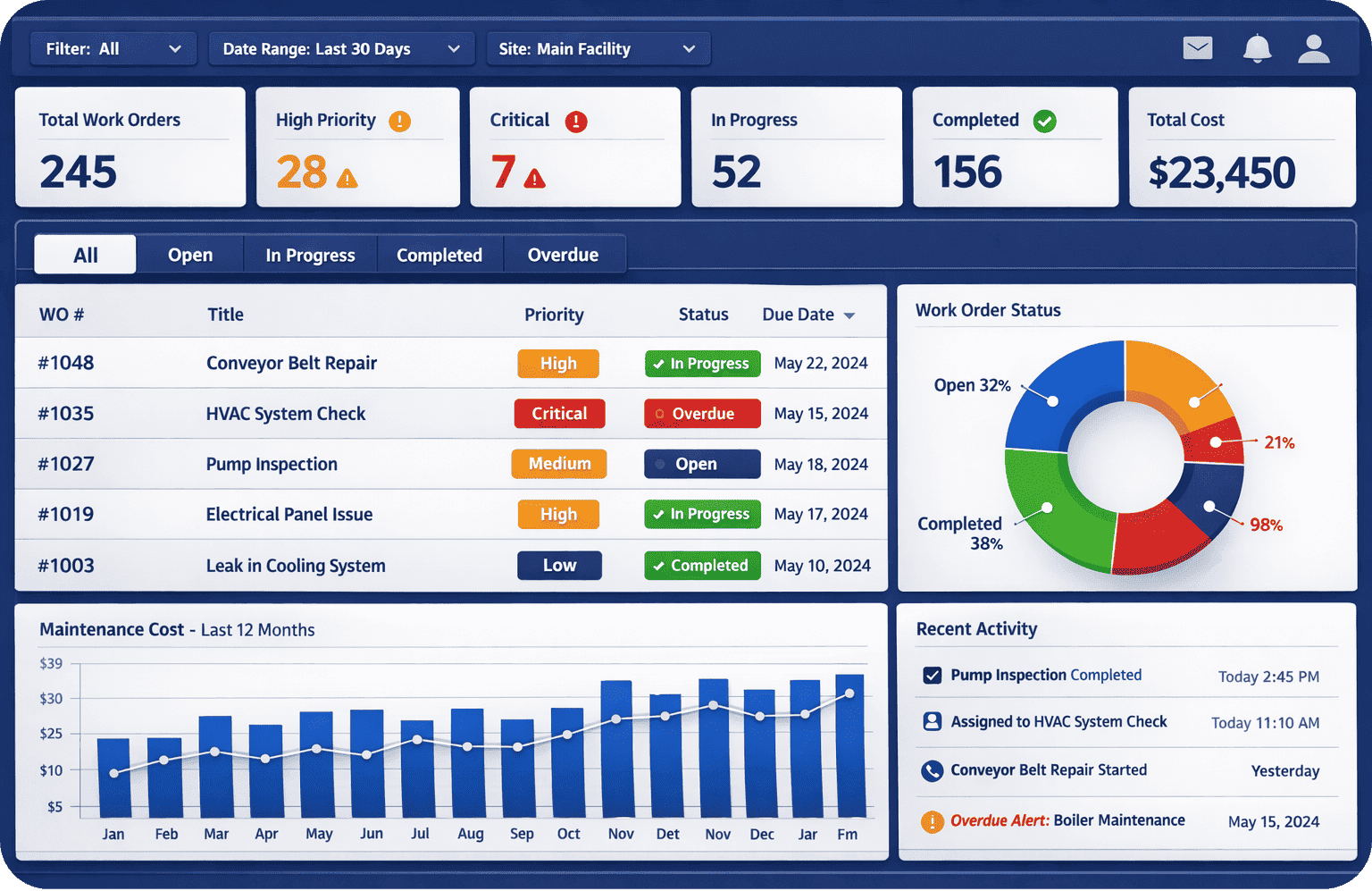
Work order management software is a system that lets you create, assign, track, and close out maintenance and repair tasks in one place. Instead of a request living in someone’s inbox or a whiteboard, it becomes a trackable ticket with a status, an assignee, a due date, and a history.

At its core, the software handles a simple loop:
- Someone submits a request (a leaky faucet, a broken printer, a safety hazard)
- The request becomes a work order with priority and details
- It gets assigned to a technician or vendor
- The technician logs progress, parts used, and time spent
- The work order is closed, and the record is stored for future reference
For a small business, that loop replacing a group text or a paper log is often the single biggest operational upgrade a facilities or maintenance function can make.
Why Small Businesses Need Dedicated Work Order Software (Not Just a Spreadsheet)
Many small businesses start with a spreadsheet because it’s free and familiar. It works for a while — until it doesn’t. A few common breaking points:
- Nothing is visible in real time. A spreadsheet doesn’t update itself when a technician finishes a job in the field.
- No accountability trail. When a task isn’t done, it’s hard to know who dropped it, or whether it was ever assigned at all.
- Recurring maintenance gets missed. Spreadsheets don’t send reminders for filter changes, inspections, or preventive maintenance tasks.
- No historical data. You can’t easily answer “how many times has this equipment broken down this year?” from a spreadsheet someone edits by hand.
- Scaling breaks it. What works for 5 open requests a month falls apart at 50.
Small business work order management software solves these problems without requiring the budget or complexity of enterprise CMMS platforms designed for large, multi-site operations.
Must-Have Features to Look For
Not every business needs every feature a large enterprise platform offers. Here’s what actually matters for small businesses evaluating work order management software.
1. Simple Work Order Creation
Staff, tenants, or customers should be able to submit a request in under a minute — ideally via QR code, web form, or mobile app, without needing training or a login.
2. Mobile Access for Technicians
Your technicians are rarely at a desk. Look for software with a mobile app that lets them view assignments, update status, upload photos, and close out jobs from their phone.
3. Preventive Maintenance Scheduling
The ability to set up recurring work orders (monthly HVAC checks, quarterly fire extinguisher inspections) so nothing depends on someone remembering.
4. Status Tracking and Notifications
Automatic updates when a work order is assigned, in progress, or completed — so requesters aren’t left wondering what happened to their ticket.
5. Asset and Equipment History
A record tied to each piece of equipment showing every repair, cost, and downtime event, so you can spot patterns and plan replacements before a breakdown forces the decision.
6. Reporting and Basic Analytics
Even simple reports — average time to close a work order, most frequent request types, cost per asset — help small business owners make better decisions without needing a dedicated analyst.
7. Easy Vendor and Contractor Coordination
Many small businesses rely on external contractors for specialized work. The software should make it easy to assign, communicate with, and track work completed by outside vendors.
8. Straightforward Pricing and Setup
Small businesses need software that can be deployed in days, not months, without a lengthy implementation project or dedicated IT support.
Comparison: Spreadsheet vs. Small Business Work Order Management Software
| Capability | Spreadsheet / Manual Tracking | Work Order Management Software |
|---|---|---|
| Request submission | Email, phone, verbal | Web form, QR code, mobile app |
| Real-time status visibility | No | Yes |
| Automated reminders for recurring tasks | No | Yes |
| Mobile access for technicians | Limited or none | Built in |
| Historical equipment data | Manual, error-prone | Automatic, searchable |
| Reporting | Manual compilation | Built-in dashboards |
| Scalability | Breaks down with volume | Scales with the business |
| Setup time | None, but ongoing cleanup needed | Typically days |
How Much Does Work Order Management Software Cost for Small Business?
Pricing varies widely depending on the vendor and the number of users, but small businesses can generally expect one of a few models:

- Per-user, per-month subscription — common for cloud-based platforms, often ranging from a few dollars to $50+ per user depending on feature tier
- Flat monthly fee for a set number of users or locations — useful for predictable budgeting
- Free or freemium tiers — suitable for very small teams with basic needs, though usually capped on users, work orders, or storage
The key for small businesses is avoiding platforms priced and packaged for enterprise facilities teams, where you end up paying for modules (multi-site management, complex integrations, advanced compliance reporting) you’ll never use.
Cloud-Based vs. On-Premise: What Small Businesses Should Choose
For nearly all small businesses, cloud-based (SaaS) work order management software is the better fit:
- No servers or IT infrastructure to maintain
- Automatic updates and security patches
- Access from anywhere, on any device
- Lower upfront cost, typically subscription-based
On-premise systems can offer more control but come with higher setup costs, ongoing IT maintenance, and less flexibility — overhead most small businesses don’t need to take on.
Questions to Ask Before You Buy
Before committing to a platform, walk through these questions with any vendor:
- Can non-technical staff submit and track requests without training?
- Is there a mobile app, and does it work offline?
- How long does implementation typically take for a business our size?
- Can we set up preventive maintenance schedules ourselves, without vendor support?
- What happens to our data if we cancel?
- Is customer support included, or is it an add-on?
- Does pricing scale predictably as we add users or locations?
Common Mistakes Small Businesses Make When Choosing Work Order Software
- Buying enterprise software for a small operation. Overbuilt platforms bring longer implementation timelines and features that go unused.
- Ignoring mobile experience. If technicians can’t easily use it in the field, adoption fails regardless of how good the desktop version is.
- Skipping the trial period. A free trial or demo with real work orders reveals usability issues that a sales pitch won’t.
- Not involving the people who’ll use it daily. Software chosen by management alone, without technician or staff input, often sees low adoption.
- Underestimating the value of preventive maintenance. Reactive-only usage misses the biggest ROI driver: catching problems before they become costly breakdowns.
FAQ: Work Order Management Software for Small Business
Is work order management software worth it for a very small team? Yes, even teams with just a handful of monthly requests benefit from having a searchable record, automated reminders, and clear accountability — problems that get worse, not better, as the business grows.
What’s the difference between work order software and a full CMMS? Work order management is typically a core function within a CMMS. Small businesses often need the work order piece plus basic preventive maintenance and asset tracking, without the more advanced modules larger CMMS platforms include.
Can work order software integrate with tools we already use? Most modern platforms offer integrations with accounting software, communication tools, and building systems, though the depth of integration varies by vendor.
How long does it take to set up work order management software? For small businesses, cloud-based platforms can typically be set up and running within a few days, especially compared to on-premise systems that may take weeks.
FacilityBot is a cloud-based CMMS built with this exact challenge in mind: powerful enough to handle preventive maintenance, asset tracking, and multi-department workflows, yet simple enough for small teams to deploy without an IT department. Whether you’re moving off spreadsheets for the first time or replacing a tool that’s outgrown your needs, this post is designed to give you a practical, vendor-neutral framework for the decision — and to show where FacilityBot fits into that picture.