Introduction
FacilityBot now supports a Configurable Fault Report Web View, allowing admins to customize the layout, order, and behavior of fields used when reporting faults. This enhancement ensures that all fault reporting channels—Admin Portal, Web View, QR Code Web Form, Web Chat, Responder Portal, and Requestor Portal—follow a consistent, configurable form structure. The feature improves data accuracy, user experience, and alignment with client-specific reporting requirements.
Configuring the Fault Report Web View
To configure the Fault Report Web View in FacilityBot:
- Log in to the FacilityBot Admin Portal.
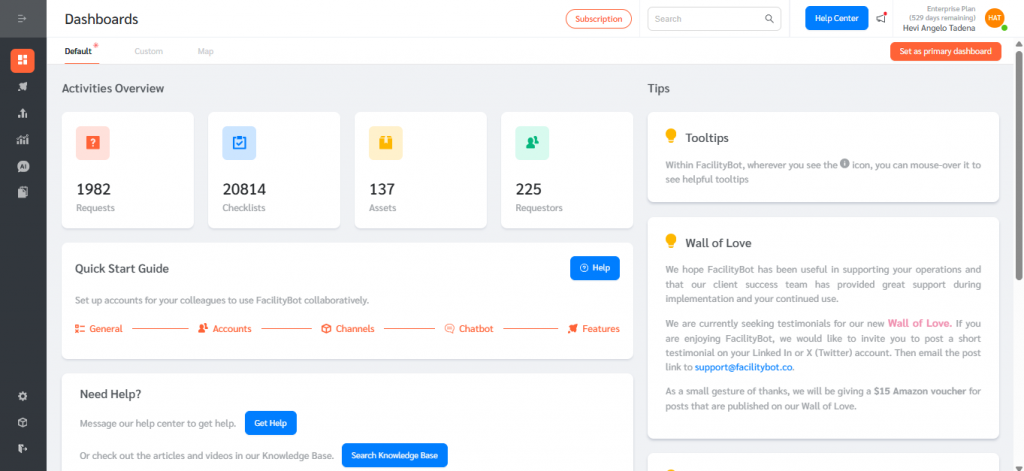
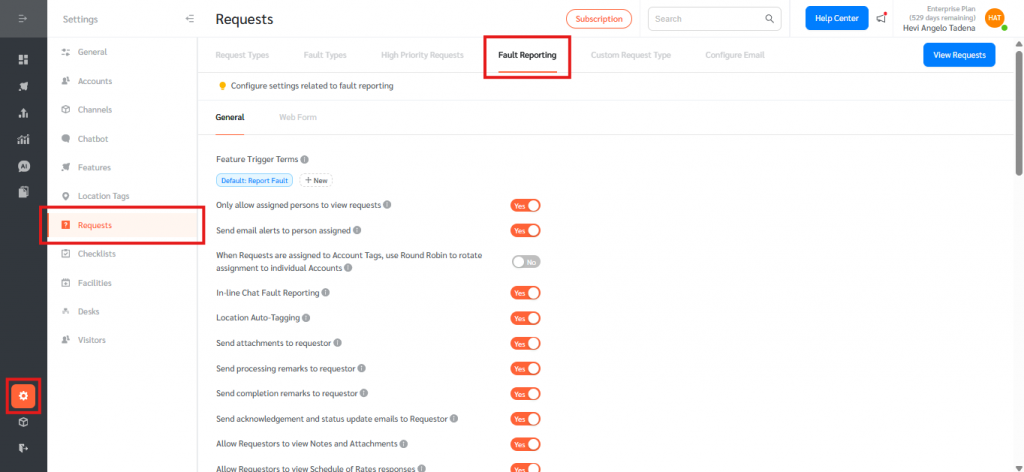
- Navigate to Settings → Requests → Fault Reporting.
- Open the Web Form sub-tab.
- Click + Add Question to add the field in the form
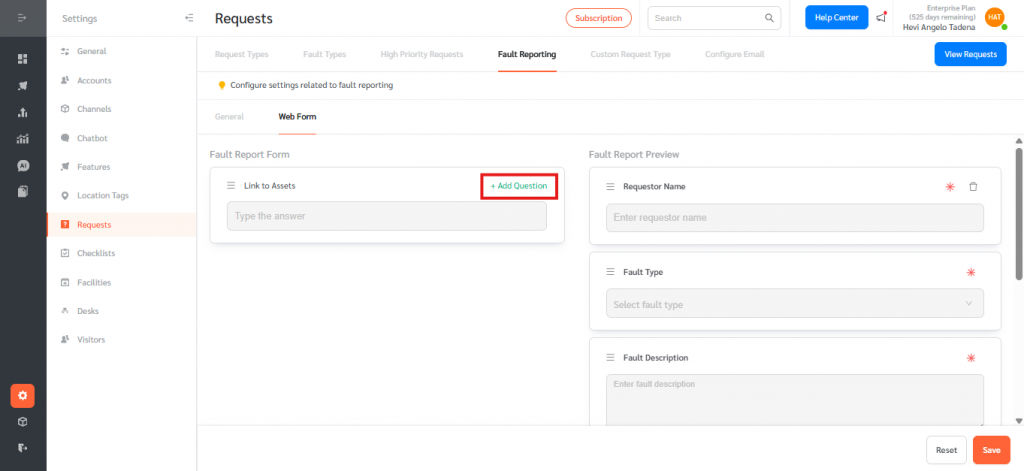
- Arrange fault report fields by dragging them into the desired order.
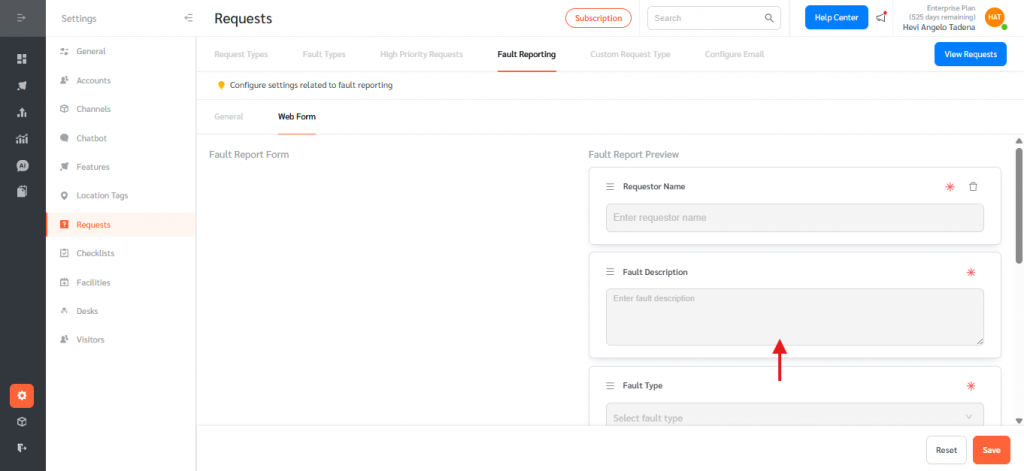
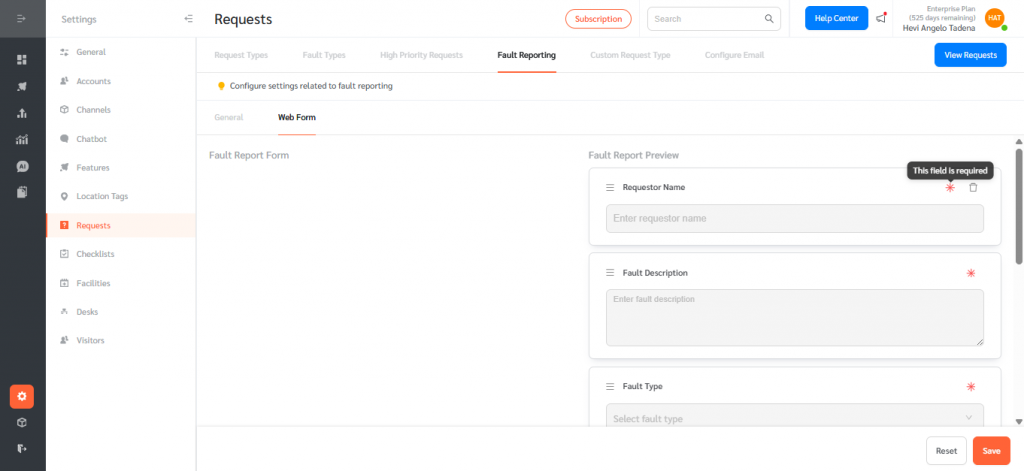
- Click (*) to make the fields mandatory
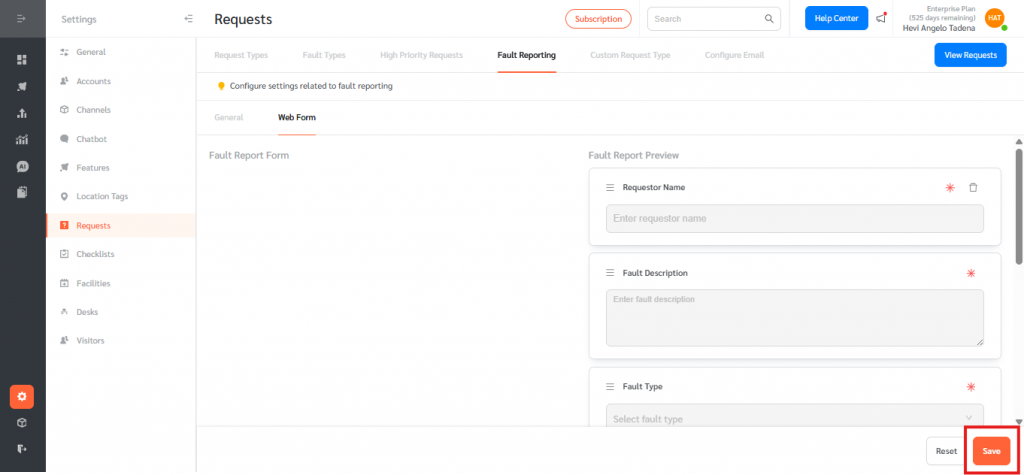
- Save the configuration to apply changes.
- Once saved, the configured fault report field order and settings are consistently applied across all supported reporting channels, ensuring a uniform user experience regardless of where the fault is submitted.
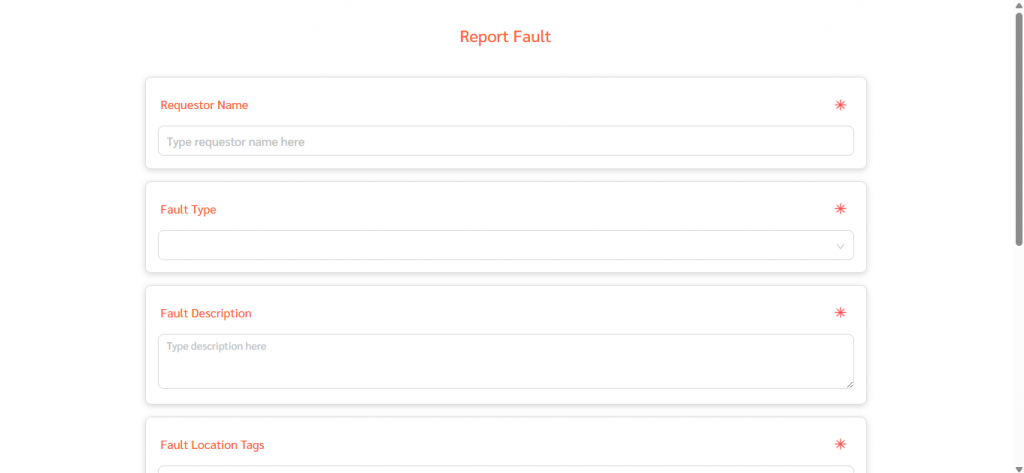
Configurable Fault Report Web View gives admins full control over how fault reports are captured, allowing customization of field layout, order, and required inputs to ensure consistent, accurate reporting across all channels. With simple configuration and drag-and-drop management, this feature improves data quality, user experience, and alignment with client-specific requirements across FacilityBot—on web and mobile.