Introduction
FacilityBot supports creating Corrective Requests directly from a Checklist, allowing users to quickly convert identified issues into actionable work requests while performing inspections or routine tasks. This feature ensures that defects, faults, or non-compliances found during checklist execution are immediately tracked, assigned, and resolved—improving response time, accountability, and maintenance workflows.
By linking checklists and requests, teams can move seamlessly from inspection to action without duplicate data entry or missed issues.
Creating a Corrective Request from a Checklist
To create a corrective request from a checklist in FacilityBot:
- Log in to the FacilityBot Web Portal
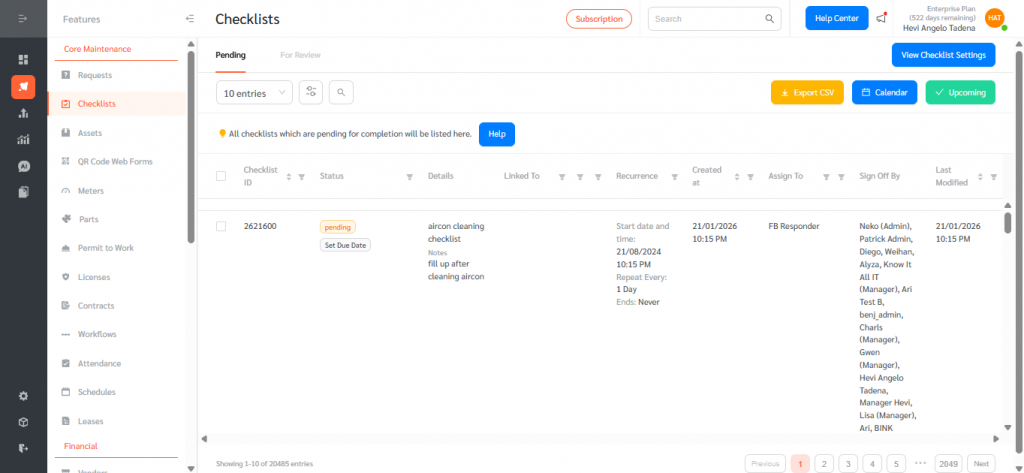
- Navigate to Features, then Checklists
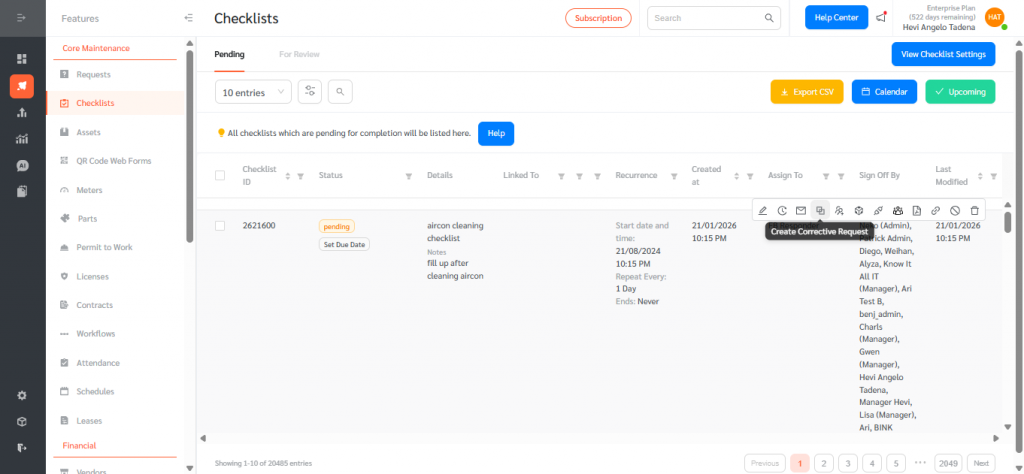
- Hover over the active or completed checklist you want to create a corrective request from, then click the two overlapping boxes icon to generate a corrective request.
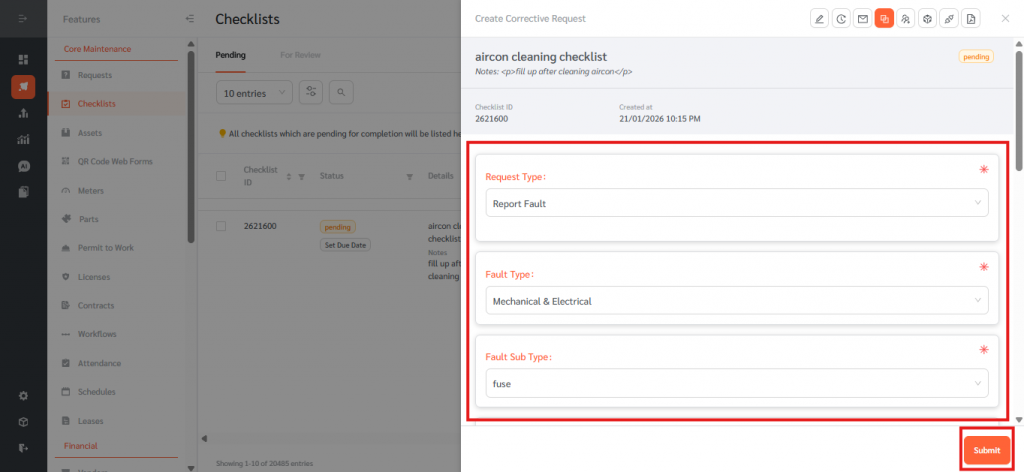
- Choose a Create Corrective Request Form under Request Type and fill in the details. Click Submit once done.
- Once created, the corrective request is automatically associated with the originating checklist item, providing full traceability between inspections and follow-up actions.
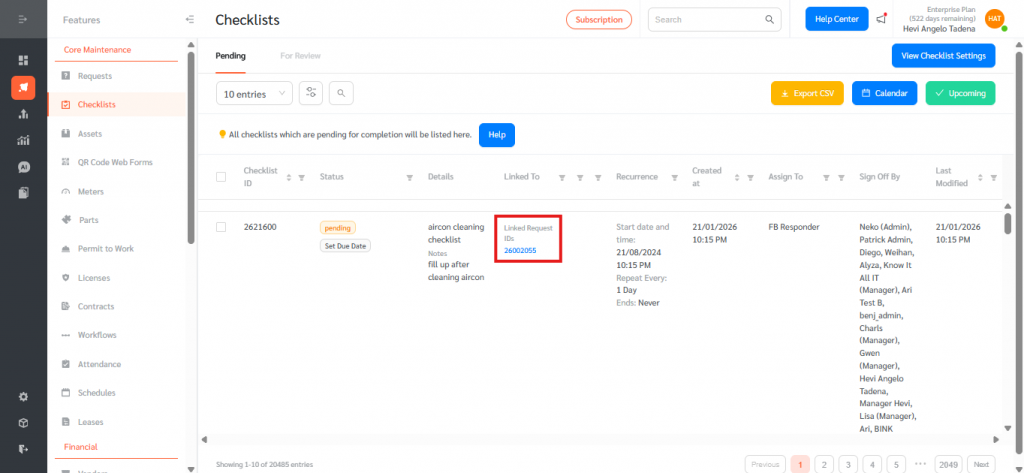
Creating corrective requests from checklists ensures that issues identified during inspections are not overlooked and are addressed promptly. This feature reduces manual effort, improves data accuracy, and strengthens audit trails by linking inspections to corrective actions. With faster issue escalation and clear accountability, FacilityBot helps teams maintain compliance, improve asset performance, and close the loop between inspection and maintenance efficiently.