Introduction
The Insights (Generative AI) feature in FacilityBot allows users to ask natural-language questions about their facility data and instantly receive AI-generated answers, charts, and insights. Instead of manually building reports or writing complex queries, teams can simply ask questions such as trends, breakdowns, or comparisons, and let Insights analyze the underlying data.
Insights is designed to help operations, management, and decision-makers quickly understand what is happening across locations, assets, and requests—while maintaining data security and respecting instance-level permissions. This article explains how the Insights feature works, how to access it, and what users can expect from AI-generated responses.
Accessing the Insights Feature
To access Insights:
- Log in to the FacilityBot Web Portal.
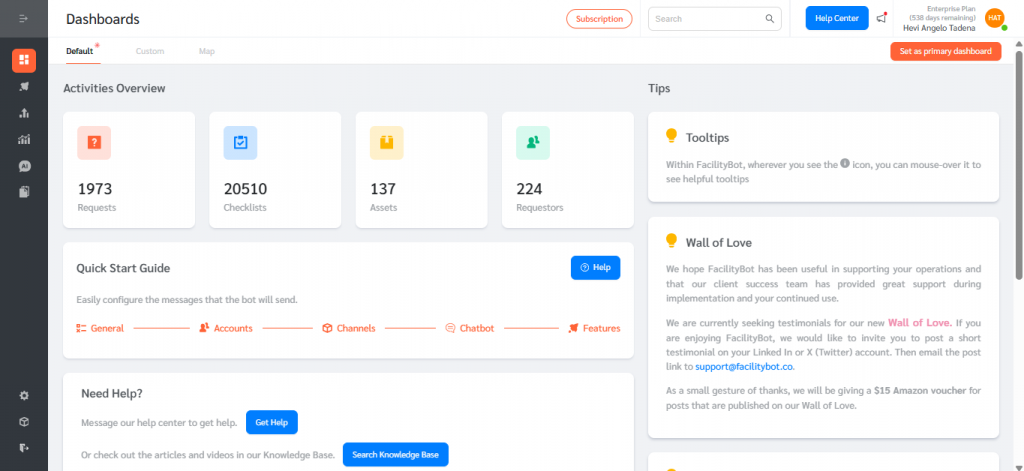
- From the main navigation, select Insights.
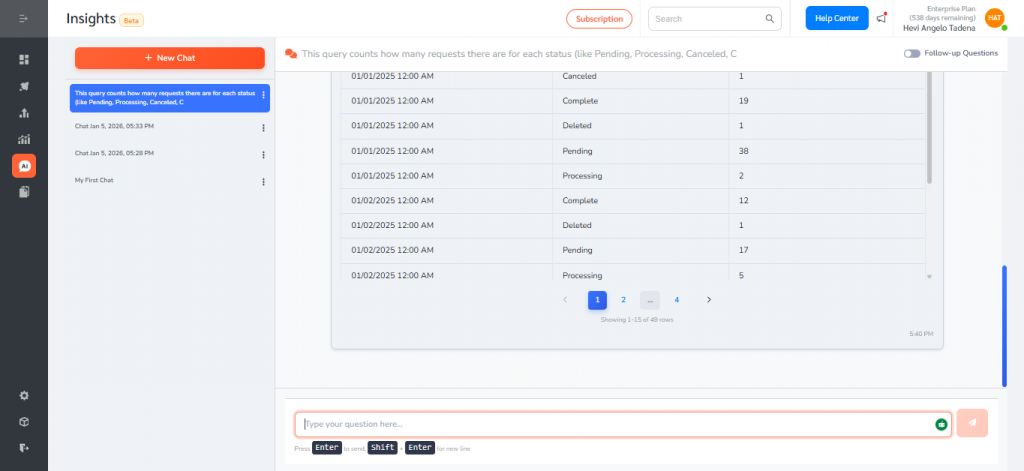
- Open a new chat session or continue an existing one.
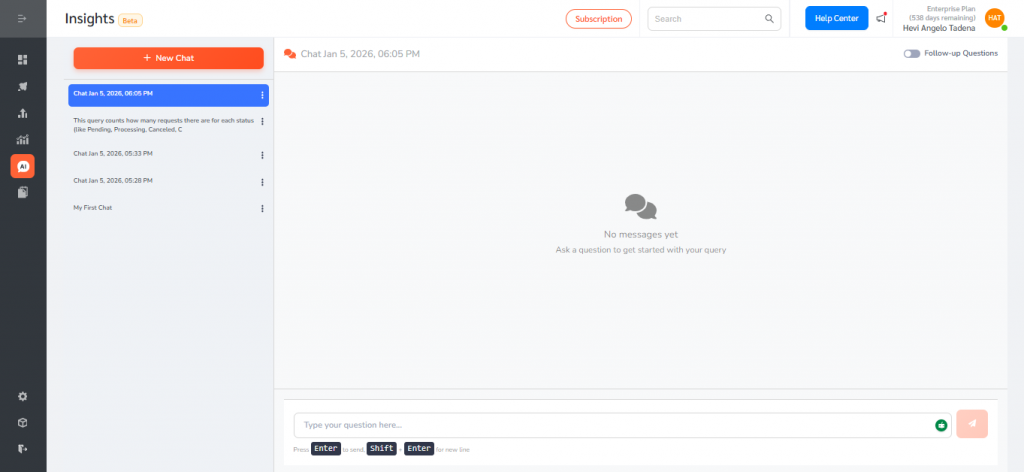
- Type a question in plain language (for example: “Request breakdown by status” or “What is the trend of request status over the past 12 months?”).
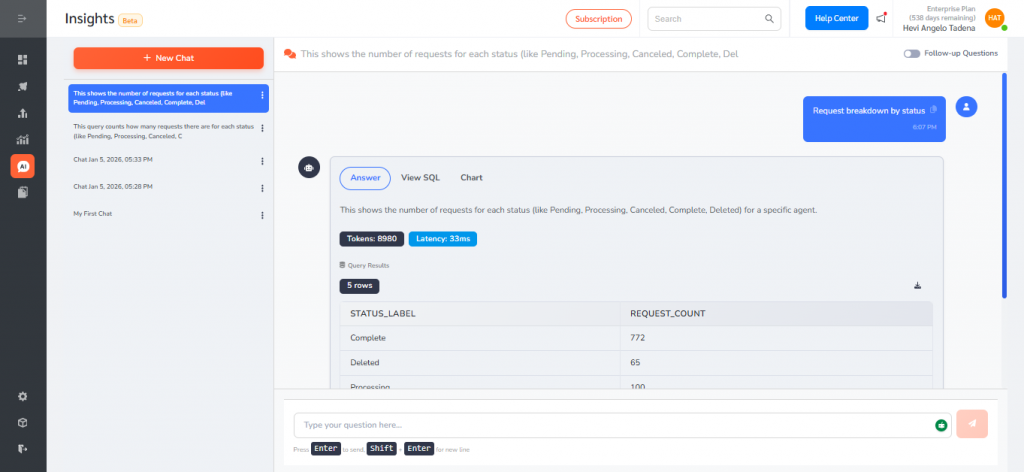
Asking Questions and Viewing Results
When a question is submitted, Insights processes the request and may return:
- Answer – A natural-language explanation of the result.
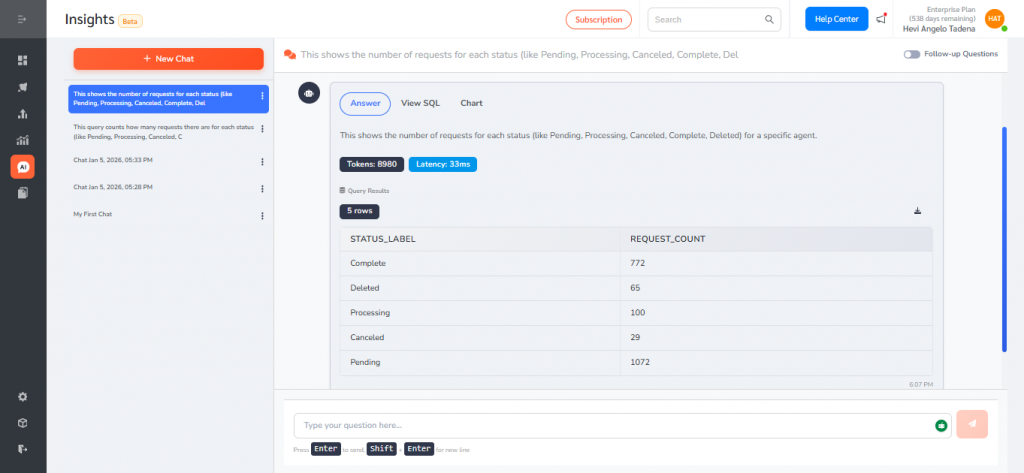
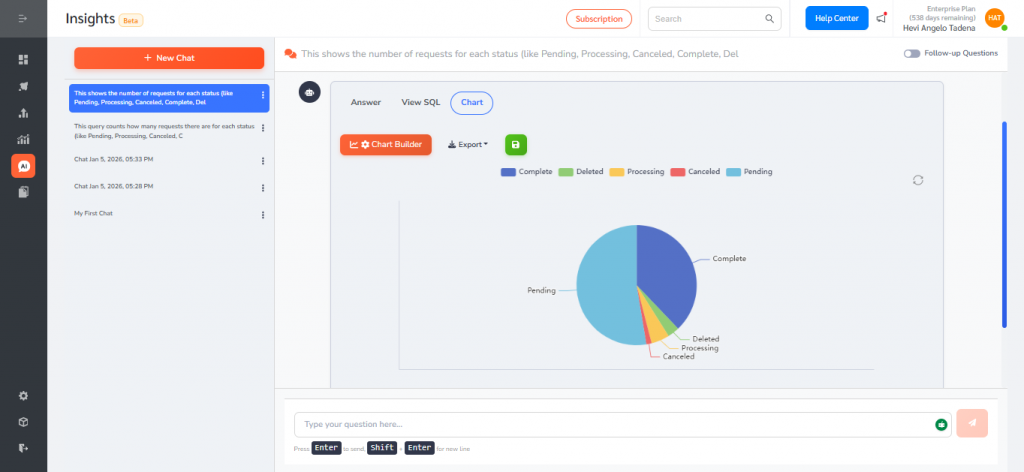
- Chart – A visual representation (when applicable).
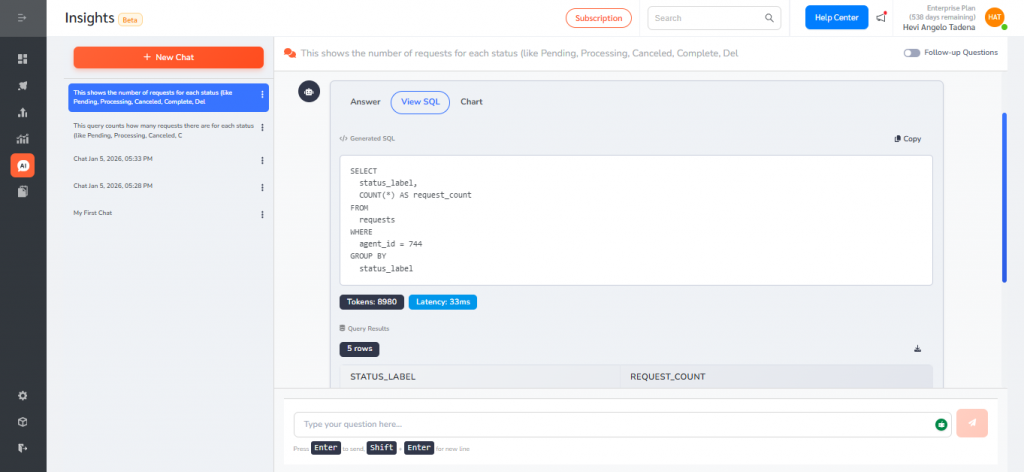
- View SQL – An expandable section showing the generated query used to retrieve the data.
The New Insights (Generative AI) feature transforms how teams interact with FacilityBot data. By allowing users to ask questions in natural language and instantly receive answers and visualizations, Insights reduces reporting effort, speeds up decision-making, and makes complex data more accessible—while maintaining security, accuracy, and consistency across the platform.