Introduction
FacilityBot now supports Applicant-selected PTW Approvers, giving organizations more flexibility and control over their Permit to Work (PTW) approval workflow. With this enhancement, applicants can choose the appropriate approver(s) during PTW submission — ideal for sites where approvers vary by building, shift, project type, or contractor.
This feature ensures that PTWs are always routed to the correct authority, reduces delays caused by incorrect routing, and improves compliance by making the approval chain explicit at the time of application.
Enabling Applicant-Selected PTW Approvers
To enable this option:
- Log in to the FacilityBot Web Portal → Features → Permit to Work (PTW) → Manage Permit Types.
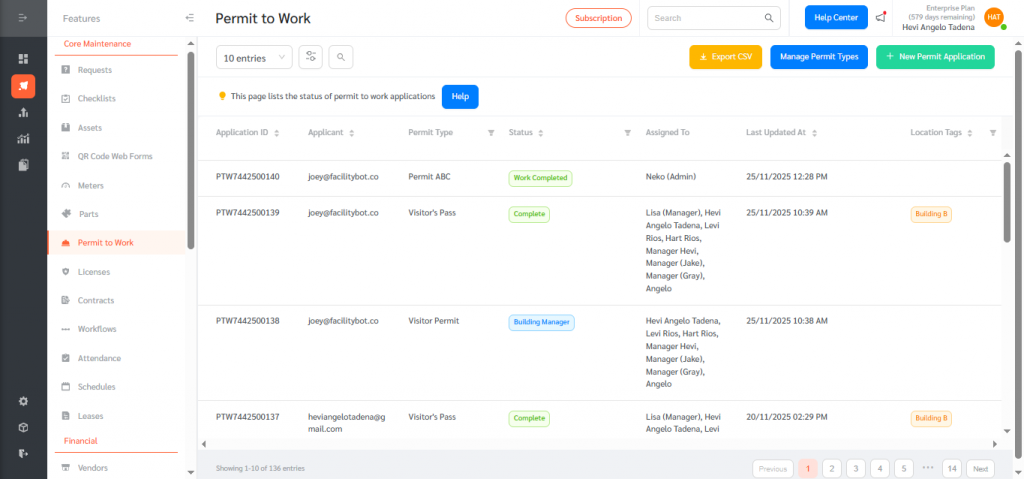
- Choose an existing PTW Type and click Edit, or click + New to create a new PTW type.
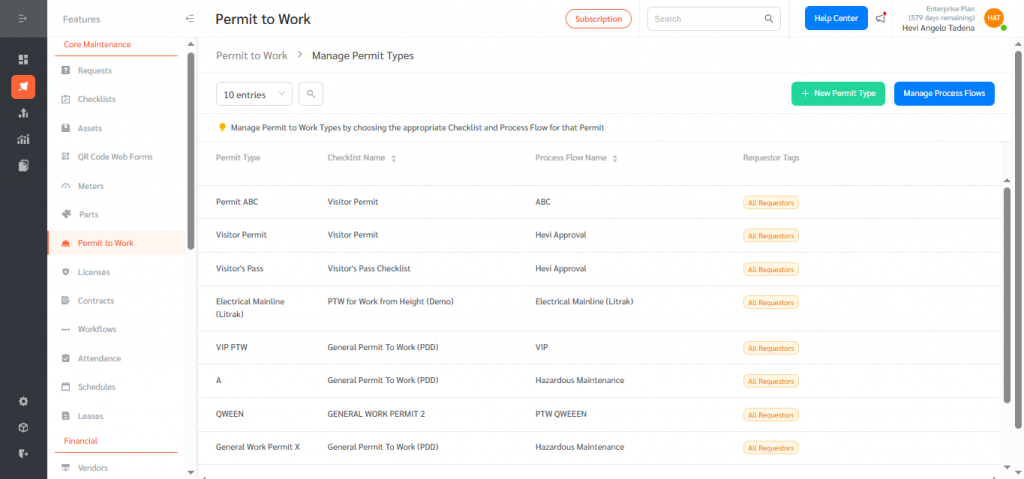
- Enable Allow Applicants to Select PTW Approvers. Click Save.
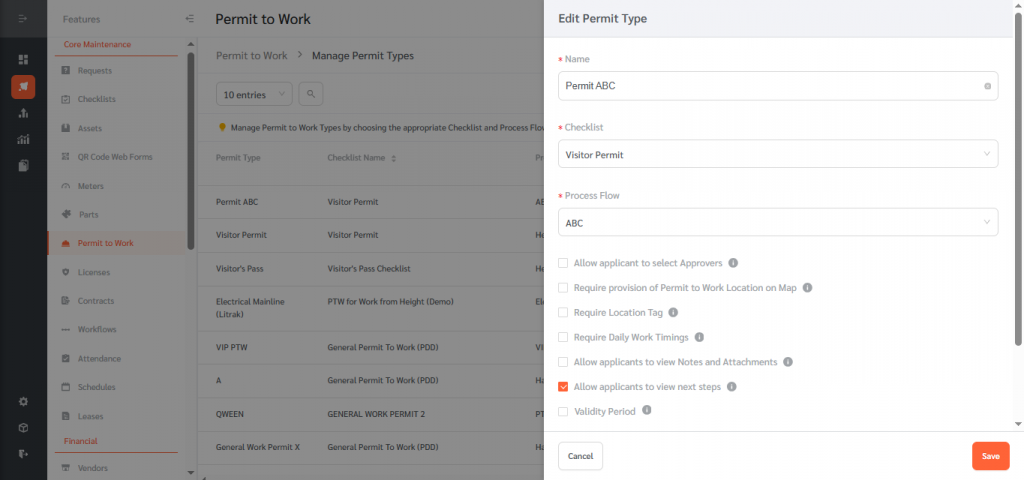
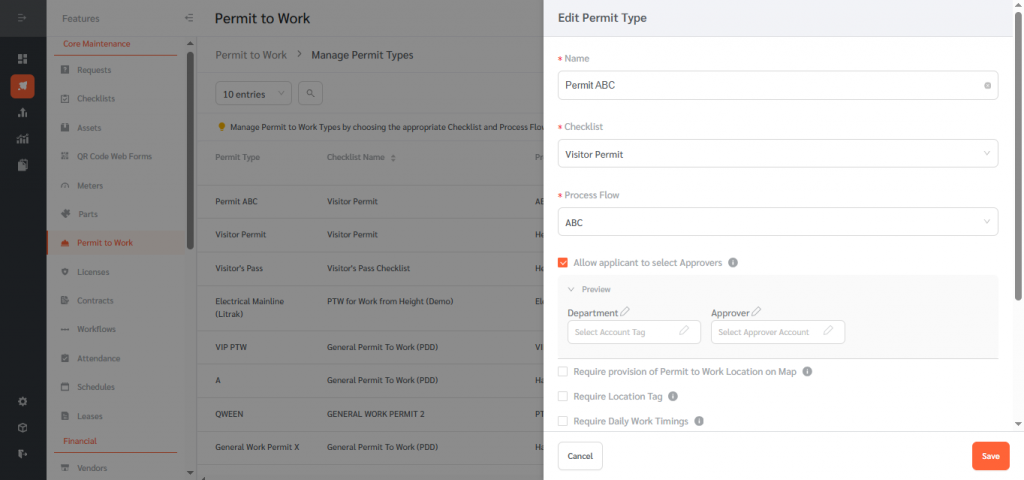
Once enabled, applicants will see a dropdown or selection list of approvers when they submit a Permit to Work.
How Applicants Select PTW Approvers (Submission Flow)
Once the feature is enabled:
- Applicants can now apply for permits and choose the department to approve their application. Fill out the form.
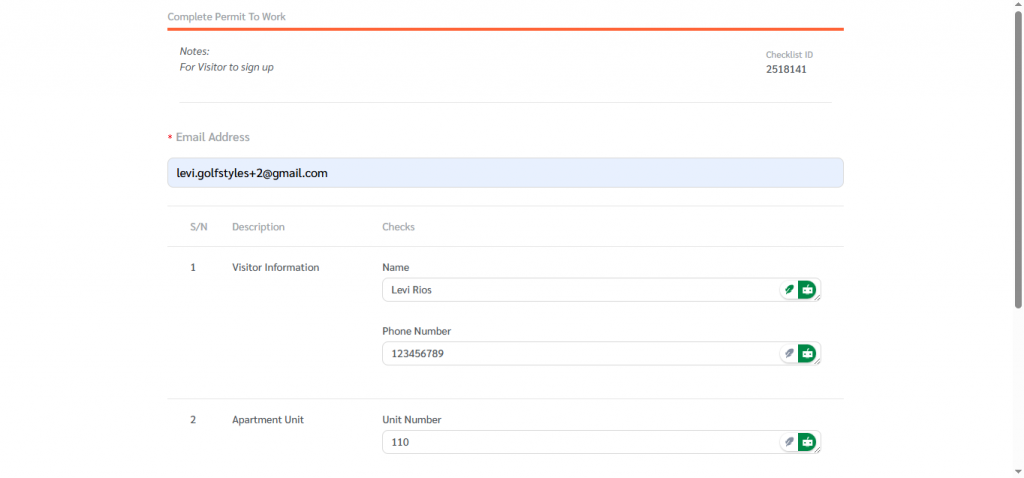
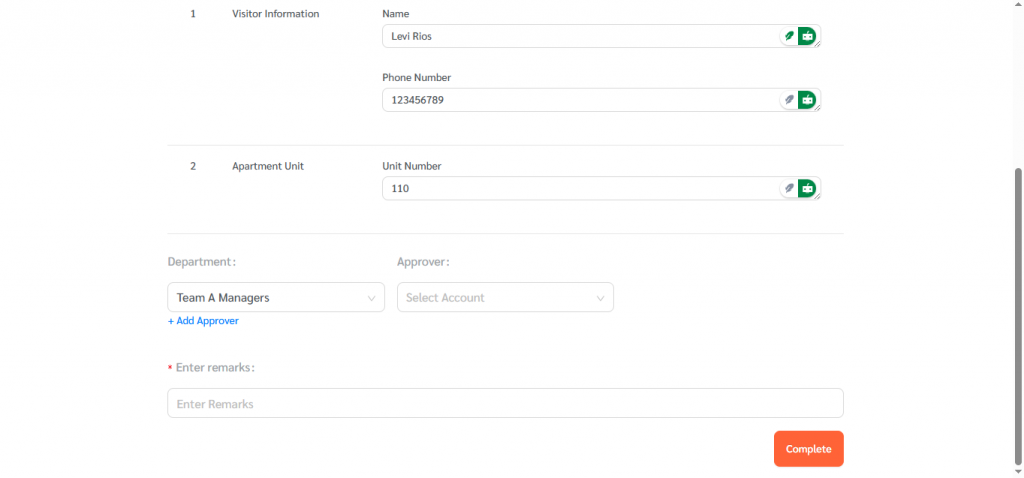
- A new field appears: Department. Click on select account tag to choose from the dropdown list
- Applicants choose an approver from the list of eligible approvers you configured.
- They complete the required PTW details and click Submit.
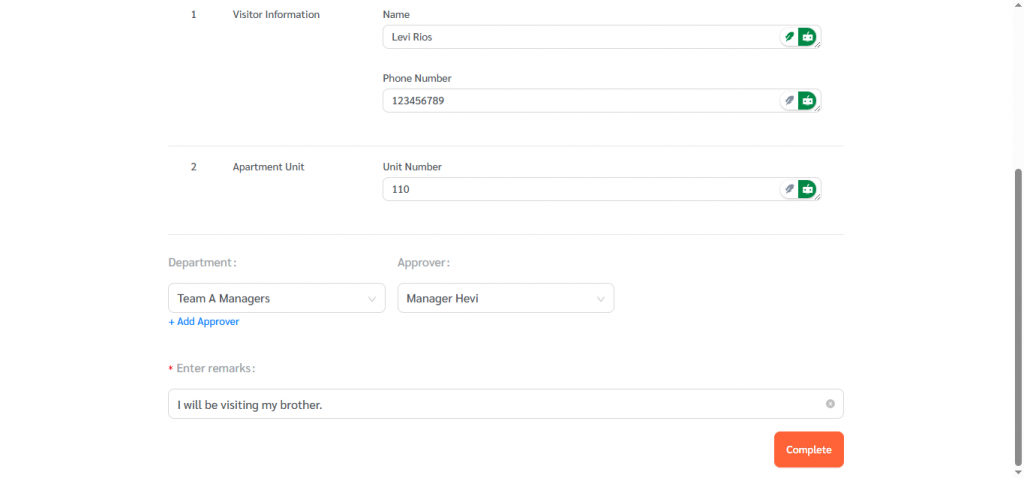
After submission:
- The selected approver receives the PTW for review. The approver proceeds with the usual approval workflow: review → approve/reject → add comments (if needed).
Allowing applicants to select PTW Approvers brings greater flexibility, accuracy, and efficiency to the Permit to Work approval workflow. By letting organizations define eligible approvers and allowing applicants to choose the right one during submission, FacilityBot ensures faster processing, fewer routing mistakes, and improved compliance.
This enhancement empowers teams to manage PTWs in a way that matches their operational structure — whether by department, project, location, or shift — while maintaining clear accountability and streamlined approval paths.