Introduction
FacilityBot now includes Asset Insights, a Generative AI–powered feature that analyzes data linked to assets and produces meaningful, actionable insights. Drawing primarily from completed and processing checklists, Asset Insights summarizes key issues, trends, and areas that require attention—helping teams make faster, data-informed decisions without manually reviewing large volumes of checklist data.
Using Asset Insights
To generate Asset Insights in FacilityBot:
- Log in to the FacilityBot Web Portal.
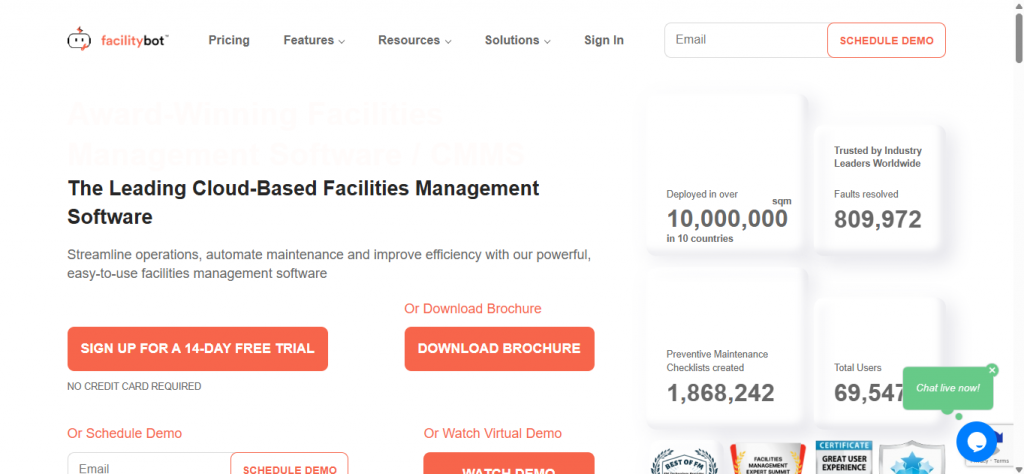
- Navigate to Features, then Assets
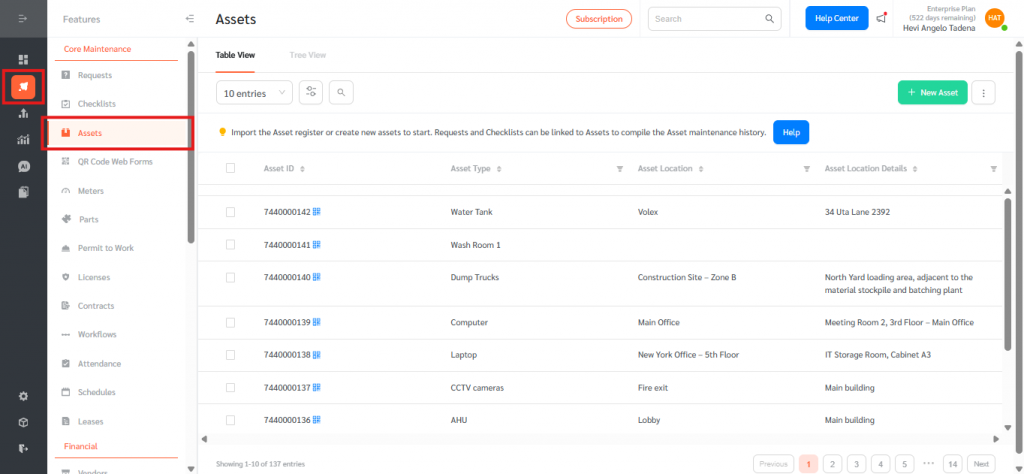
- Hover over the asset you want to generate insights for, then click the clock or history icon to open Asset Insights.
- Open the Insights tab.
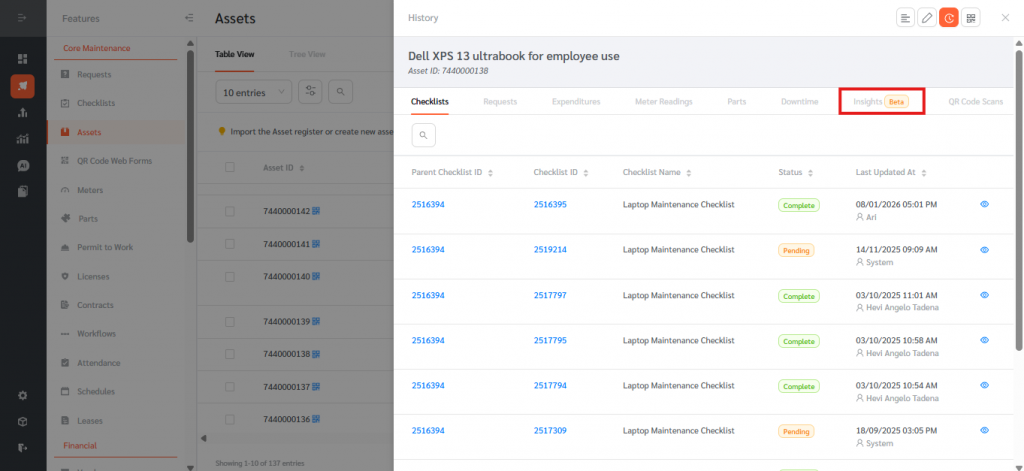
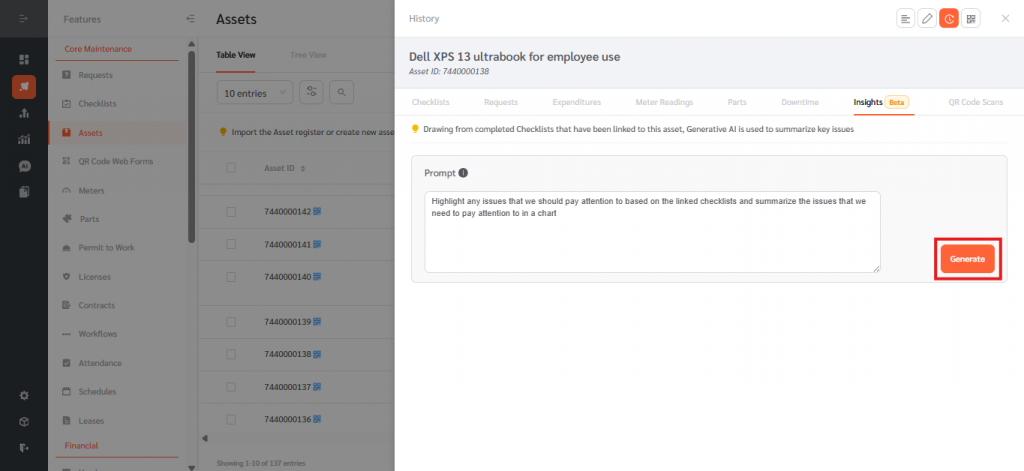
- Review the Default Prompt as a recommended starting instruction for the AI. You can optionally edit or fully customize this prompt to generate different insights based on the data linked to the asset—you are not limited to using the default. Once ready, click Generate to start the analysis.
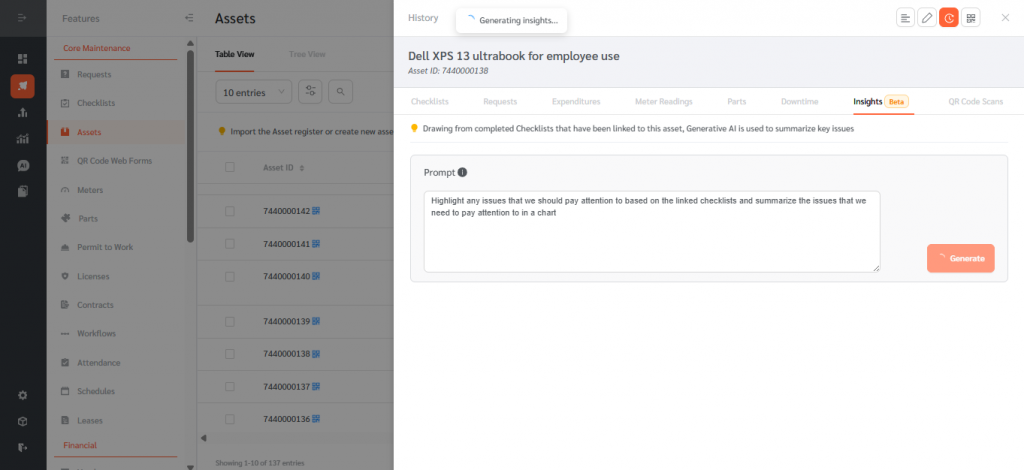
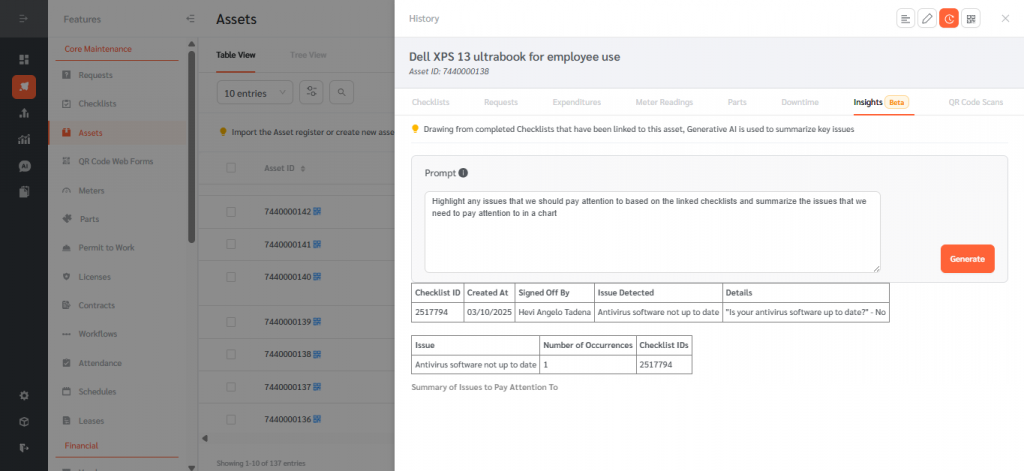
- While Asset Insights are being generated, FacilityBot shows a Generating insights…, then displays a summarized AI-generated analysis in the Insights tab—based on the configured prompt and eligible checklists—with referenced checklist IDs or a clear message if no completed checklists are available.
Asset Insights transforms raw checklist data into actionable intelligence by reducing the time required to review historical records, highlighting recurring issues and risk patterns, and supporting better maintenance planning and decision-making. With configurable prompts and automated, AI-assisted analysis, it delivers a consistent insights experience across assets, enabling smarter, more proactive asset management directly within FacilityBot.