Introduction
FacilityBot allows administrators to control which Checklists a Custom Manager can view by configuring Location Tag permissions in the Custom Manager Role settings.
With this feature, administrators can restrict visibility so that a Custom Manager only sees checklists associated with specific locations, sub-locations, or sub-sub locations. This is useful for organizations managing multiple sites, buildings, or operational areas where each manager should only access checklists related to their assigned locations.
If location-based permissioning is enabled, the Custom Manager Portal will only display checklists that match the configured Location Tag permissions.
Configuring Location Tag Permissions
Follow these steps to configure location-based permissions for Checklists.
Open Custom Manager Roles
- Log in to the FacilityBot Web Portal.
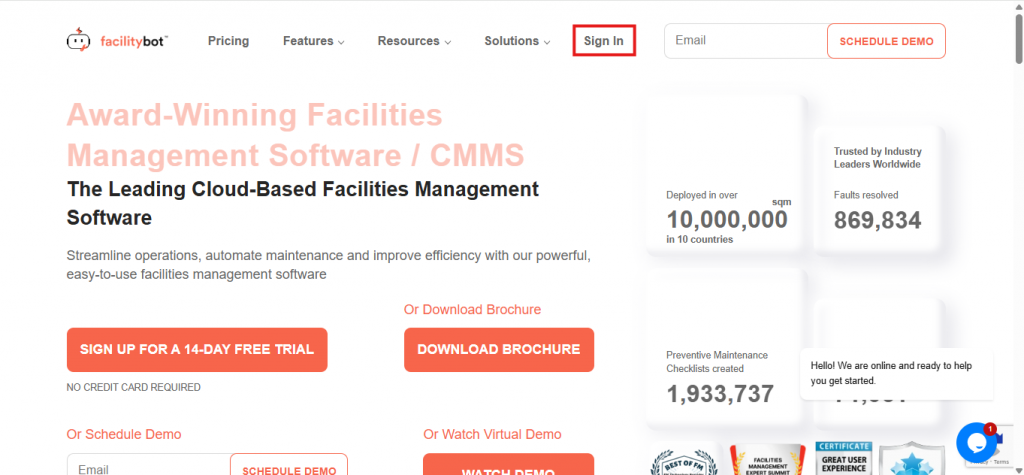
- Navigate to Settings, then Accounts.
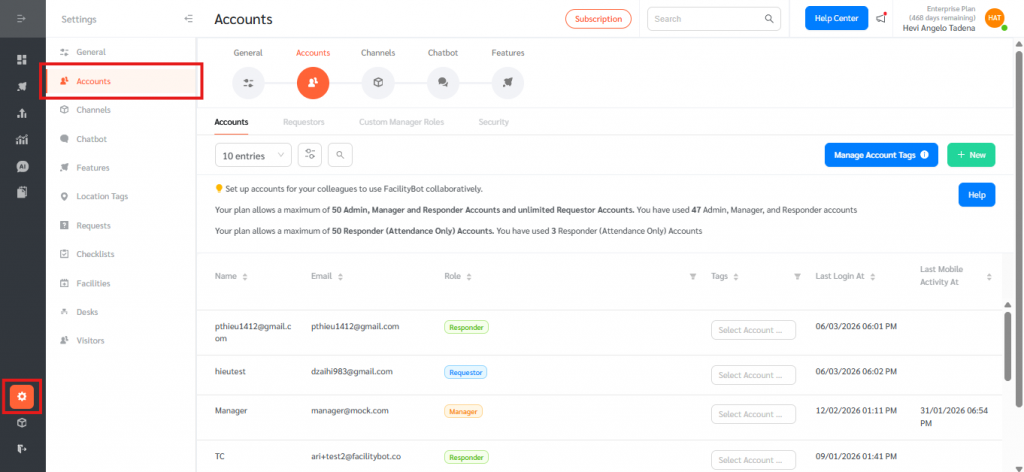
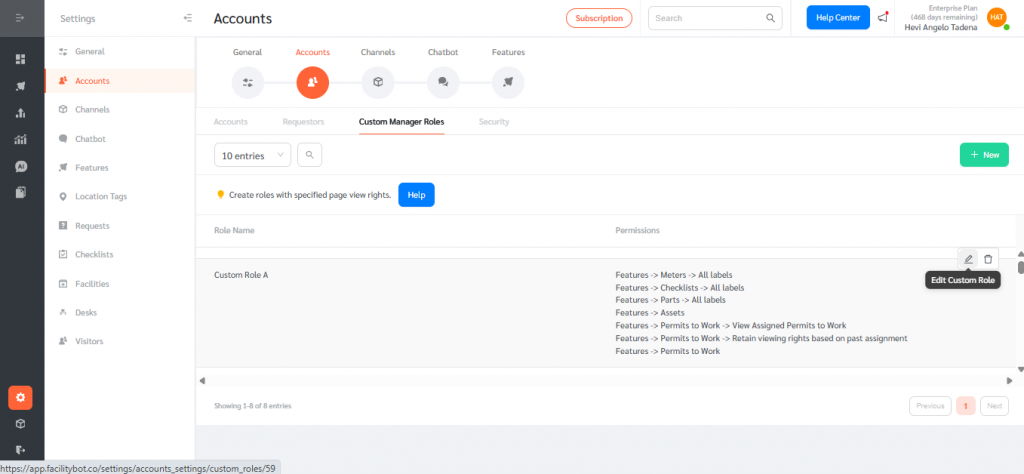
- Go to the Custom Manager Roles tab.
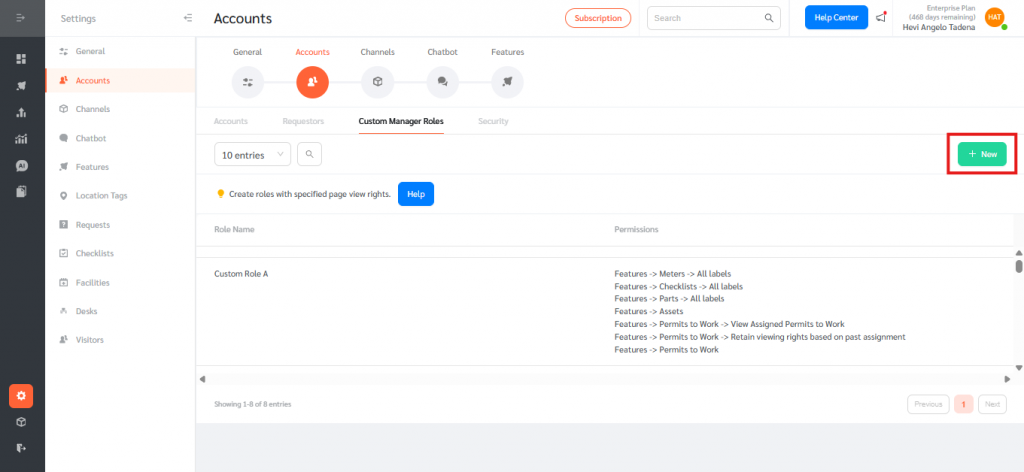
Edit or Create a Role
- Create a new Custom Manager role by clicking + New, or edit an existing role by hovering over it and selecting the Edit icon.
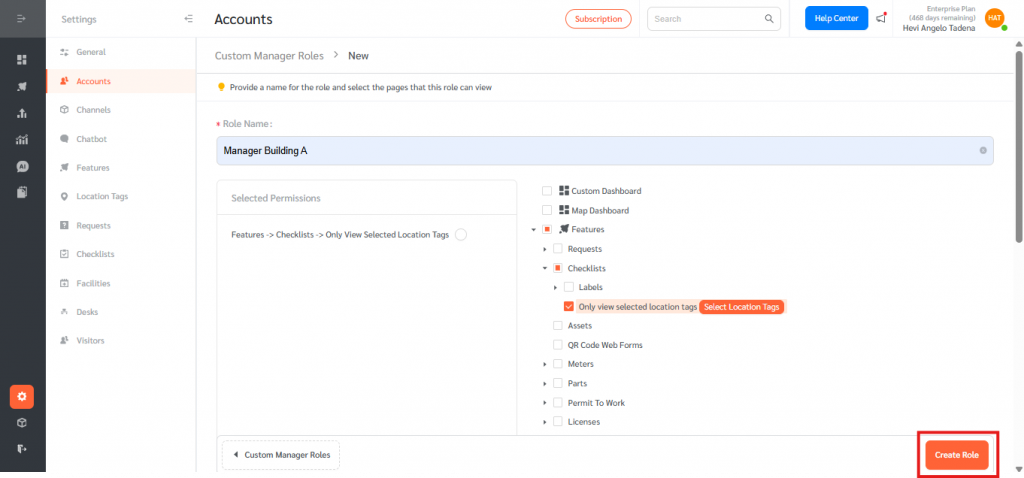
- Create a Role Name and locate the Checklists permissions section.
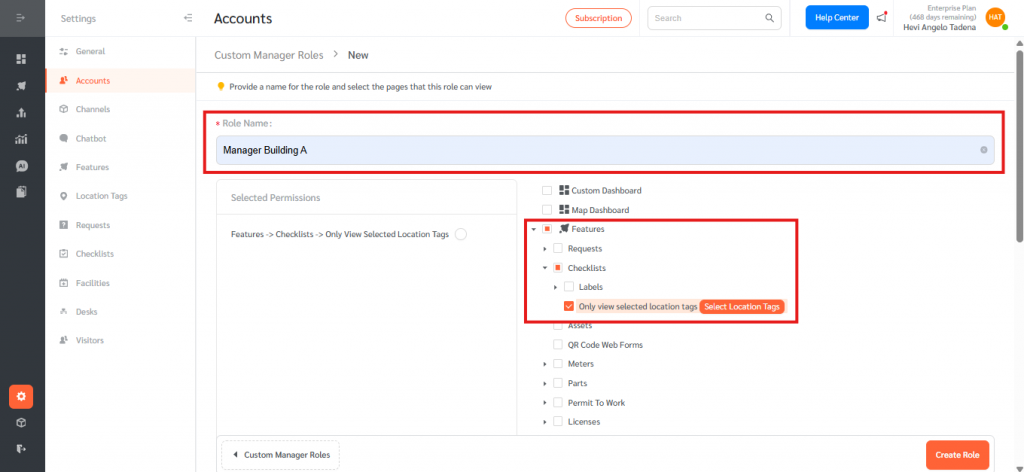
Enable Location Tag Permissioning
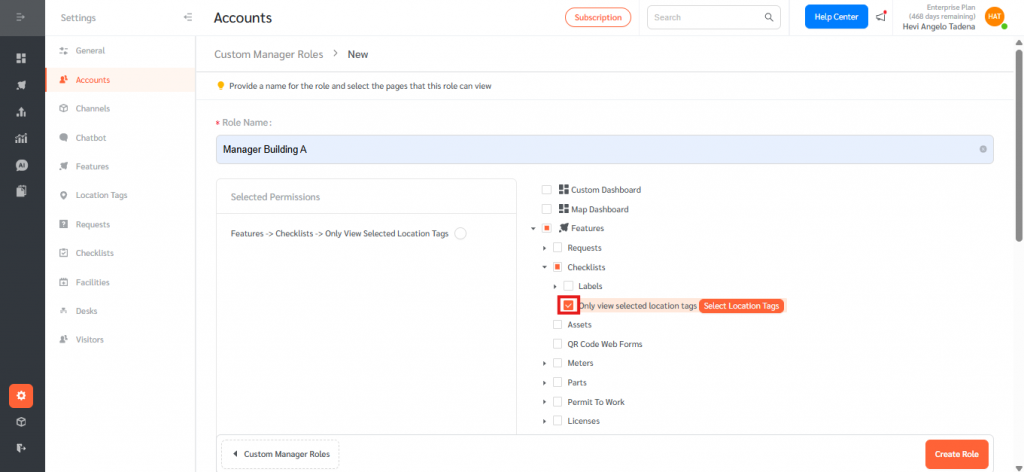
- Enable the checkbox Only view selected Location Tags.
- Click Select Location Tags.
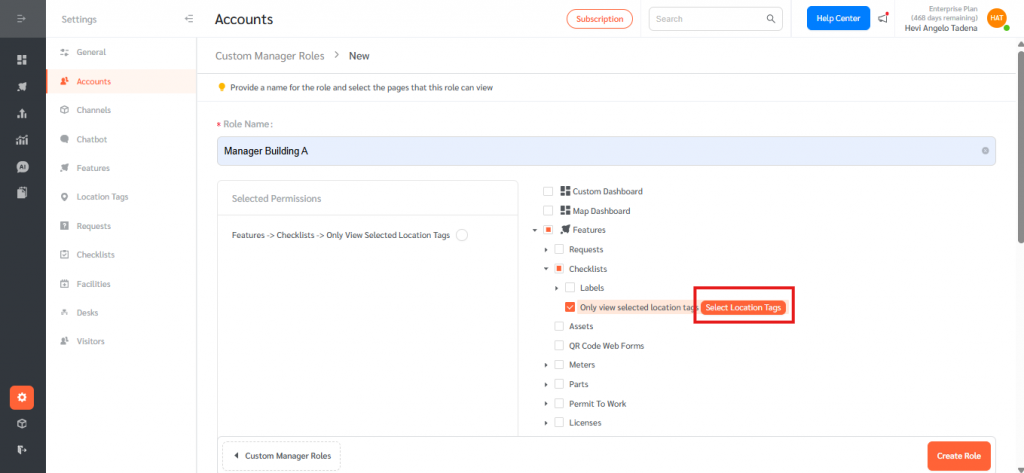
- A location selector will appear allowing administrators to:
- Search for locations
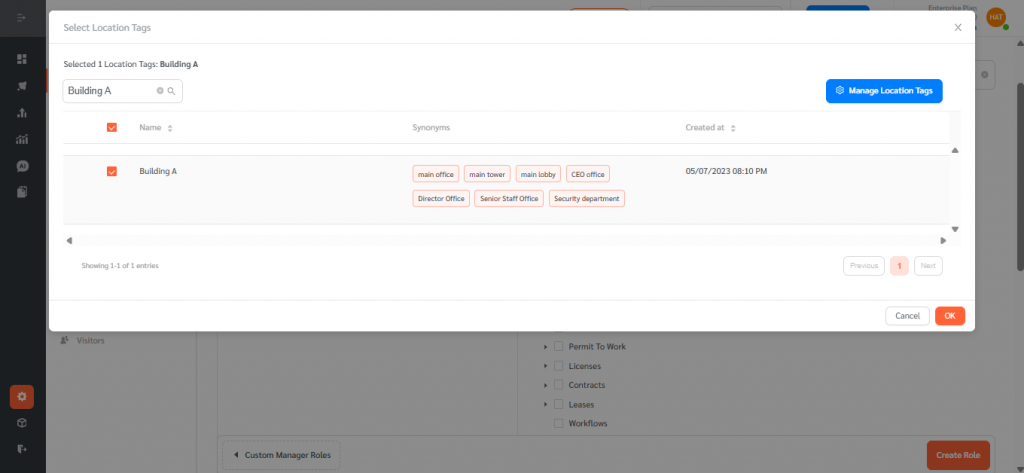
- Select multiple tags
- Select sub-locations
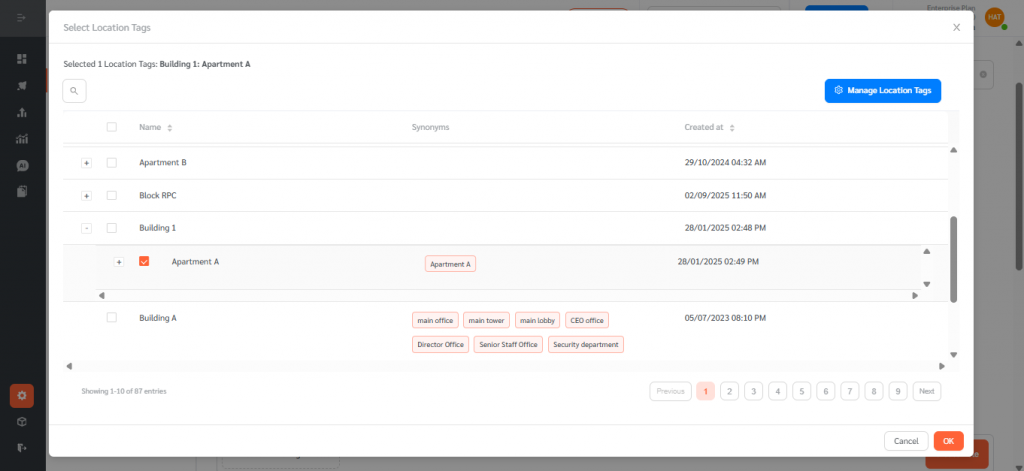
- Select sub-sub locations
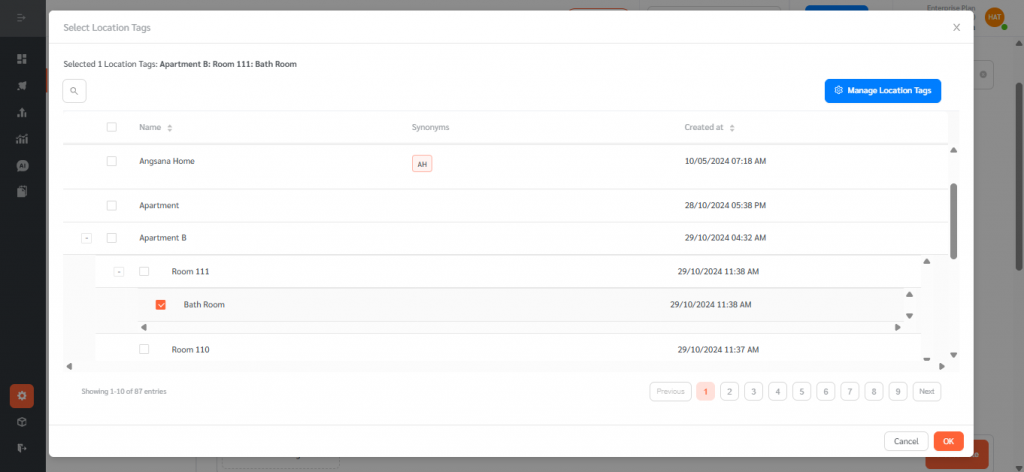
- Once selected, click OK.
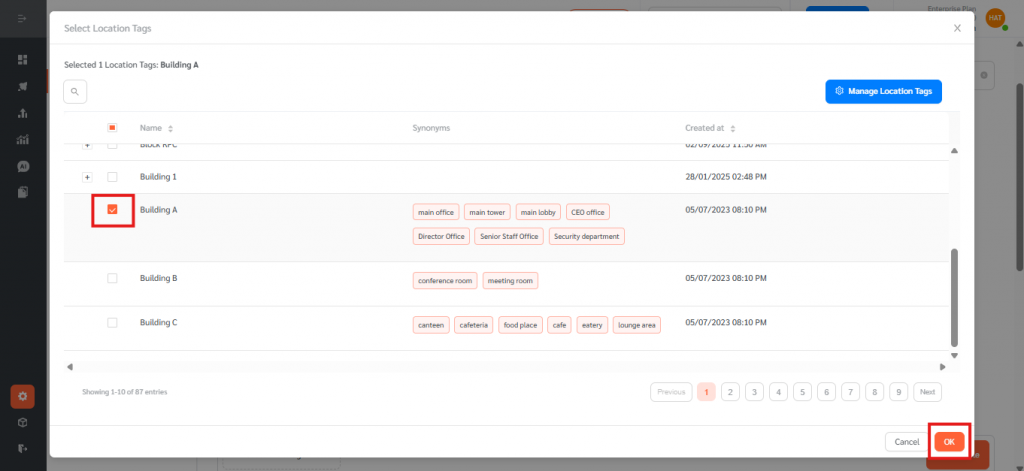
- Save the role by clicking Create Role.
Assigning the Role to a Manager Account
- Go to the Accounts tab.
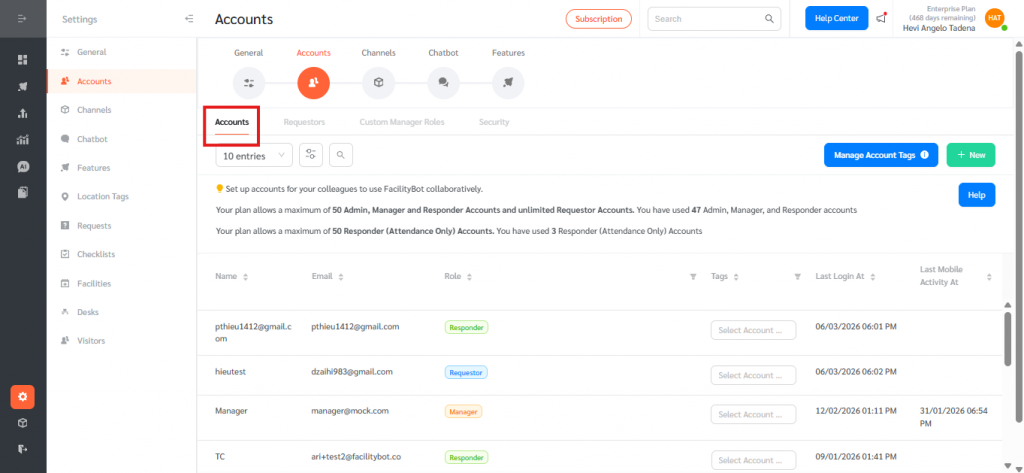
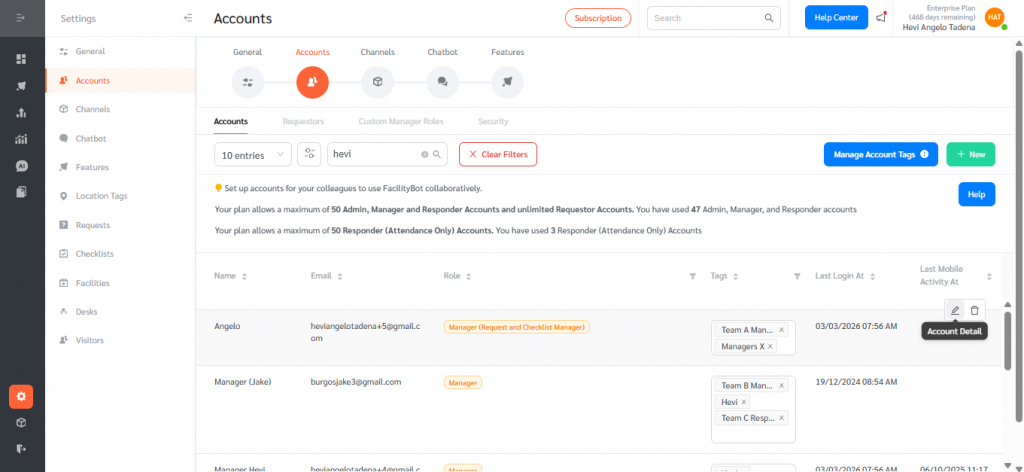
- Search for the account and edit it.
- Choose the appropriate Custom Role and click Update.
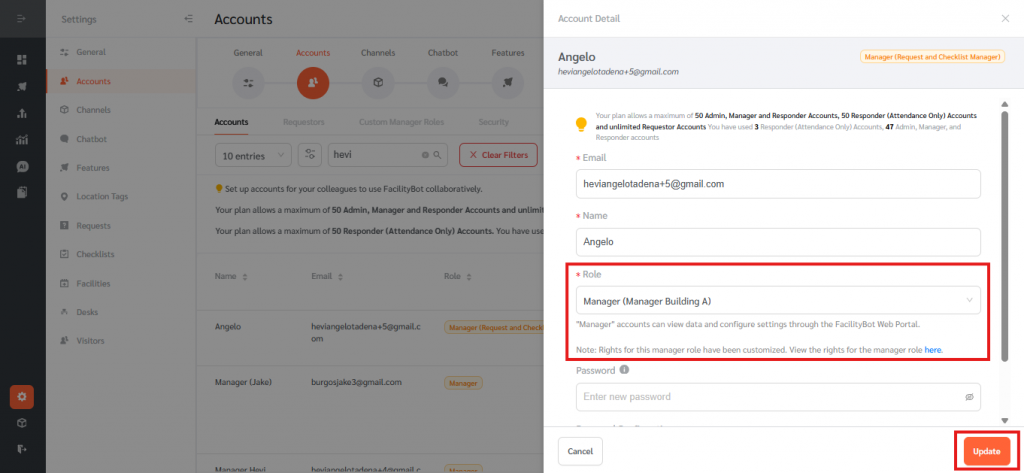
- The Custom Manager will now only see Checklists associated with the selected location tags.
Location Tag permissioning allows administrators to restrict what checklists a Custom Manager can view based on selected location tags. When Only view selected Location Tags is enabled, the administrator can choose specific location tags, sub-tags, or sub-sub-tags, and the Custom Manager will only see checklists that contain at least one of those selected tags. If the option is not enabled, the Custom Manager can view checklists from all locations. The system also supports location hierarchies, meaning permissions apply based on the level selected, and managers can optionally view checklists with no location tag if that permission is enabled.