
Introduction
FacilityBot allows administrators to configure External Actions within Sign Off Flow steps for Custom Service Requests. This feature provides quick access to external resources—such as SOPs, forms, or reference documents—directly within the request workflow.
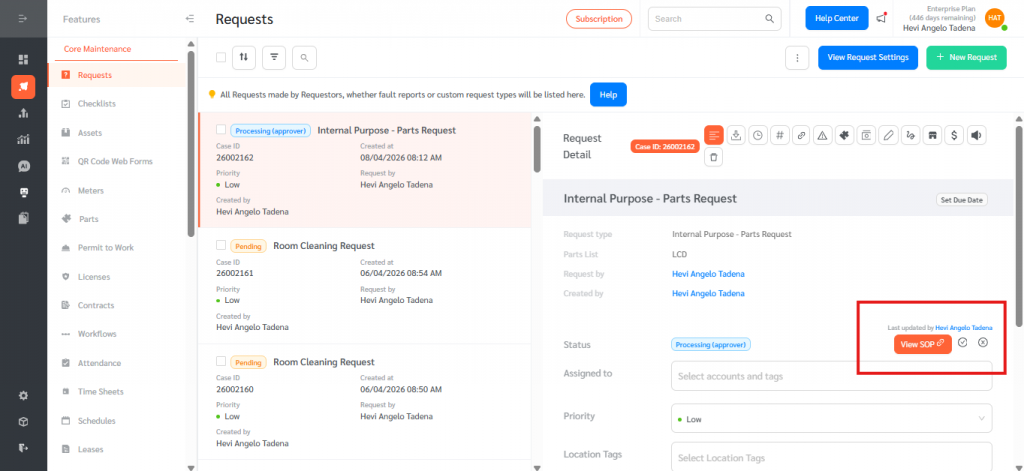
External links appear as clickable buttons on the Request page, enabling Admins, Managers, and Responders to access relevant materials without leaving the platform. This functionality is supported on both the Web Portal and Mobile App.
Configuring External Actions in Sign Off Flows
To add an External Action to a Sign Off Flow step:
- Log in to the FacilityBot Web Portal.
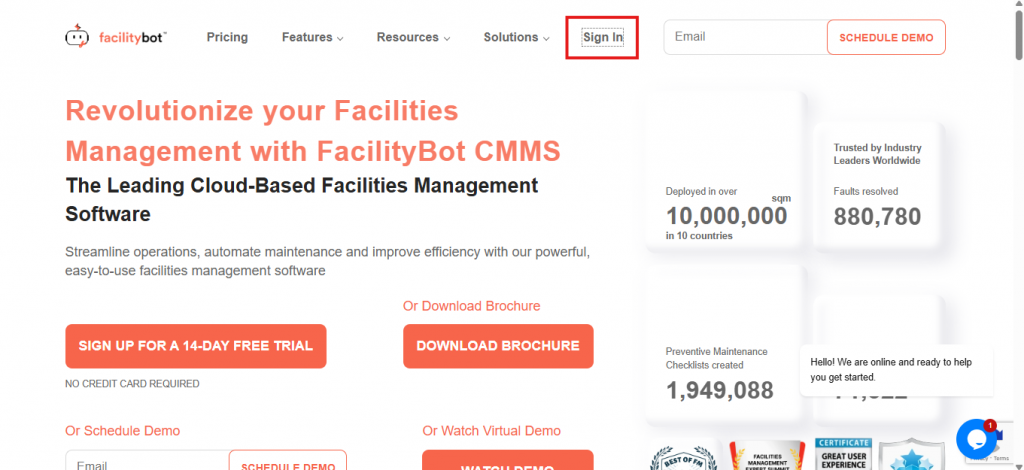
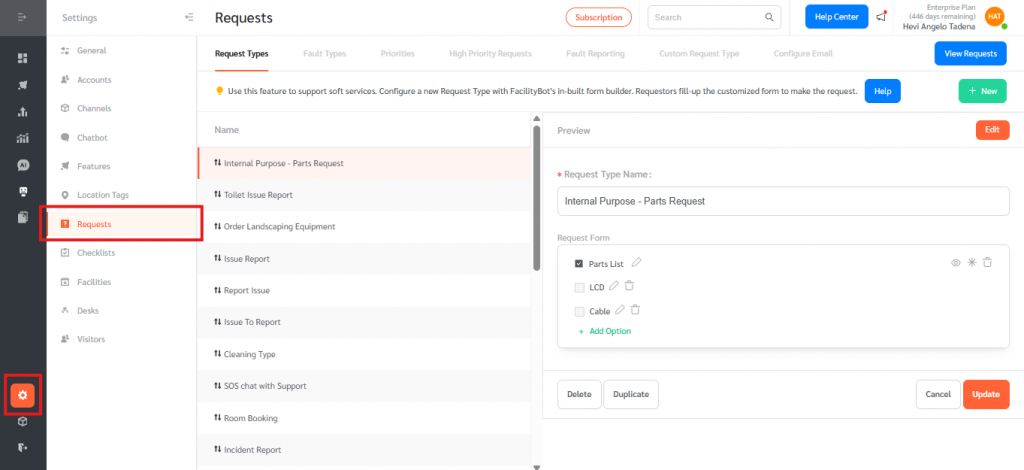
- Go to Settings, then Requests
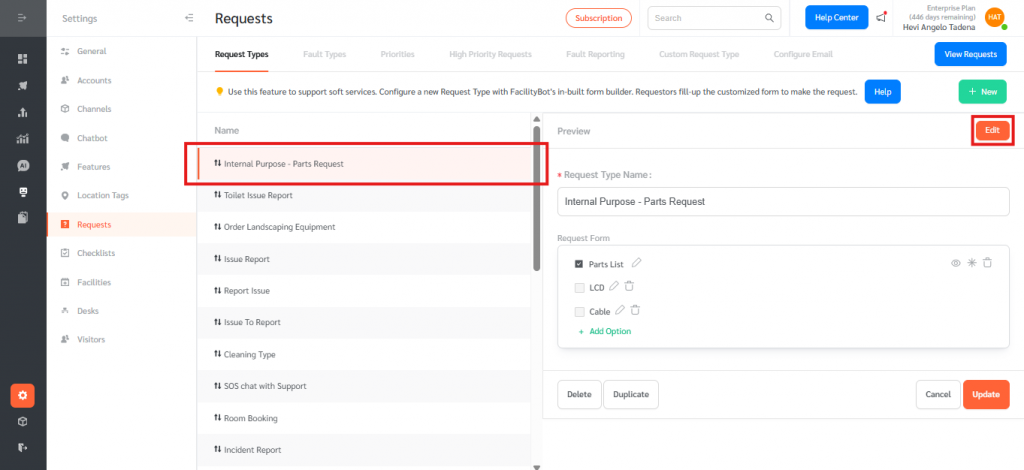
- Choose a service request form you want to configure and click edit.
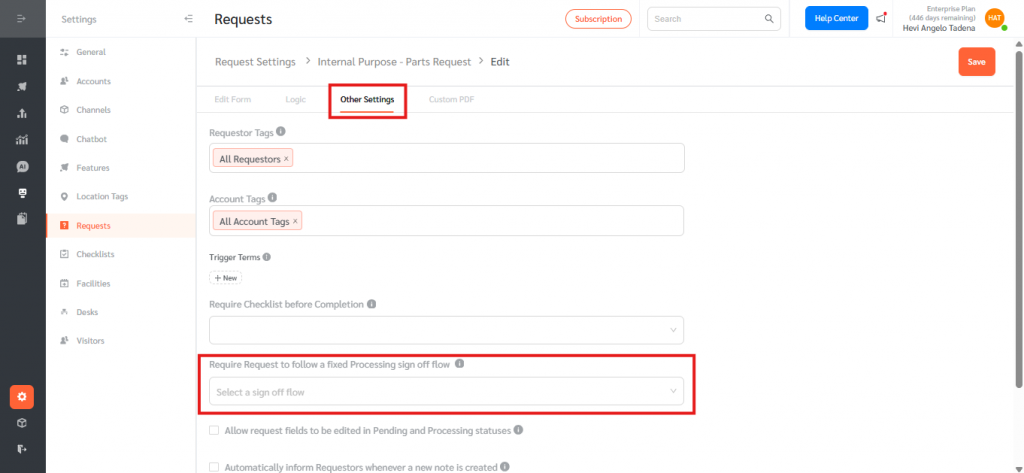
- Go to other settings tab and click select a sign off flow.
- From the dropdown, click Manage Request Sign Off Flows.
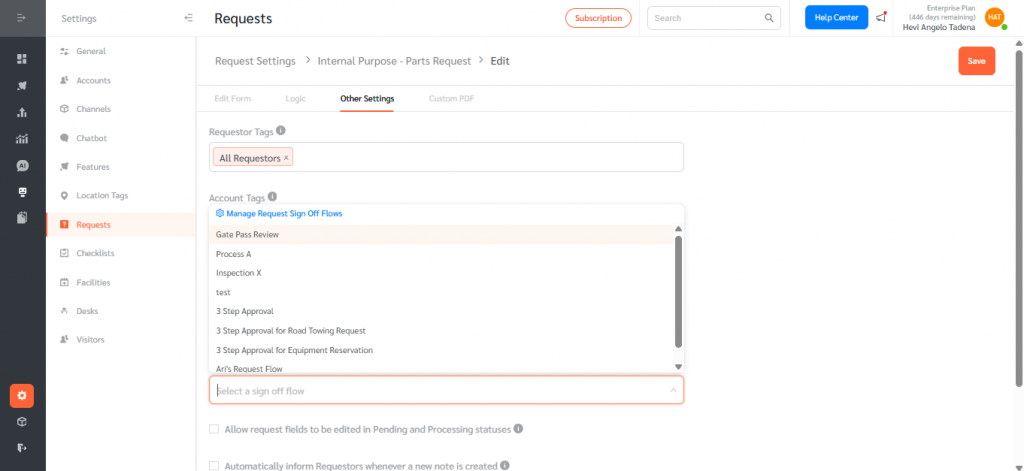
- Select an existing Sign Off Flow, hover over it, and click the Edit icon.
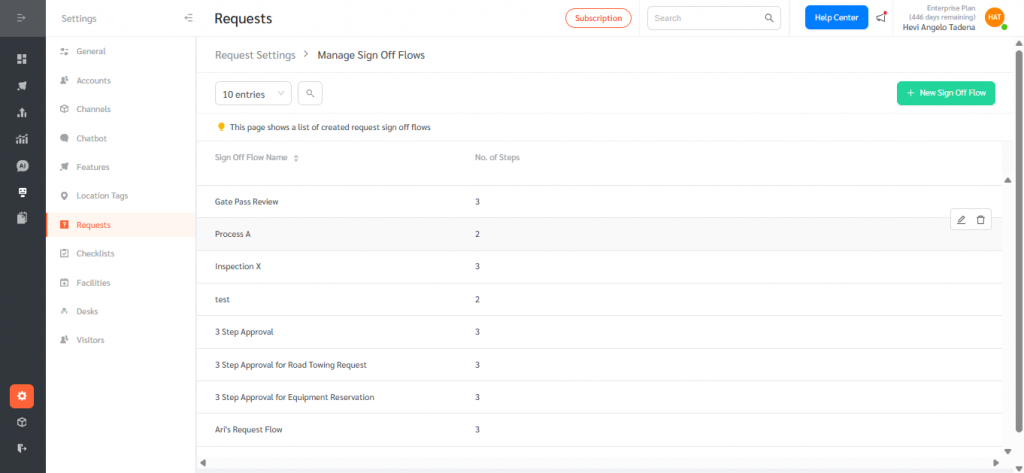
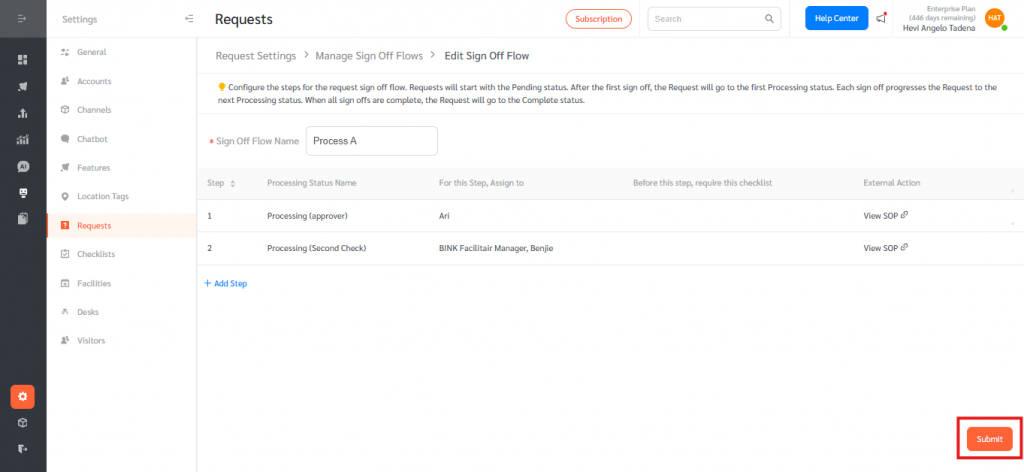
- In the Sign Off Flow editor, locate the External Action column. Hover over a step and click the Edit icon to open the Edit Sign Off Flow Step panel.
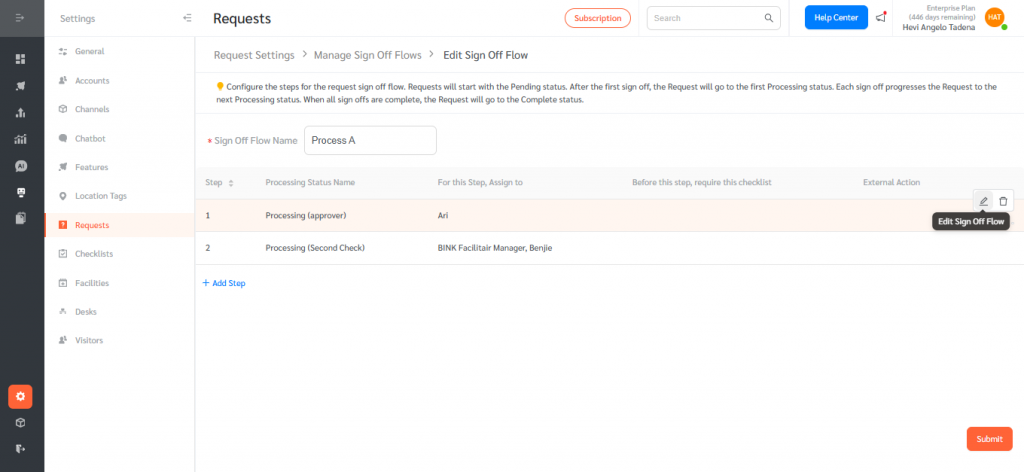
- In the External Action section. Enter the Button Label (e.g., “View SOP”) and the External URL. Click Save to apply the changes.
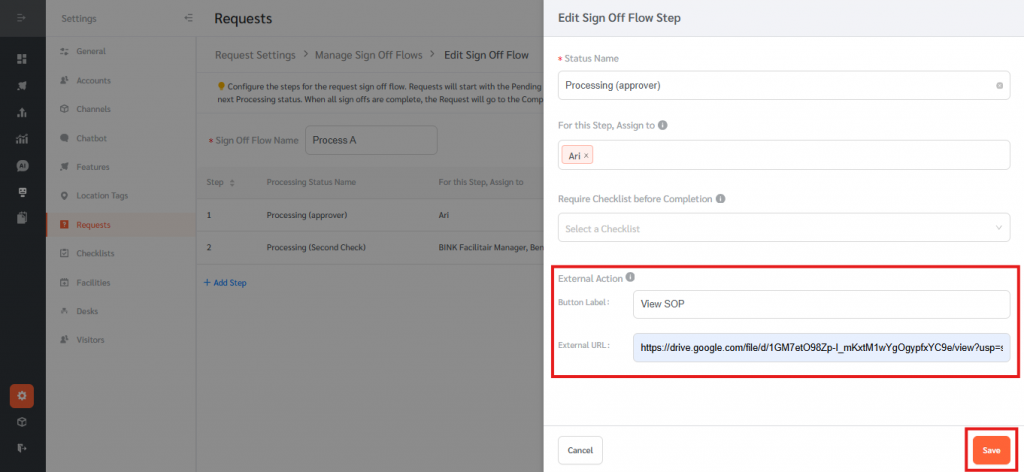
- Then click submit.
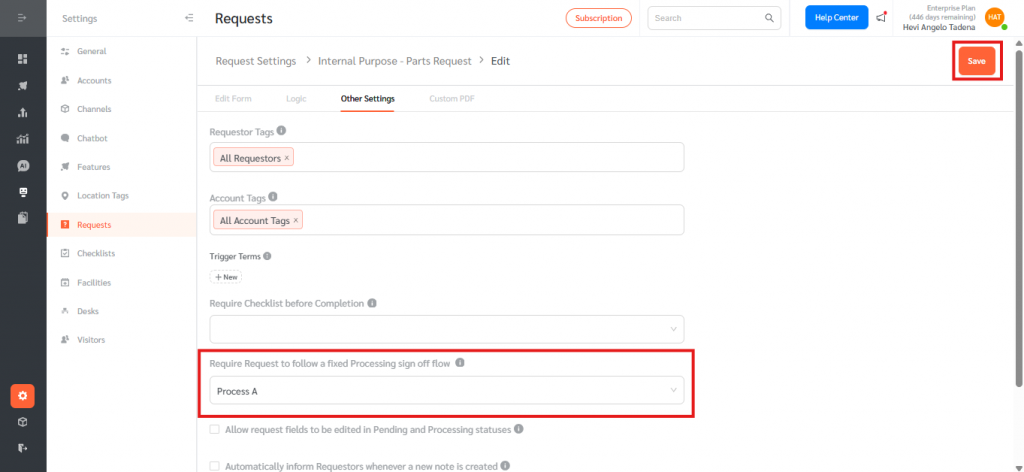
- Now select the appropriate sign off flow that you want to configure in your service request form. Then click Save.
Note:
External Action is optional. However, if a Button Label is provided, the External URL must also be entered (and vice versa).
How External Links Appear on Requests
Once configured, the external link button appears on the Request page when the request reaches the corresponding Sign Off Flow step.
The External Action feature in Sign Off Flows enables teams to seamlessly integrate external resources into their request workflows. By attaching relevant links to specific steps, organizations can improve efficiency, ensure process consistency, and reduce the need to search for documents outside of FacilityBot.