
Introduction
FacilityBot now supports configurable email notifications for the Facilities feature. Administrators can customise the Confirmation email sent when a booking is made and the Update email sent when an existing booking’s date or time is changed. Each email’s subject and body are fully editable through a built-in rich text editor with support for dynamic variables such as facility name, booking ID, requestor, and booking dates. A live preview is displayed alongside the editor so administrators can review their changes before saving.
Access Email Configuration
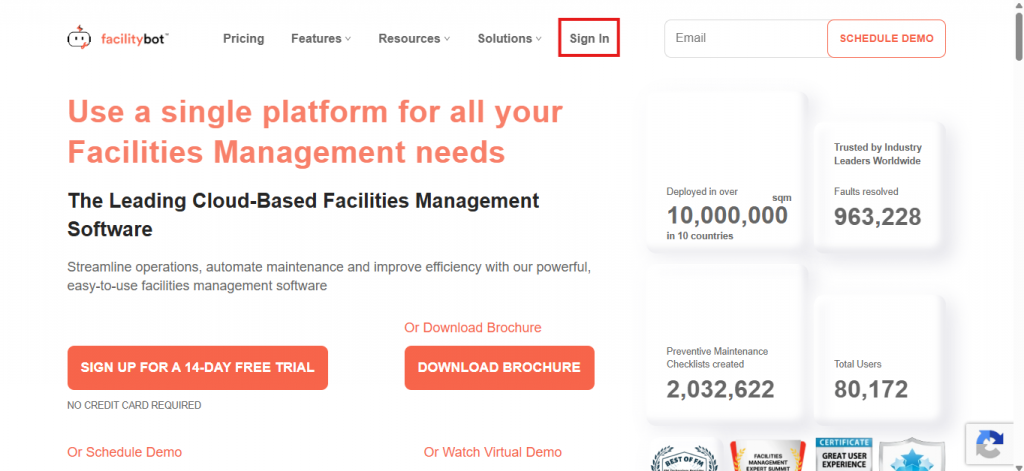
- Log in to the FacilityBot Web Portal.
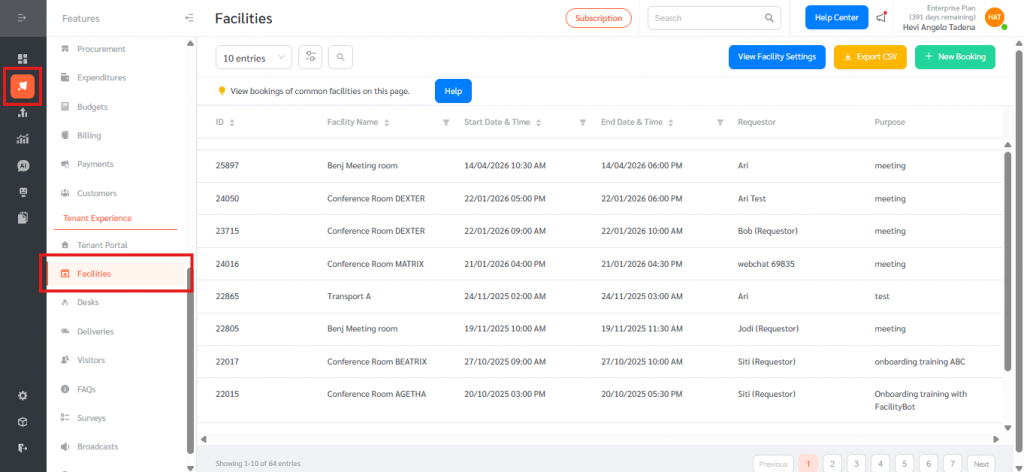
- Go to Features, then Facilities.
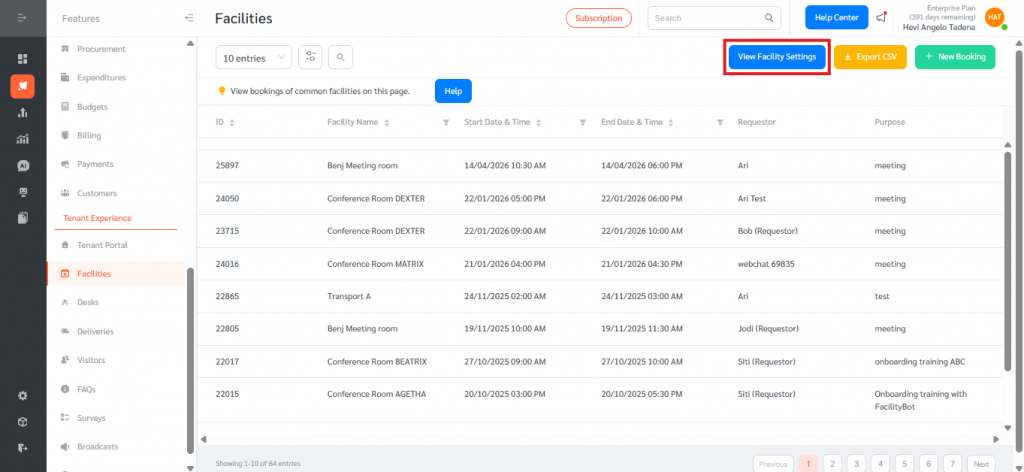
- Click View Facility Settings at the top right of the Facilities page.
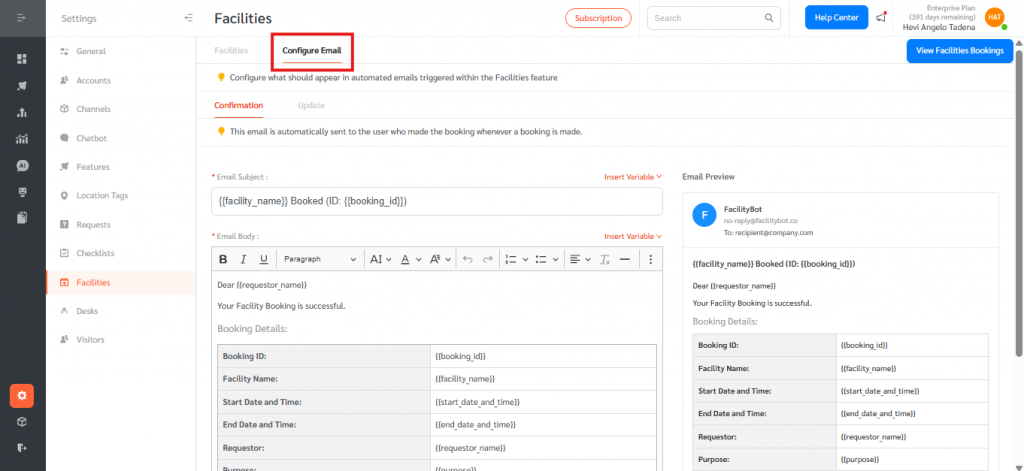
- Open the Configure Email tab. The page is split into two sub-tabs: Confirmation and Update.
Configure the Confirmation Email
- Select the Confirmation tab. This email is automatically sent to the user who made the booking whenever a booking is made.
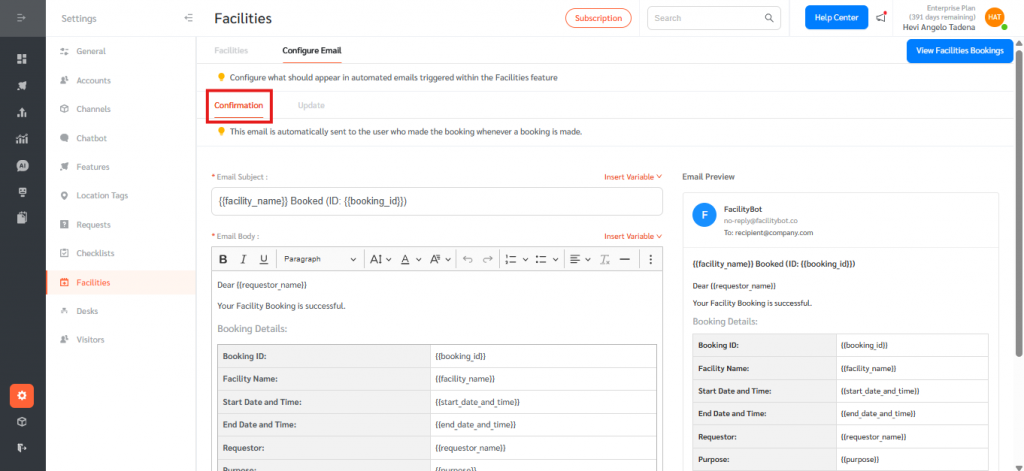
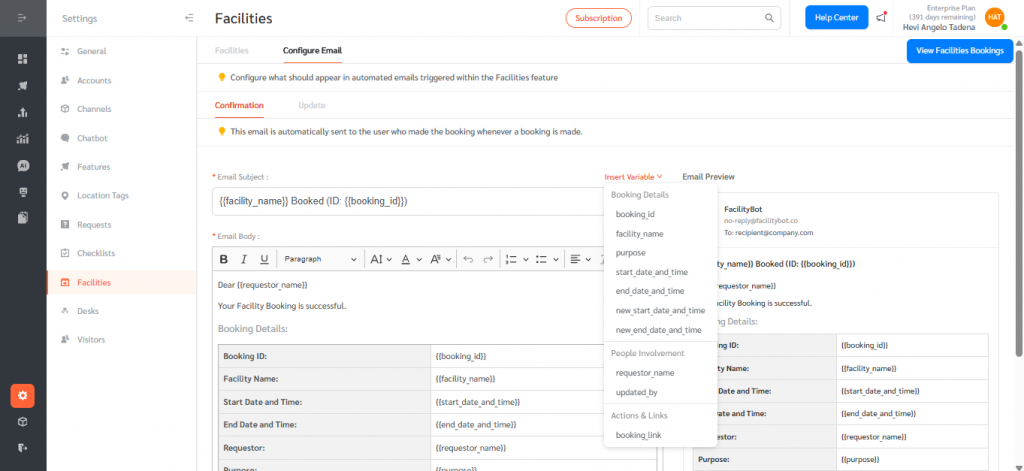
- Edit the Email Subject. Use the Insert Variable dropdown to add dynamic placeholders such as {{facility_name}} or {{booking_id}}.
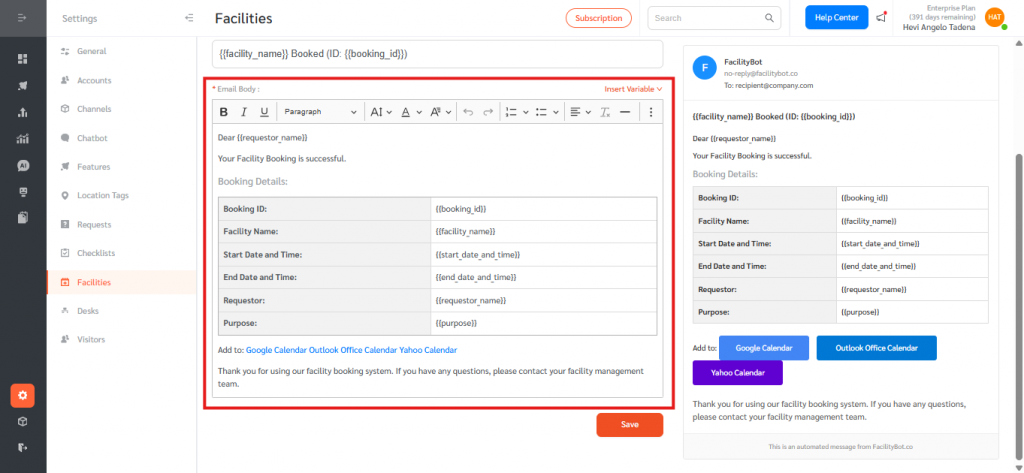
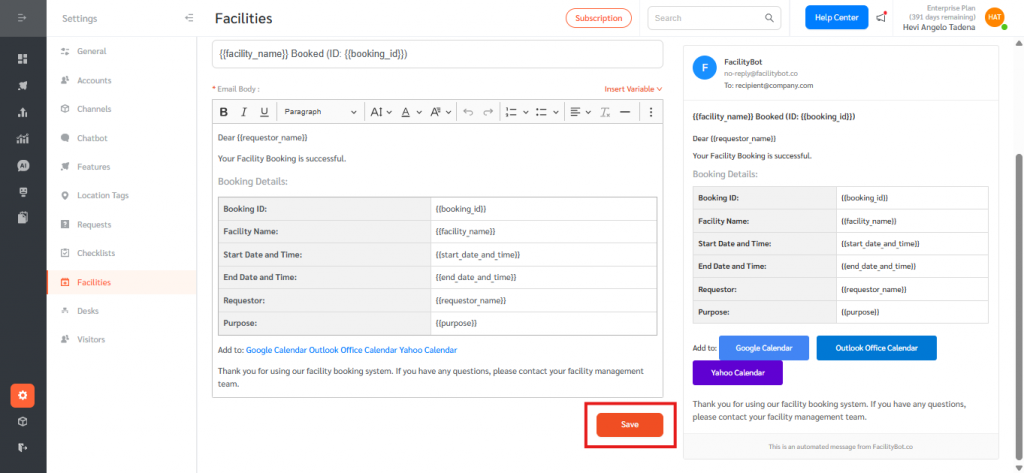
- Edit the Email Body using the rich text editor. The default body includes a greeting, a confirmation message, and a Booking Details table populated with variables such as {{requestor_name}}, {{start_date_and_time}}, {{end_date_and_time}}, and {{purpose}}, plus calendar links.
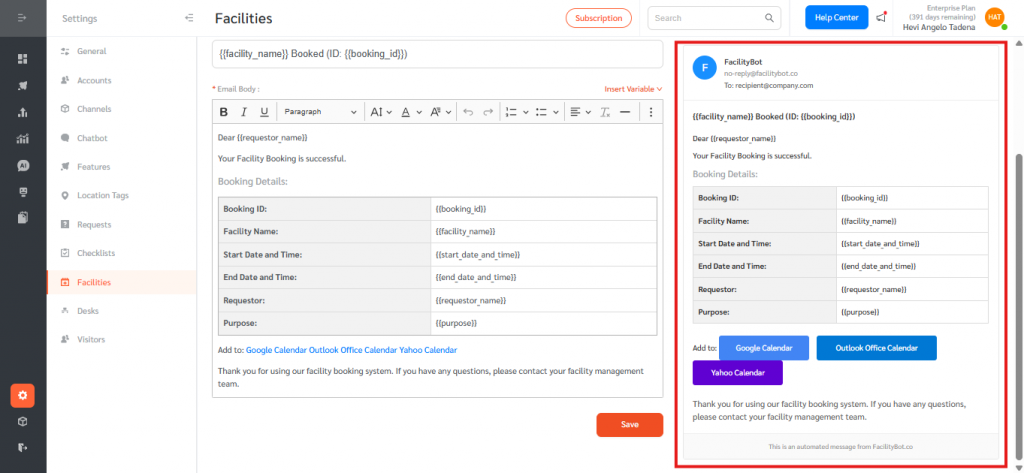
- Review the live Email Preview on the right to confirm the layout and content.
- Click Save.
Configure the Update Email
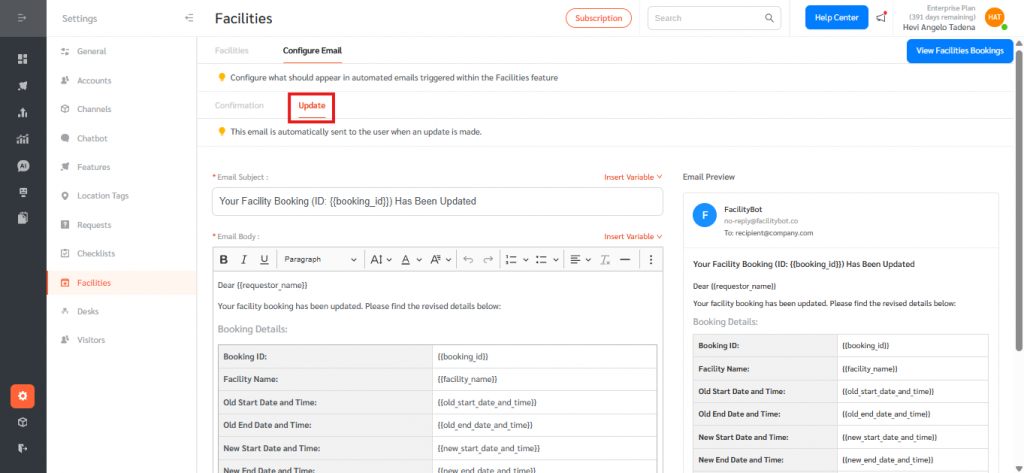
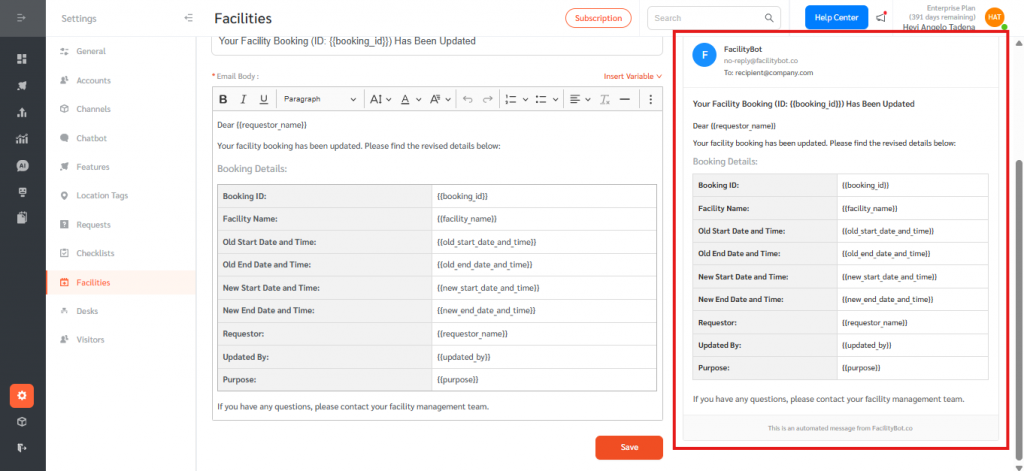
- Select the Update tab. This email is automatically sent to the user when an update is made to an existing booking, such as a change in start or end date and time.
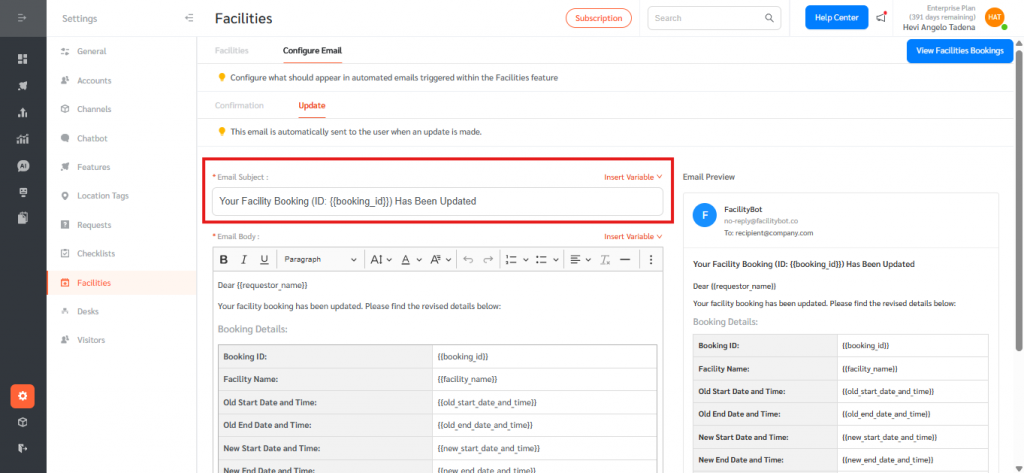
- Edit the Email Subject. Use the Insert Variable dropdown to add placeholders such as {{booking_id}}.
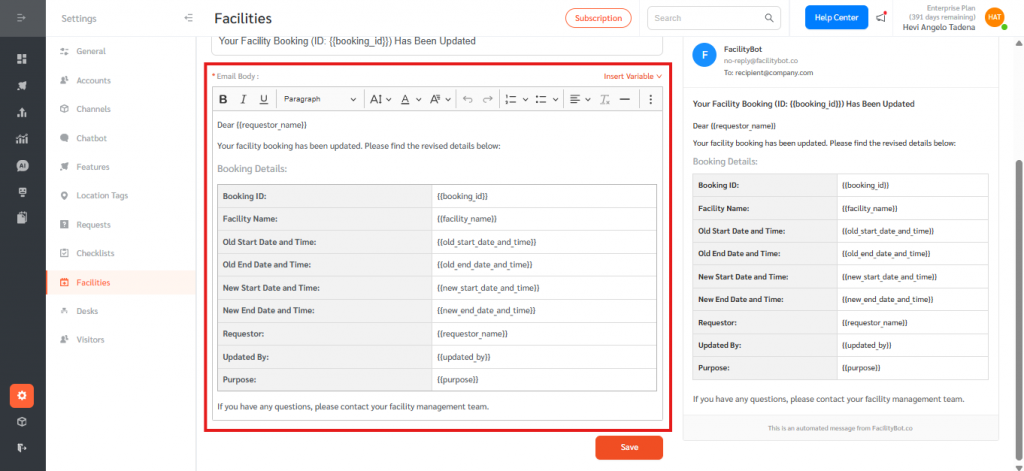
- Edit the Email Body. The default body includes the booking ID, facility name, the old and new start and end date and time ({{old_start_date_and_time}}, {{new_start_date_and_time}}, and similar), the requestor, the {{updated_by}} account, and the purpose.
- Review the live Email Preview on the right to confirm the layout and content.
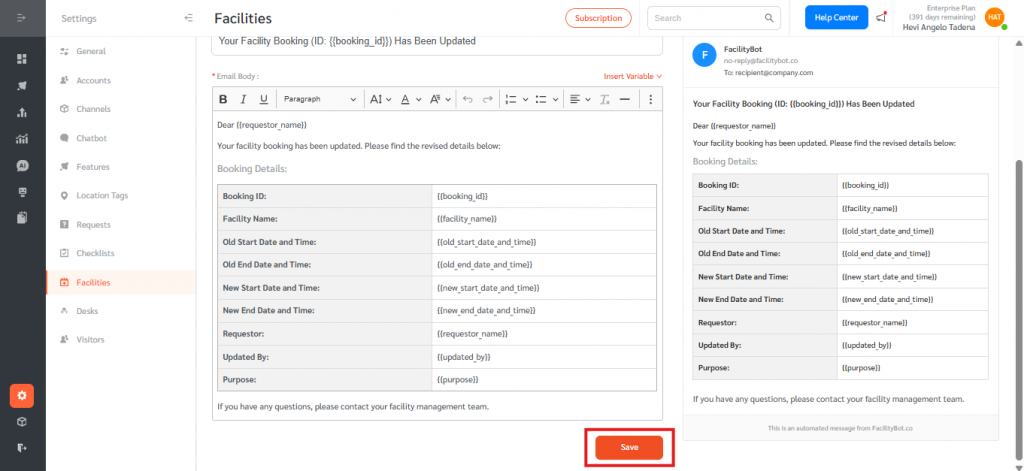
- Click Save.
Email Triggers in Practice
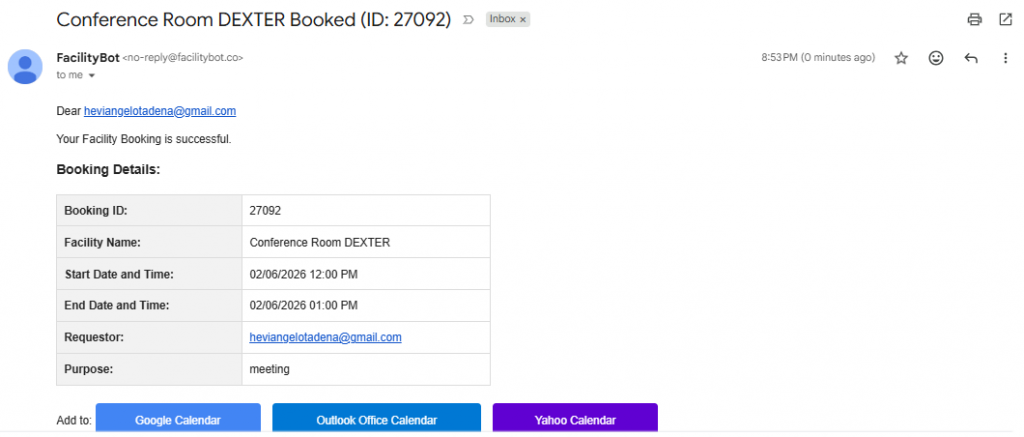
- When a Requestor or Admin creates a new booking from the Facilities page, the Confirmation email is sent automatically to the booking’s requestor.
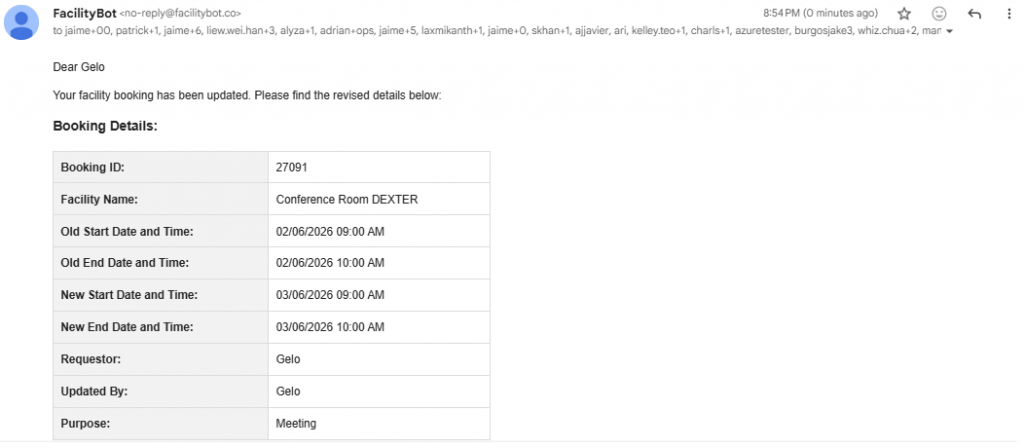
- When the booking’s start date and time, end date and time, or other details are changed by a Requestor or Admin, the Update email is sent automatically with both the old and new values for context.
The Email Feature for Facility Bookings gives administrators full control over the automated notifications sent through the Facilities feature. By customising the Confirmation and Update emails with the appropriate subjects, content, and dynamic variables, organisations can align booking communications with their tone, branding, and operational requirements. Common use cases include adding facility-specific instructions to confirmation emails, including emergency contact details, and highlighting the differences between old and new booking times in update notifications. Overall, the Email Feature improves communication clarity, reduces support queries from confused requestors, and ensures that all booking-related notifications consistently reflect each organisation’s standards within FacilityBot.