
Introduction
FacilityBot now supports an Adjustment Feature for Schedule of Rates (SORs). The feature lets administrators apply cost adjustments — as a positive margin or a negative discount — to both regular SOR line items and Star Rate items. Once configured, the adjustment automatically flows through to SOR Quotations and Expenditures, displaying the Adjustment Amount, the value After Adjustment, and updated subtotals. This provides greater flexibility for vendor pricing arrangements such as contractor mark-ups, client-specific discounts, and standardised cost uplifts across maintenance categories.
Enable Adjustment Rates for SOR Line Items
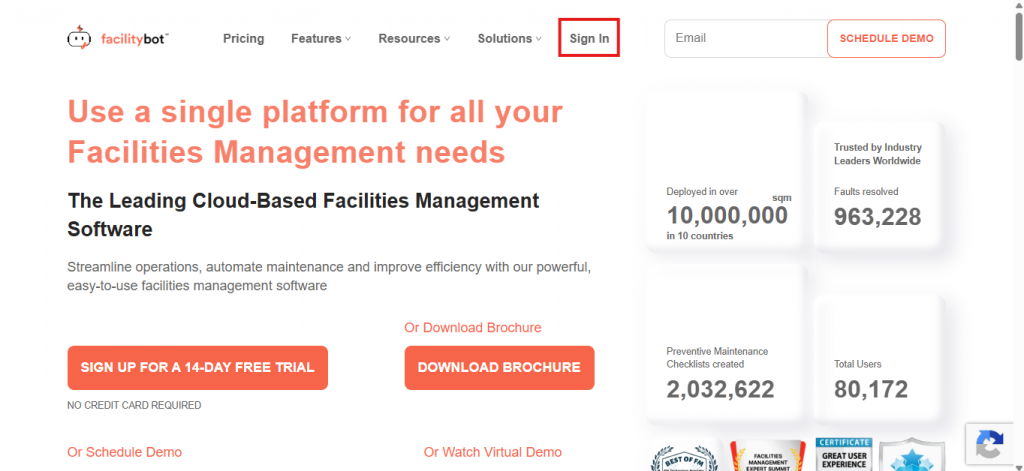
- Log in to the FacilityBot Web Portal.
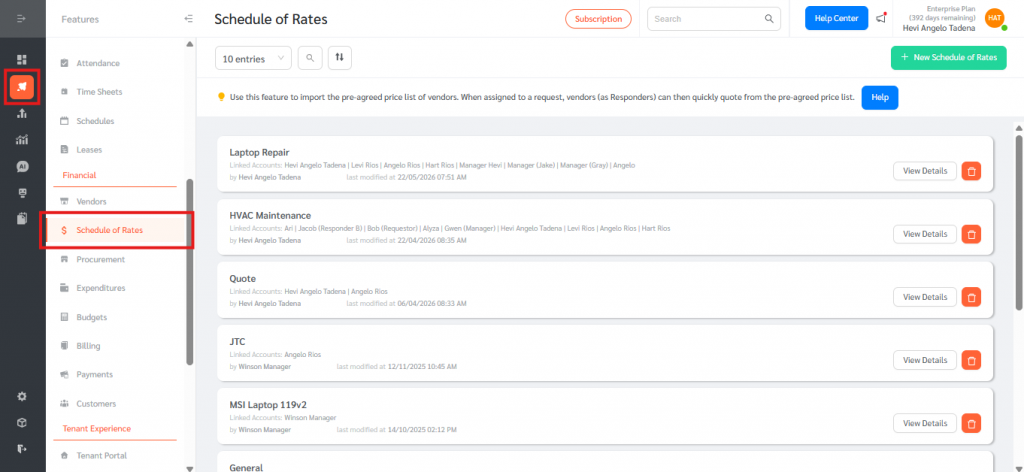
- Go to Features, then Schedule of Rates.
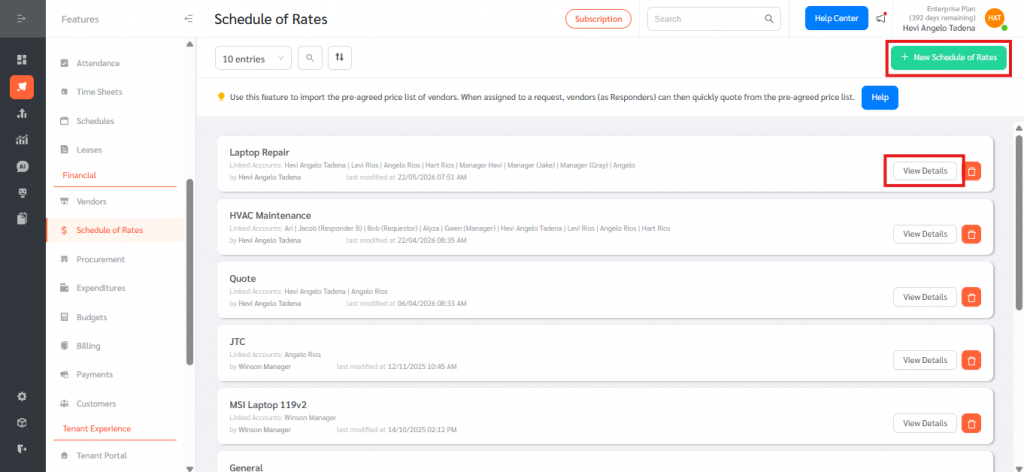
- Create a new SOR or open an existing one.
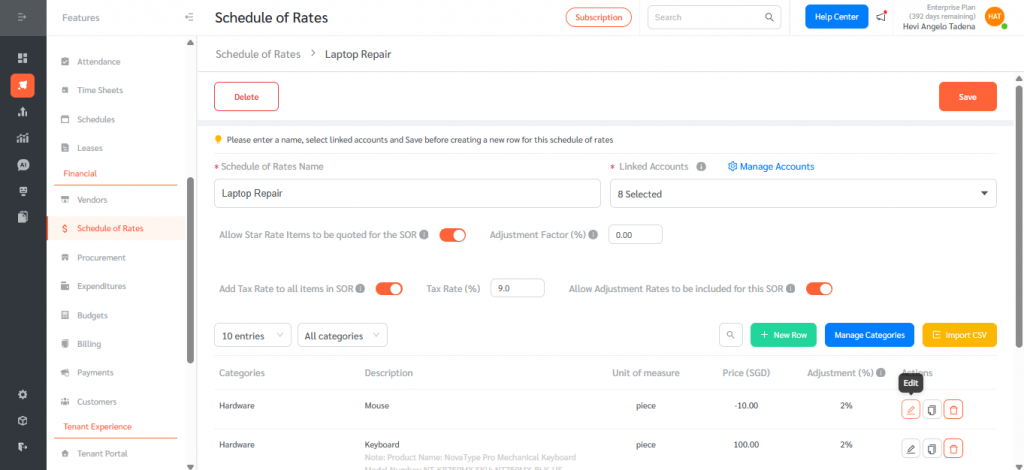
- Toggle Allow Adjustment Rates to be included for this SOR to Yes.
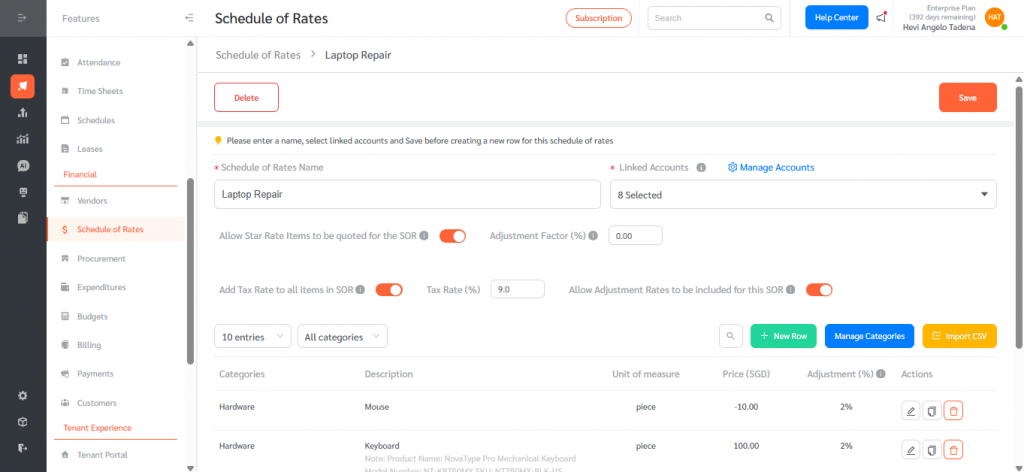
- In the line items table, an Adjustment (%) column appears. Click edit and enter the adjustment percentage for each row. Negative values are accepted for discount scenarios.
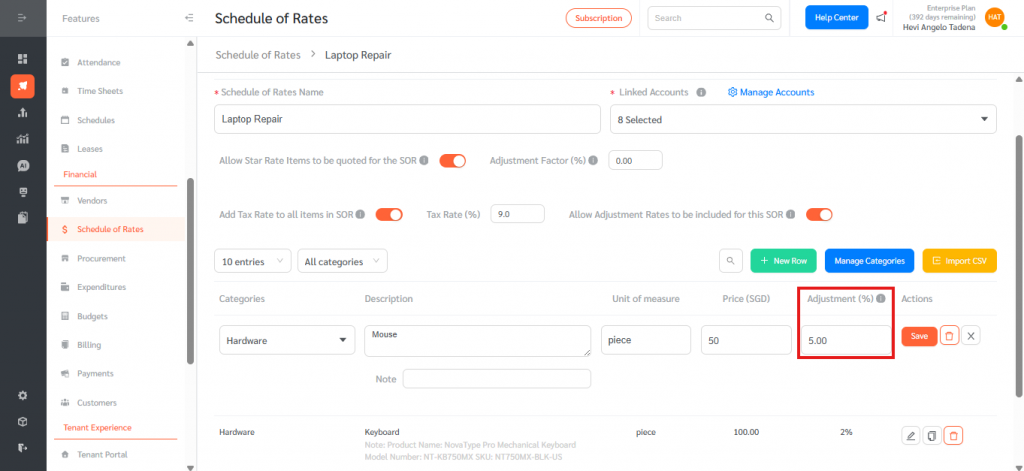
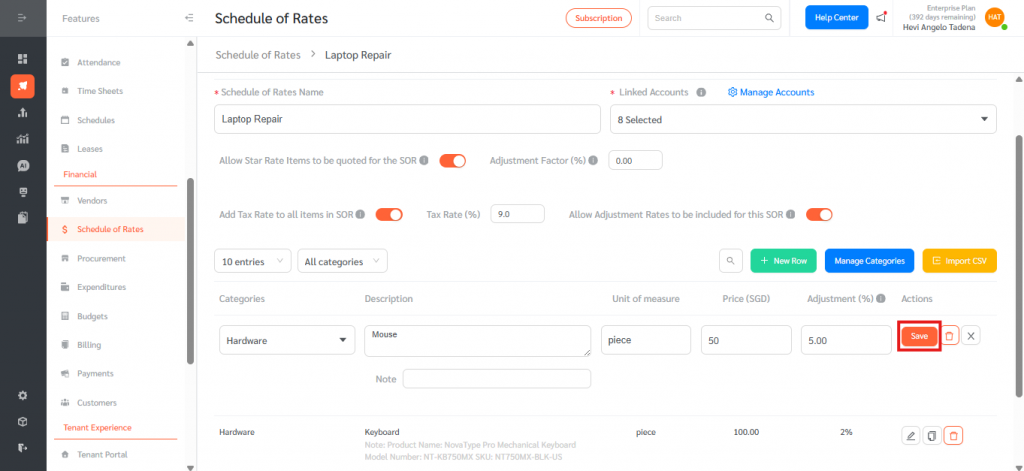
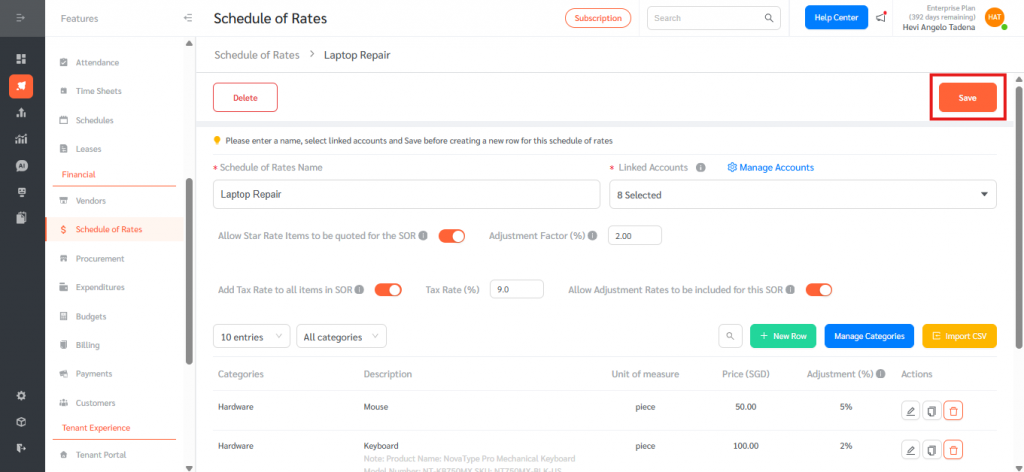
- Click Save.
Set the Adjustment Factor for Star Rate Items
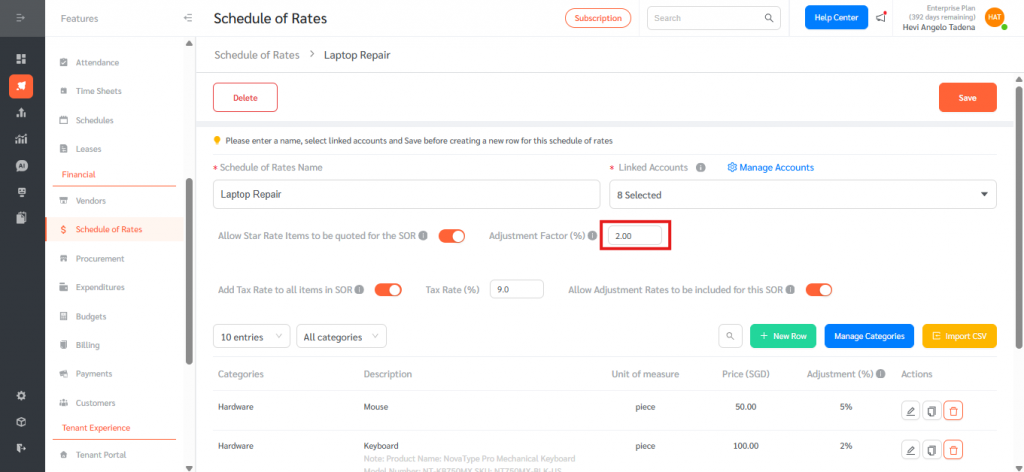
- In the same SOR, ensure Allow Star Rate Items to be quoted for the SOR is toggled to Yes.
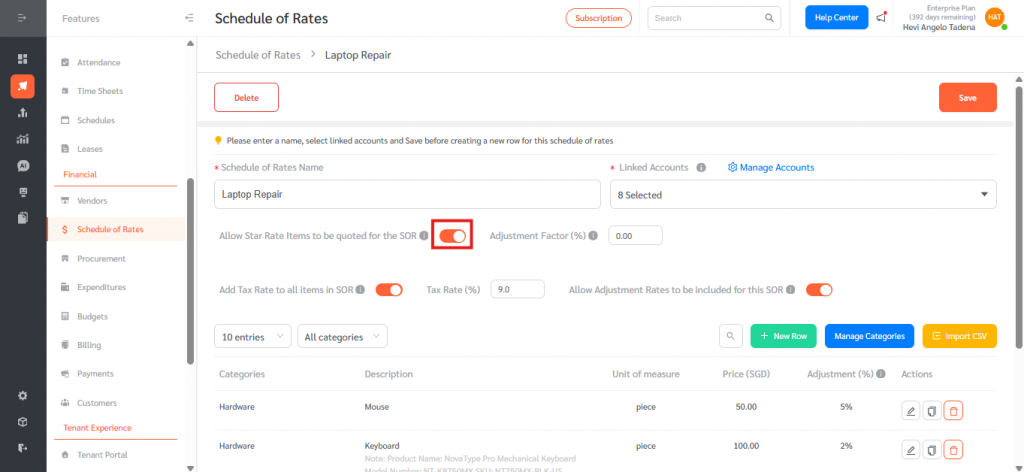
- In the Adjustment Factor (%) field next to the Star Rate toggle, enter the percentage to apply to all Star Rate quotations submitted for this SOR. The default is 0%, and negative values are accepted.
- Click Save.
View Adjustments in an SOR Quotation
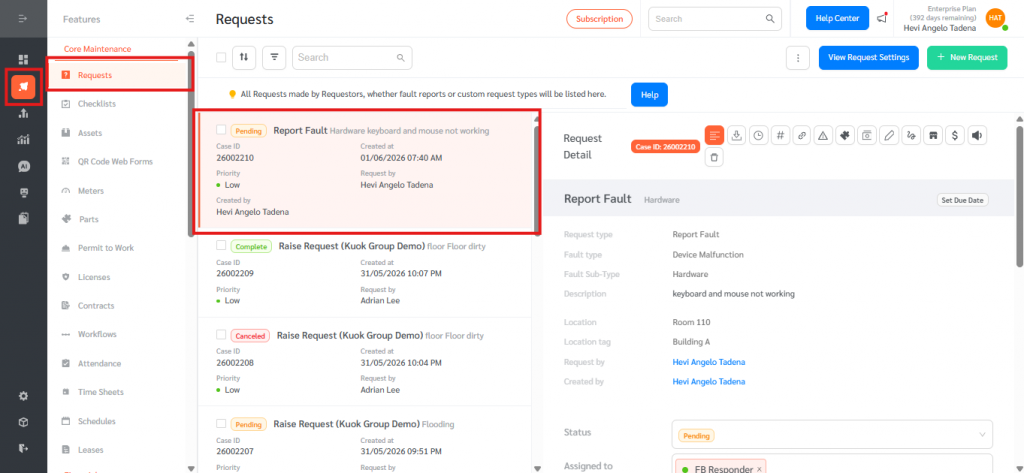
- Go to Features, then Requests and open a request.
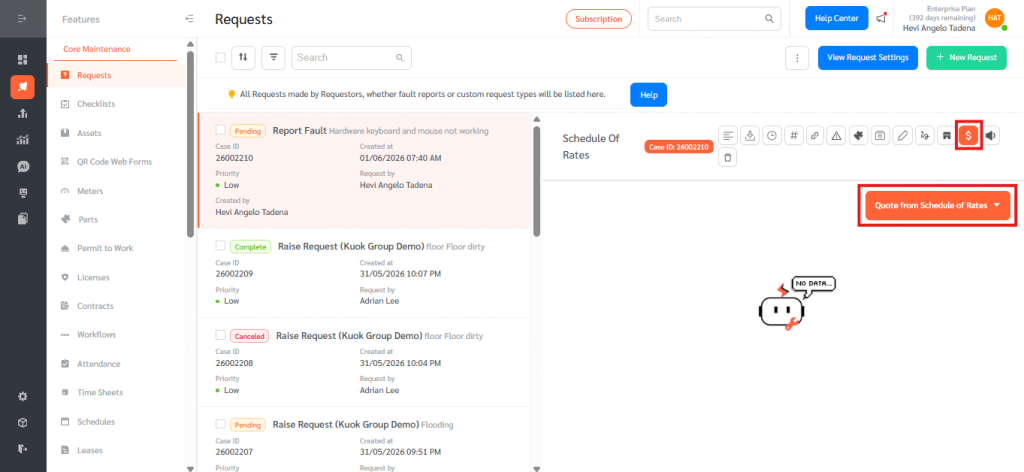
- Click Schedule of Rates, then Quote from Schedule of Rates.
- Select an SOR that has Adjustment Rates or an Adjustment Factor configured.
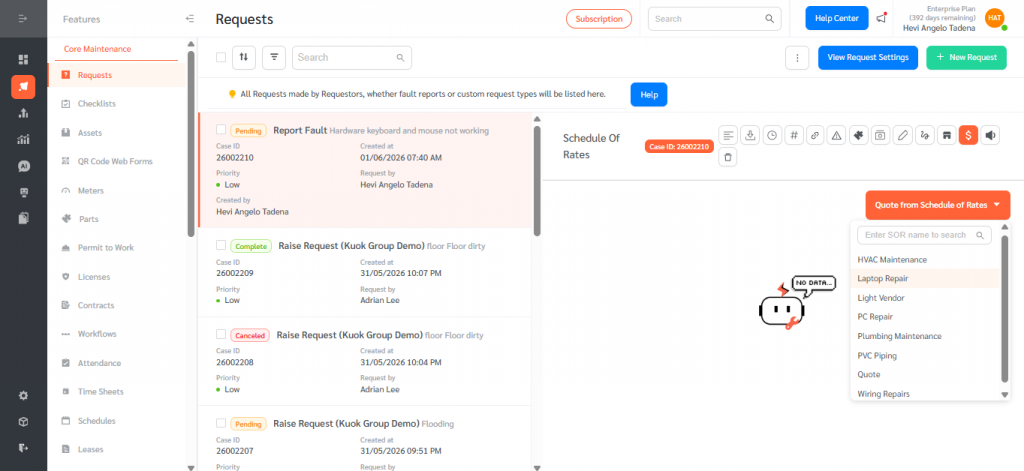
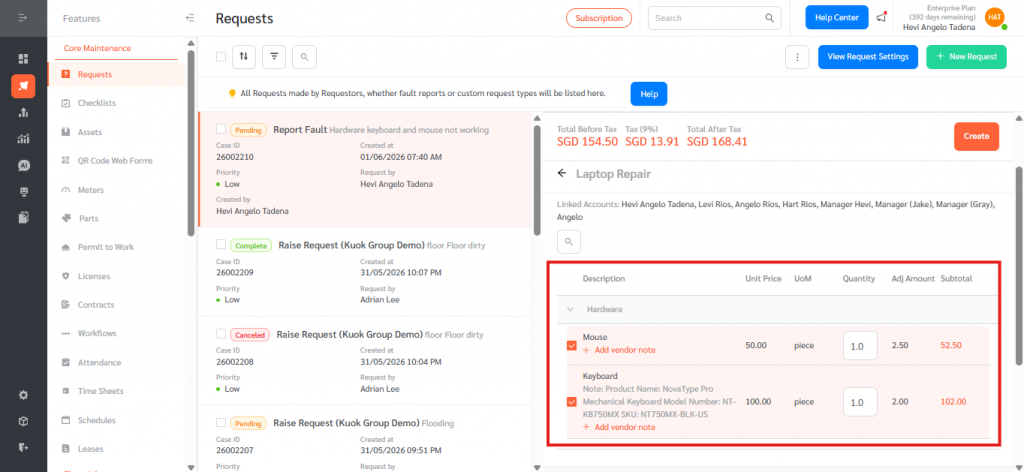
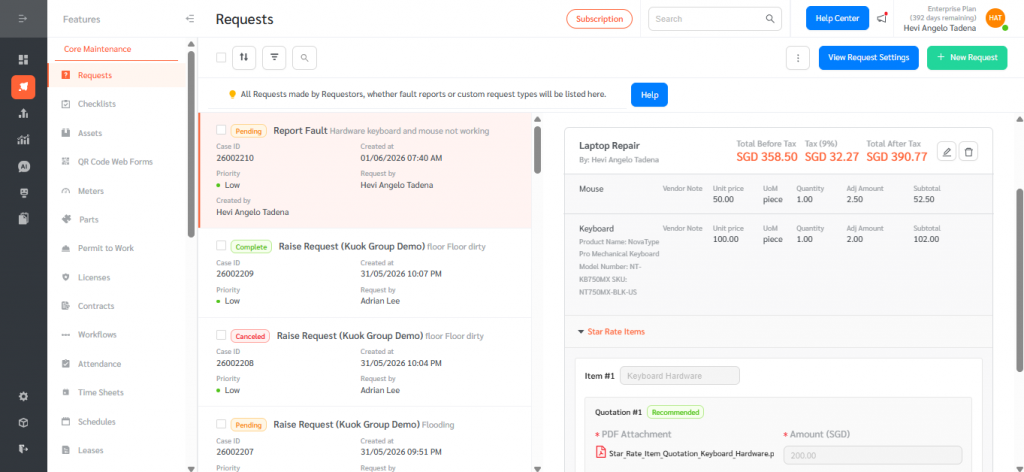
- For regular line items, an Adj Amount column displays the calculated adjustment for each row, and the row subtotal includes the Adj Amount.
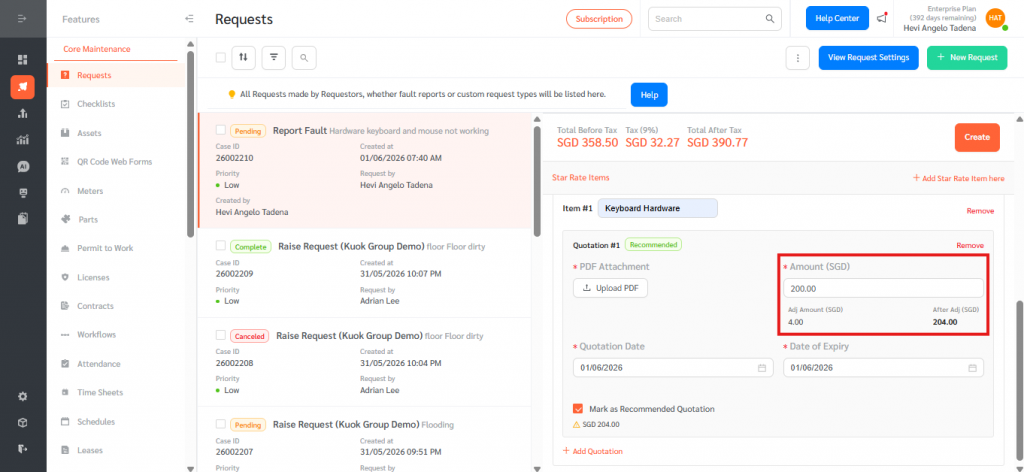
- For Star Rate items, two additional columns appear when the Adjustment Factor is not 0%: Adj Amount (SGD) is calculated as Amount multiplied by Adjustment Factor, and After Adj (SGD) is the Amount plus the Adj Amount.
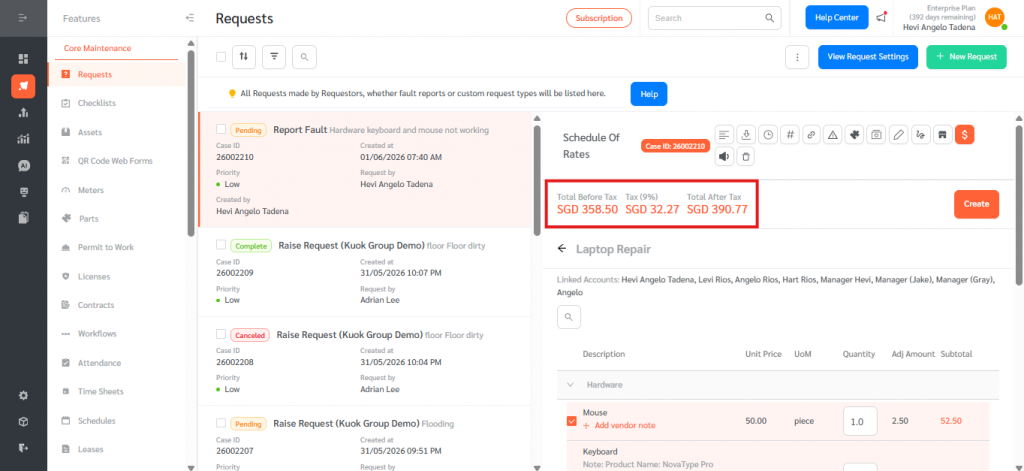
- The Total Before Tax reflects the After Adj values, and tax is then applied to the adjusted total.
View Adjustments in an Expenditure
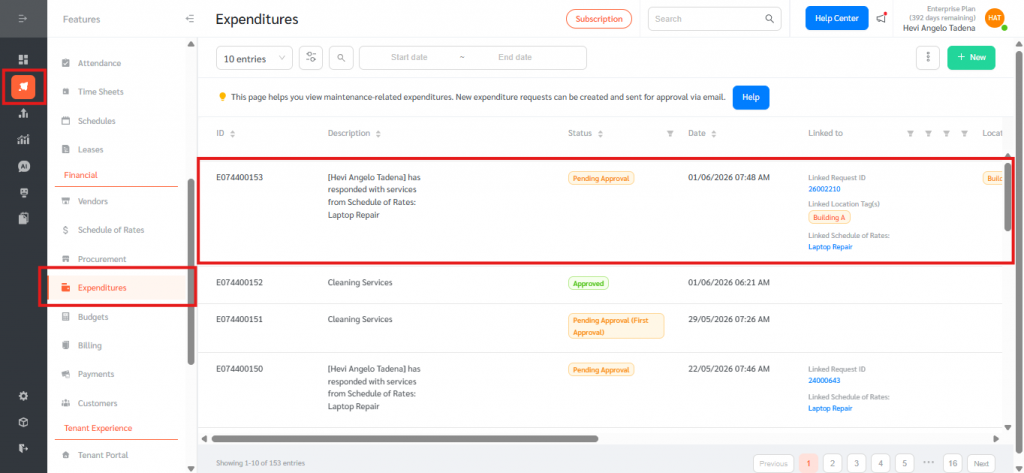
- Go to Features, then Expenditures, and open the Expenditure created from the SOR quotation.
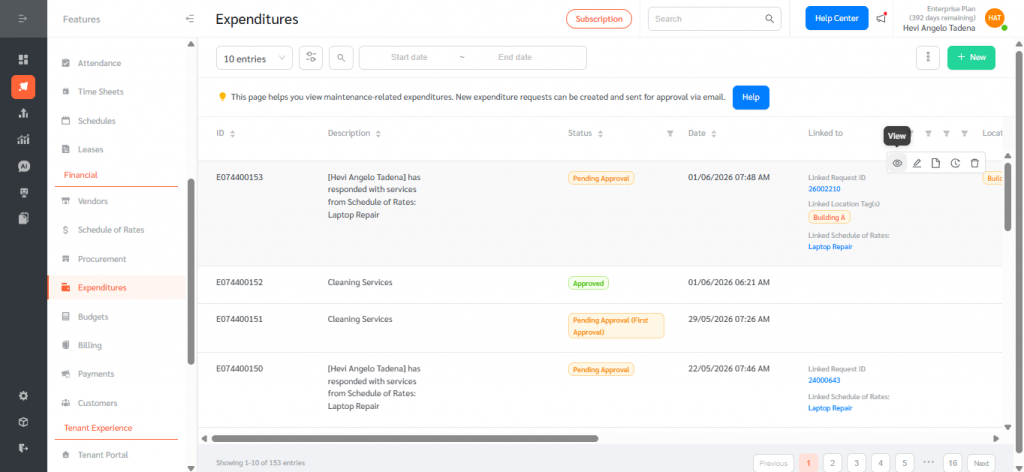
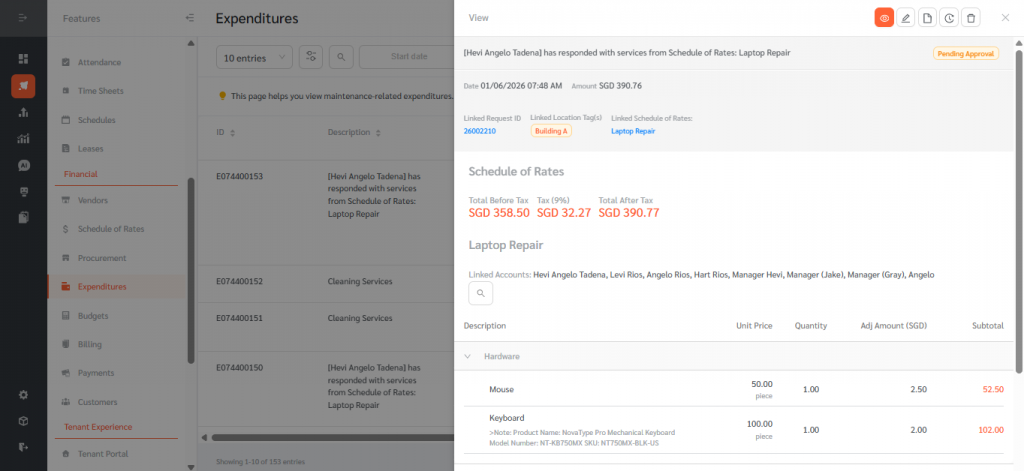
- The right-hand Expenditure drawer displays the Adj Amount (SGD) and After Adj (SGD) columns for both regular line items and Star Rate items. Hover the column headers to see a tooltip explaining how each value is calculated.
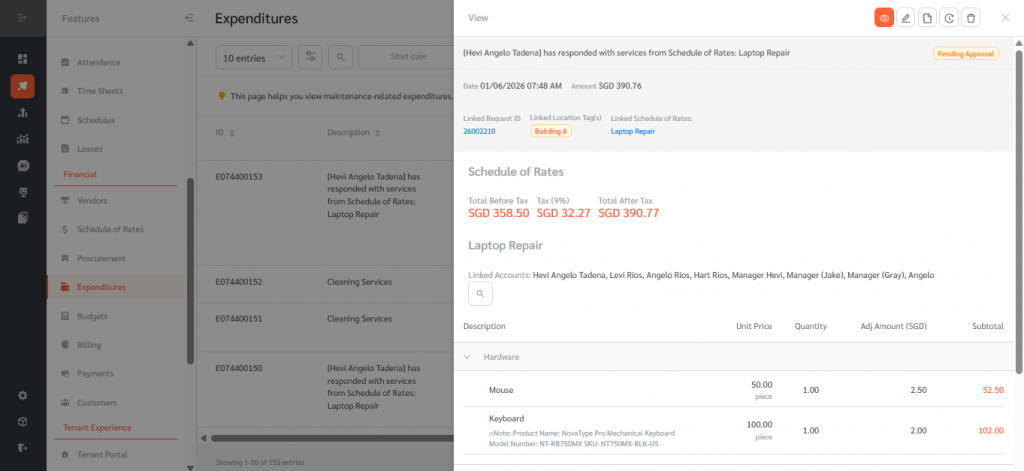
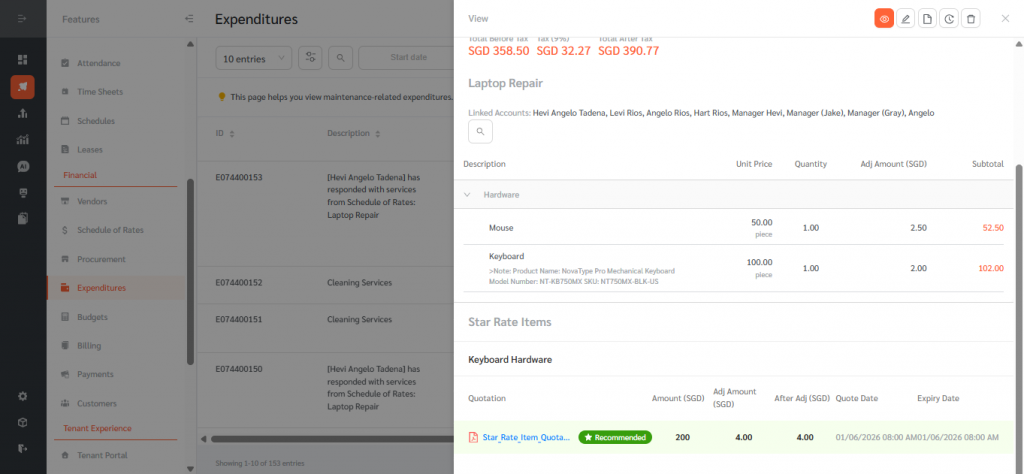
- The Total Before Tax in the Expenditure drawer includes the adjustment amounts.
The Adjustment Feature for Schedule of Rates allows facility operations teams to apply consistent cost adjustments to both standard and ad-hoc vendor quotations. By configuring per-line-item Adjustment Rates and a Star Rate Adjustment Factor at the SOR level, organisations can standardise mark-ups or discounts across categories such as Improvement Works, Fault Maintenance, and Reinstatement, and have those adjustments flow automatically into quotations and expenditures. Common use cases include contractor cost uplifts, client-specific pricing arrangements, and centralised discount management. Overall, the Adjustment Feature improves pricing transparency, reduces manual calculation, and ensures that SOR-based expenditures consistently reflect the agreed commercial terms within FacilityBot.