
Introduction
The Visitor Data Page in FacilityBot provides administrators with a centralized dashboard to monitor and analyze visitor activity. It offers key metrics, interactive charts, and filtering capabilities to help teams understand visitor trends, optimize operations, and make data-driven decisions.
Accessing the Visitor Data Page
To view visitor analytics:
- Log in to the FacilityBot Web Portal
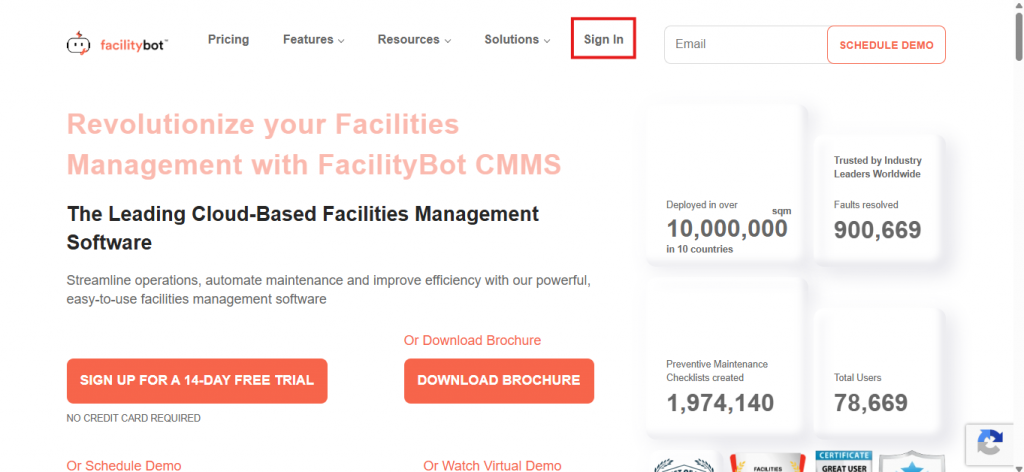
- Navigate to Statistics
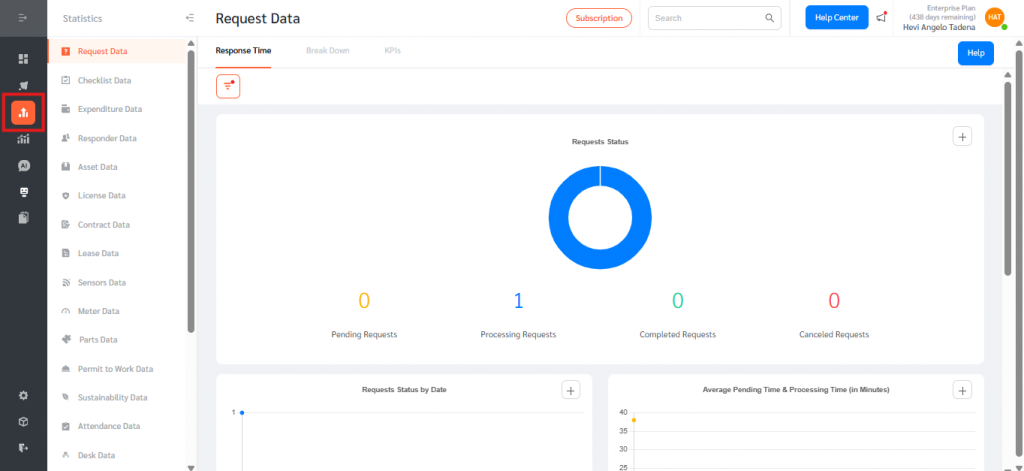
- Scroll down, then click on Visitor Data
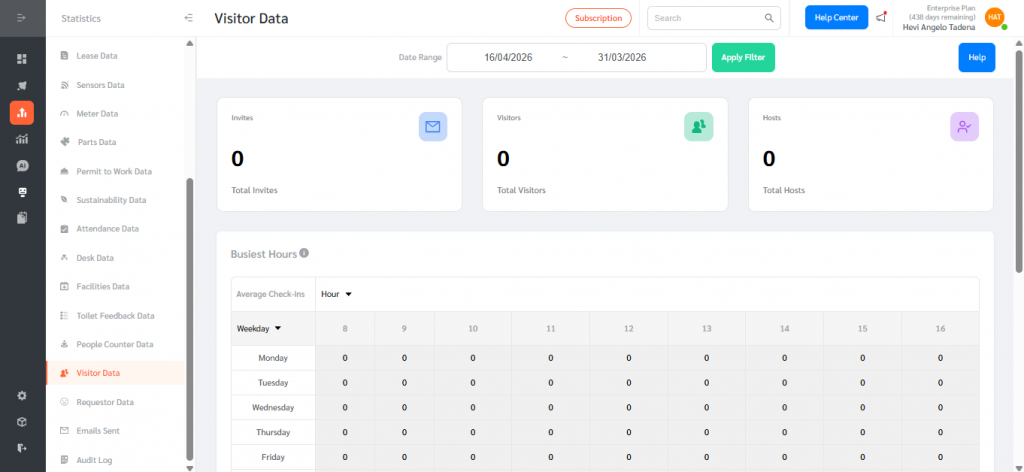
Key Features
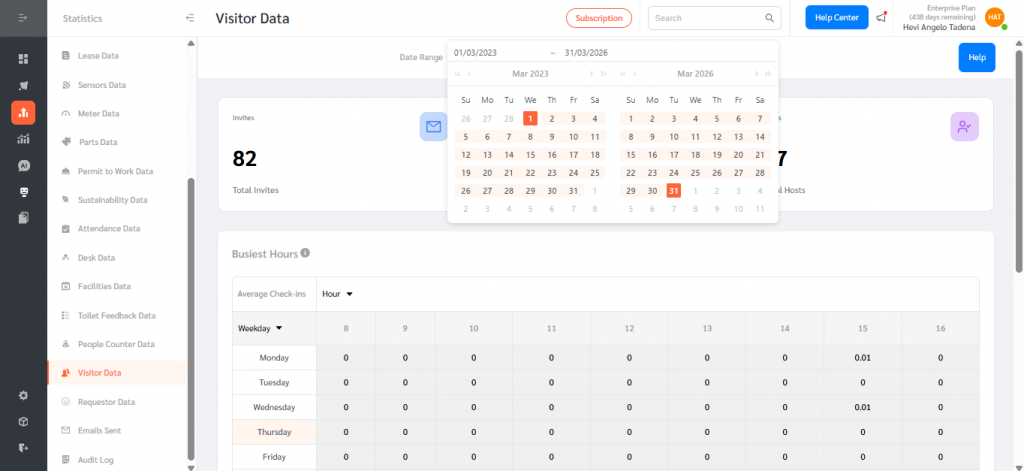
1. Date Range Filter
- Users can select a custom From – To date range
- Defaults to last 1 month
- All data and charts update dynamically based on the selected range
2. Summary Cards
The top section displays three key metrics:
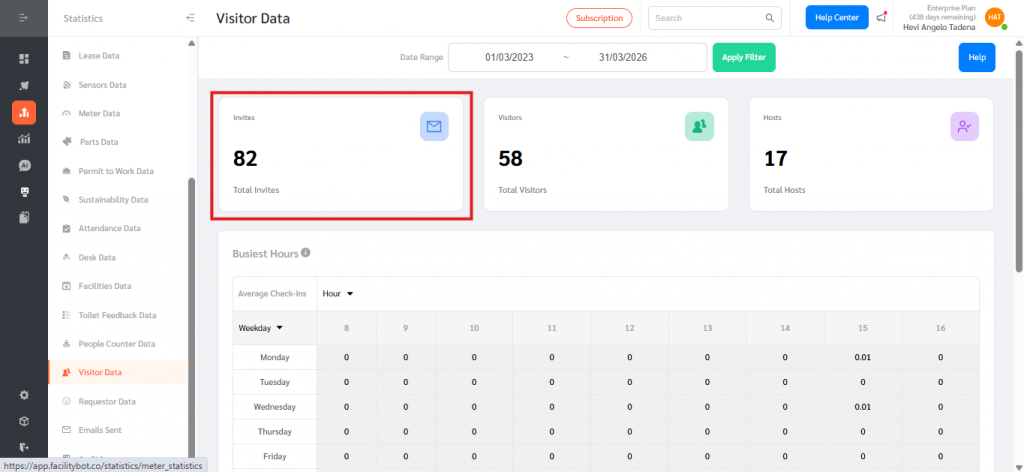
- Invites
- Total number of invites sent within the selected date range
- Based on Invite Sent Date
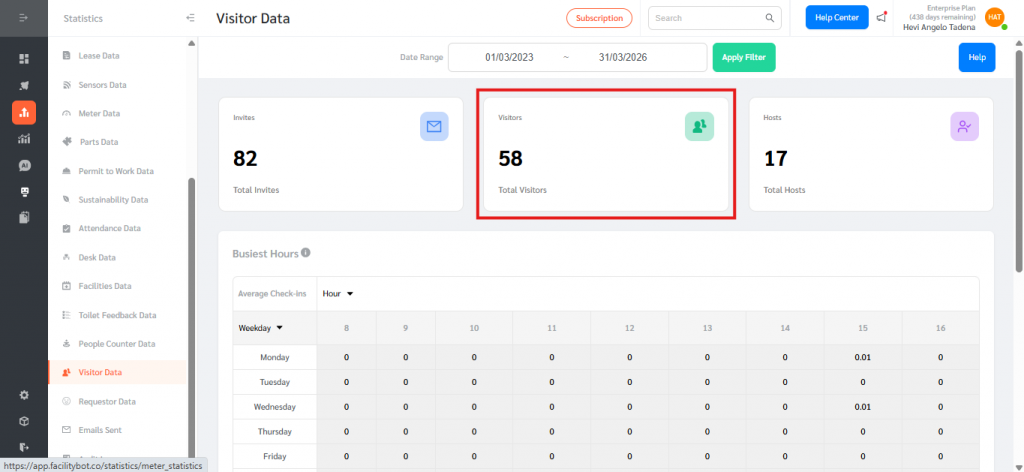
- Visitors
- Total number of visitors checked in
- Based on Visitor Check-In Time
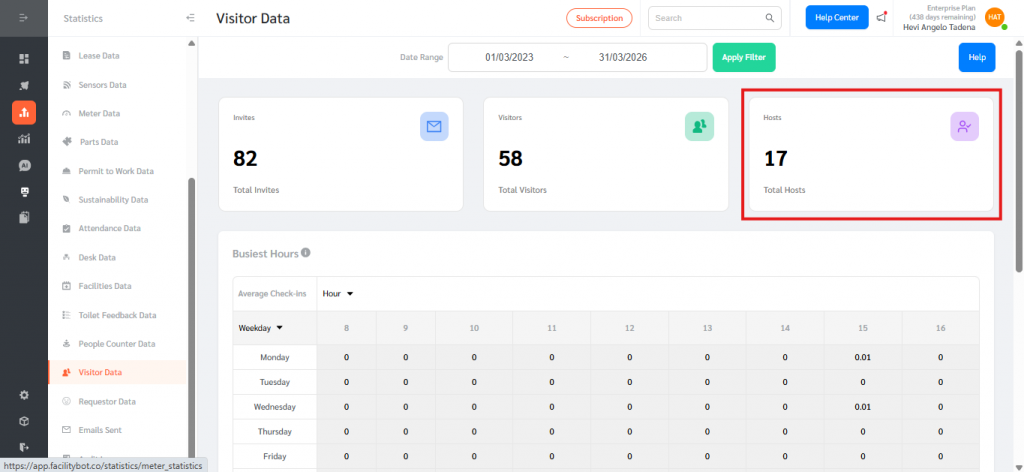
- Hosts
- Total number of unique hosts
- Each host is counted once, even if they have multiple invites
3. Card Interaction (Drill-Down)
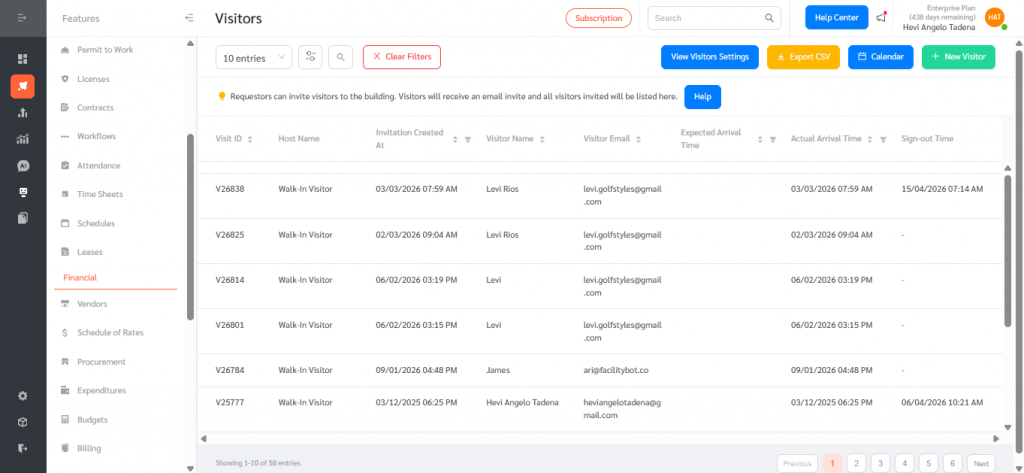
- Clicking on any summary card (Invites, Visitors, Hosts) redirects users to the Visitor List Page
- The selected date filter is automatically applied
- Displays the corresponding filtered records
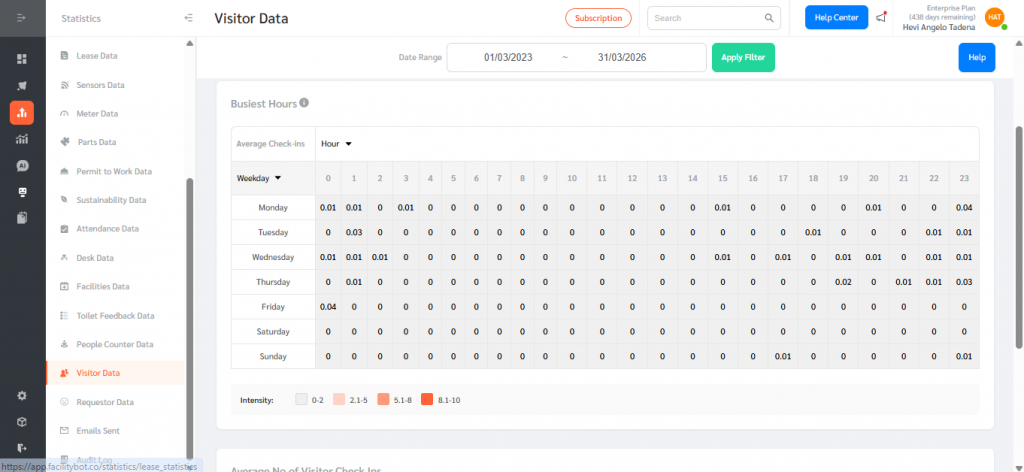
4. Busiest Hours Heatmap
- Visualizes visitor traffic across days and hours
- Helps identify peak visiting times
- Includes:
- Hour filter dropdown
- Tooltip/help text for guidance
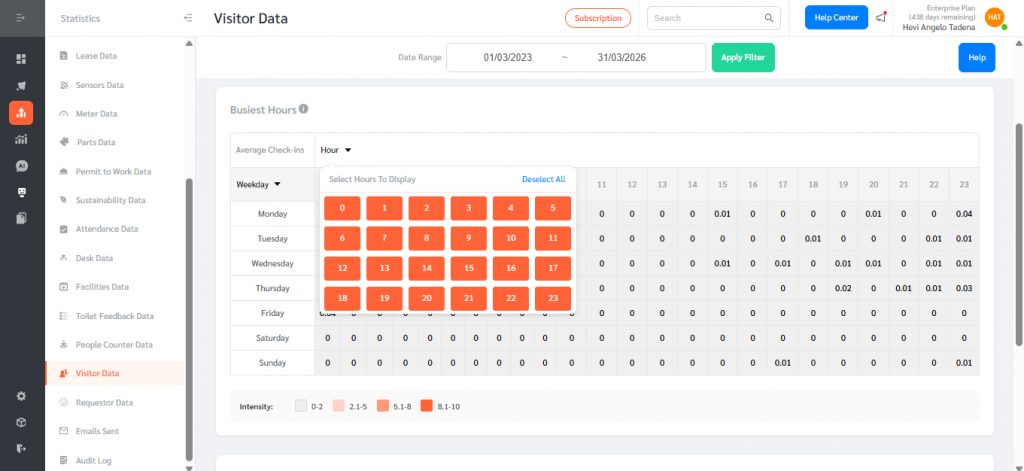
- Data reflects average visitor activity per time slot
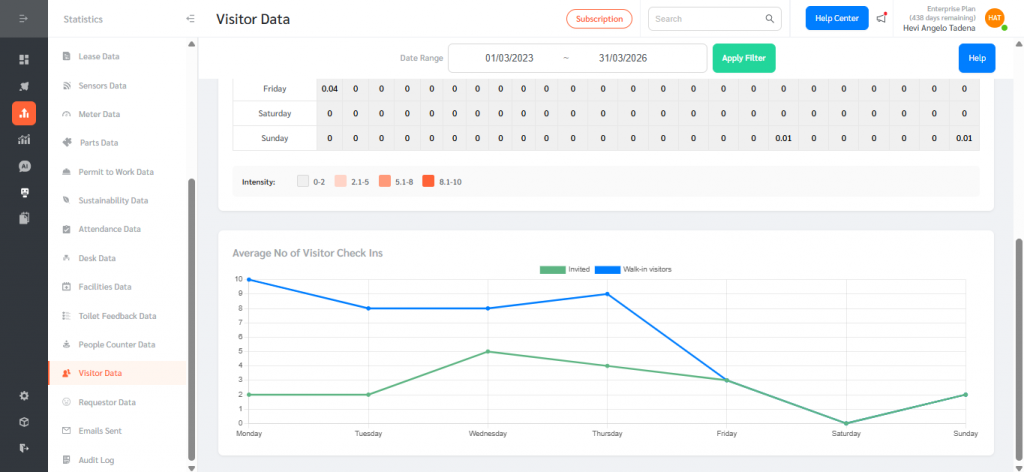
5. Average Visits Chart
- Displays average number of visits over time
- Includes:
- Invited Visitors
- Walk-in Visitors
- Hover interaction shows:
- Specific date
- Average check-in values
The Visitor Data Page works by pulling data based on the selected date range, where invites are calculated using the invite creation date, visitors are counted based on their check-in time, and hosts are measured as a unique count of assigned hosts. All charts and metrics automatically update to reflect the applied filters, allowing users to easily monitor visitor trends over time, identify peak hours for better staffing decisions, track host engagement, and analyze patterns between invited and walk-in visitors.