Introduction
FacilityBot allows users to link vendors directly to Licenses, enabling better tracking of vendor relationships associated with compliance, permits, and certifications. This ensures that all relevant vendor information is centralized and easily accessible within each license record.
How to Link Vendors to a License
To configure this feature:
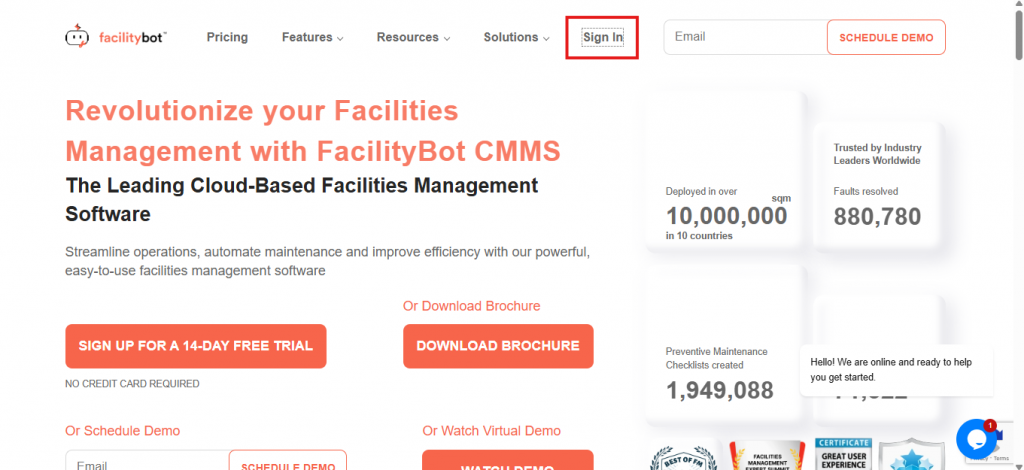
- Log in to the FacilityBot Web Portal
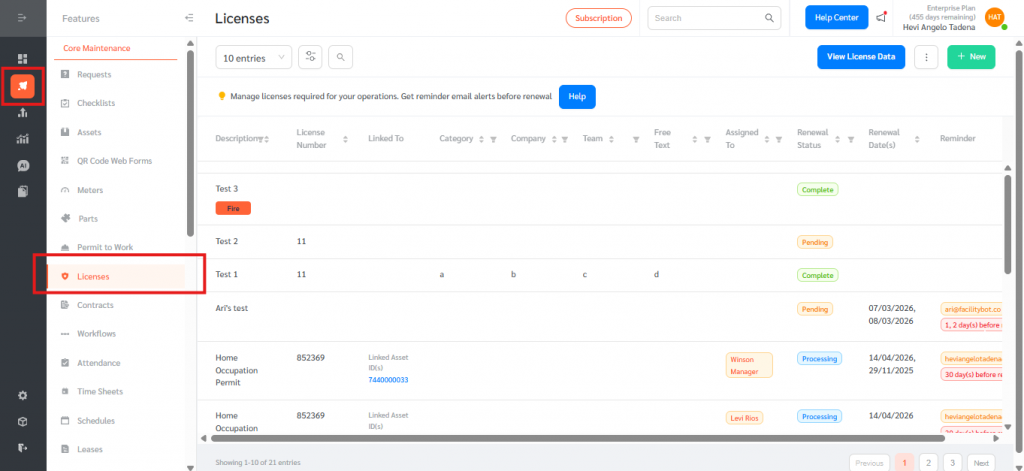
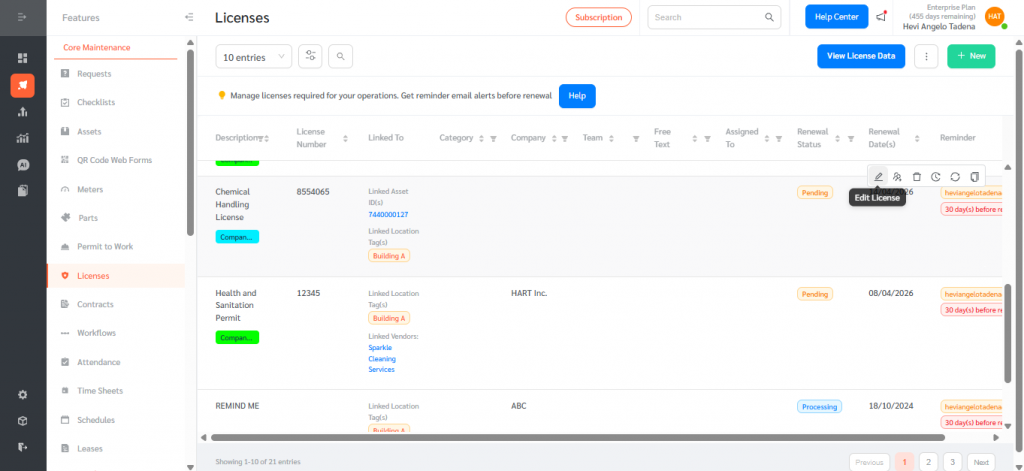
- Go to Features, then Licenses
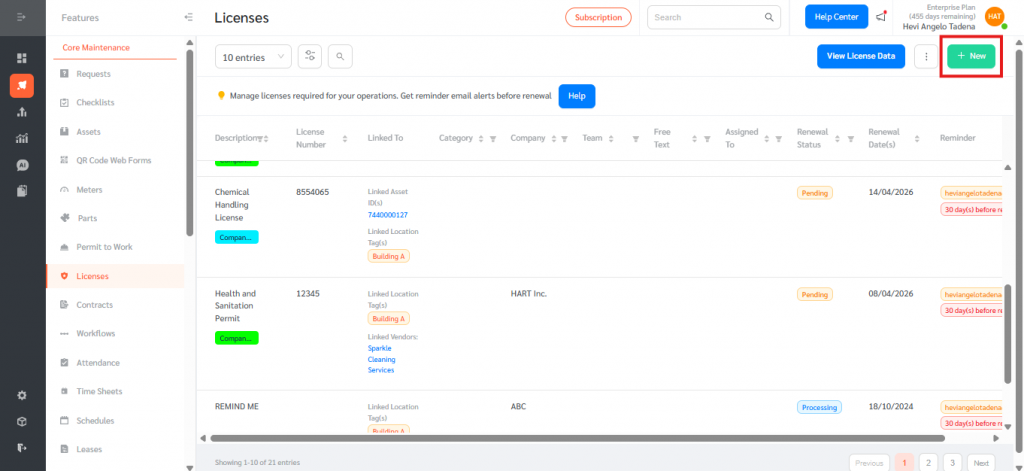
- Click New or Edit an existing license
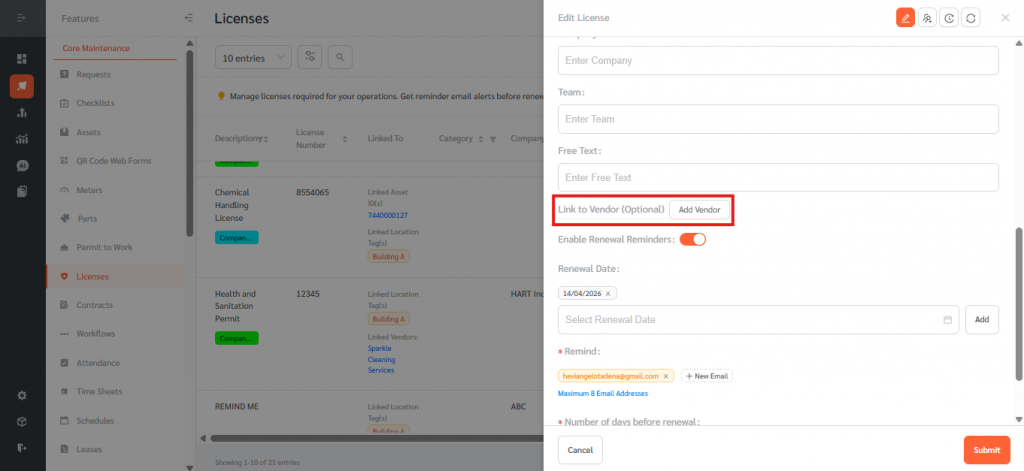
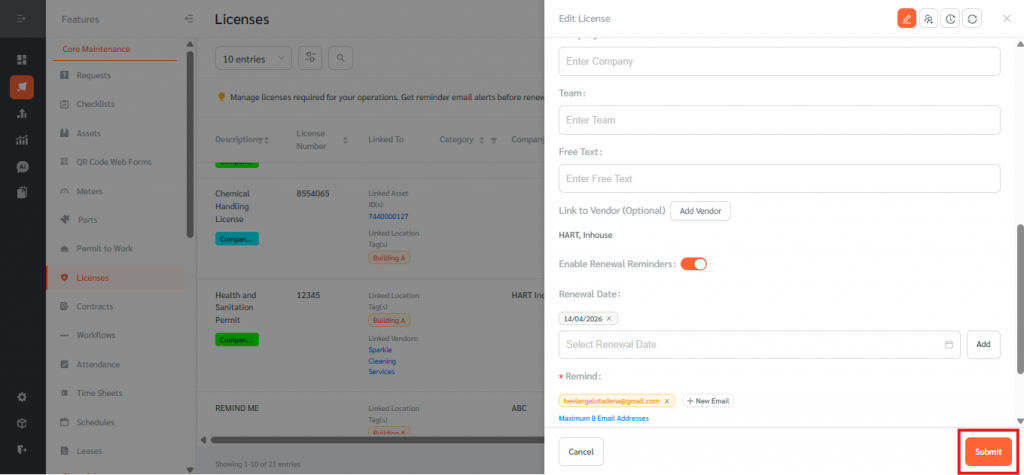
- Scroll down and locate “Link to Vendor”
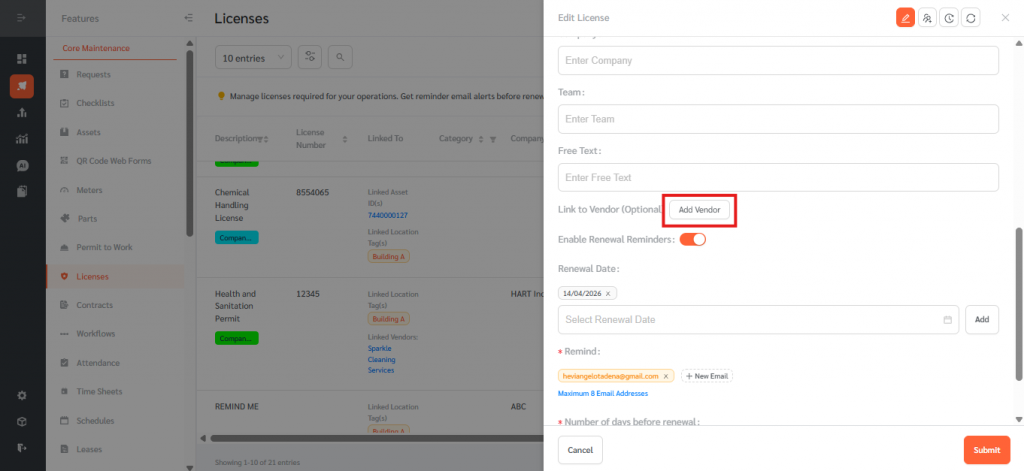
- Click “Add Vendor”
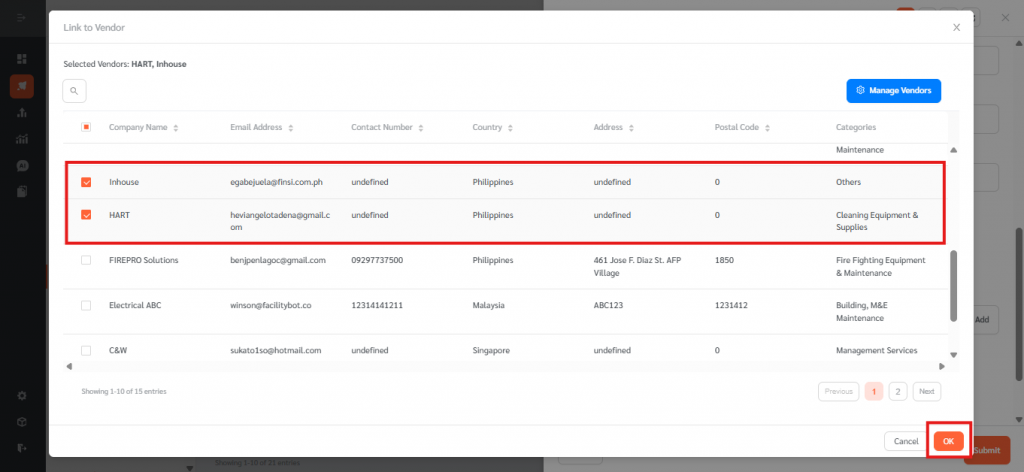
- Select vendor(s) and click OK
- Click Submit
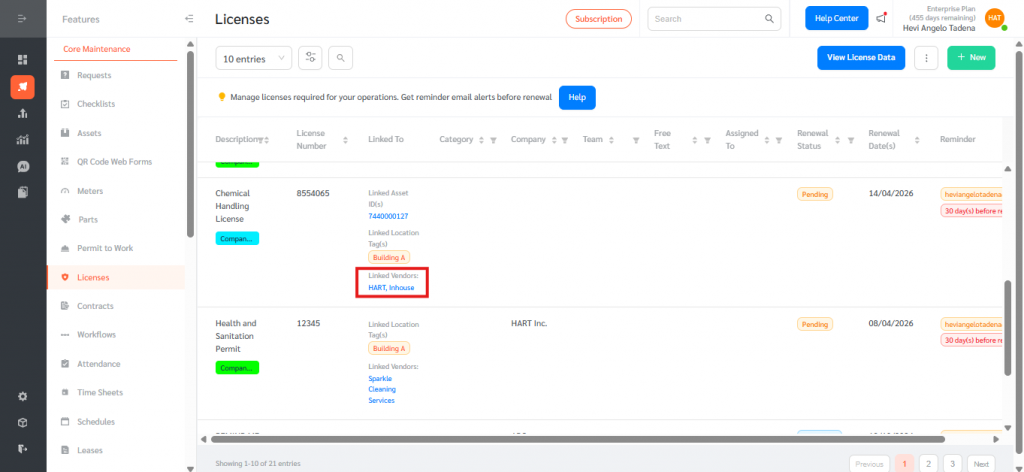
Linking vendors to Licenses improves compliance tracking and ensures all vendor-related information is consolidated, making it easier to manage and audit license records.