Introduction
FacilityBot now supports Smart Checklist Import powered by ChatGPT, allowing admins to automatically convert existing checklist documents into structured FacilityBot checklists using Generative AI. By simply uploading a checklist PDF or image file, the system intelligently reads the content and generates checklist sections and items, significantly reducing manual setup time. This feature is especially useful for importing SOPs, preventive maintenance checklists, and inspection forms into FacilityBot quickly and efficiently.
Using Smart Checklist Import
To use Smart Checklist Import in FacilityBot:
- Log in to the FacilityBot Manager Web Portal.
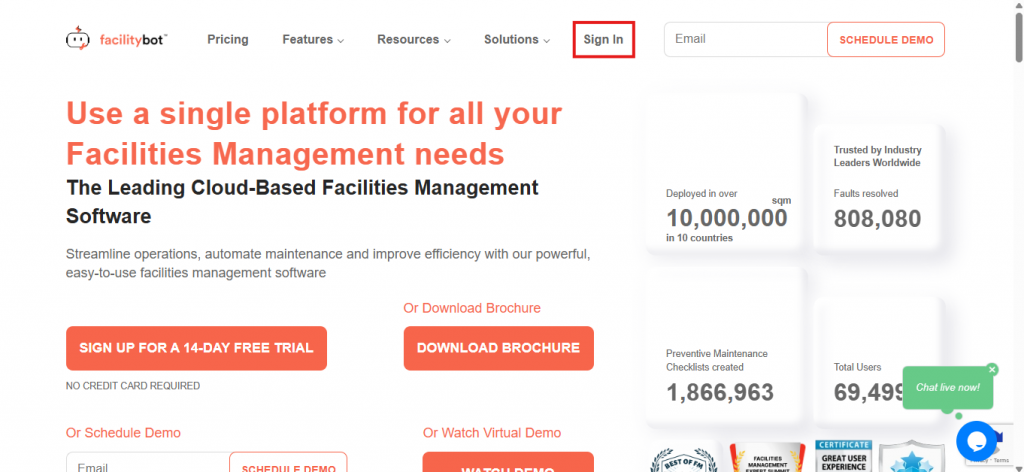
- Navigate to Settings, then Checklists.
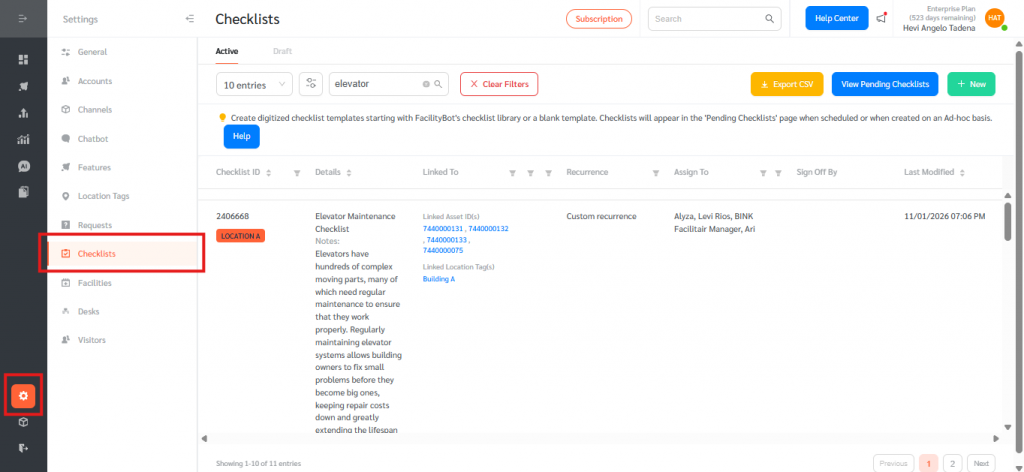
- Click + New and choose Start using Smart Checklist Import (Powered by ChatGPT)
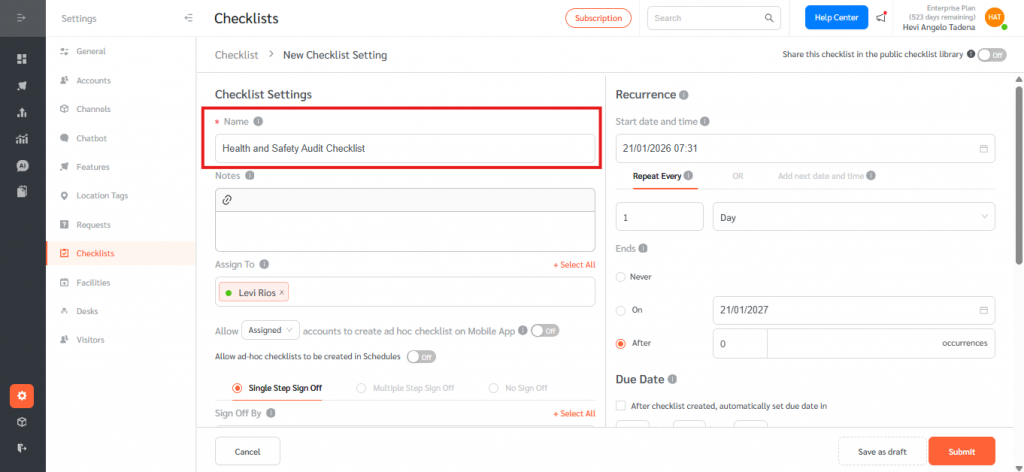
- Name your checklist and fill out necessary fields
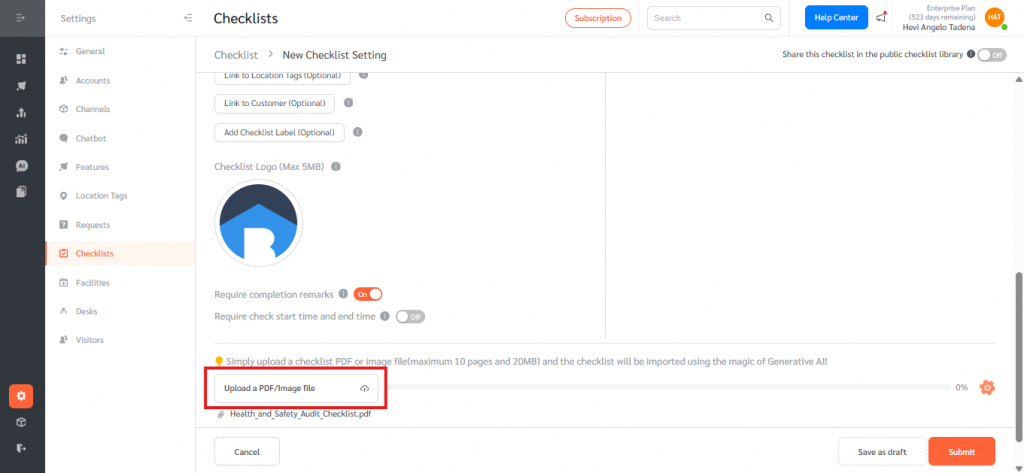
- Upload a checklist PDF or image file (PDF, JPG, or PNG) with a maximum size of 20 MB and up to 10 pages.
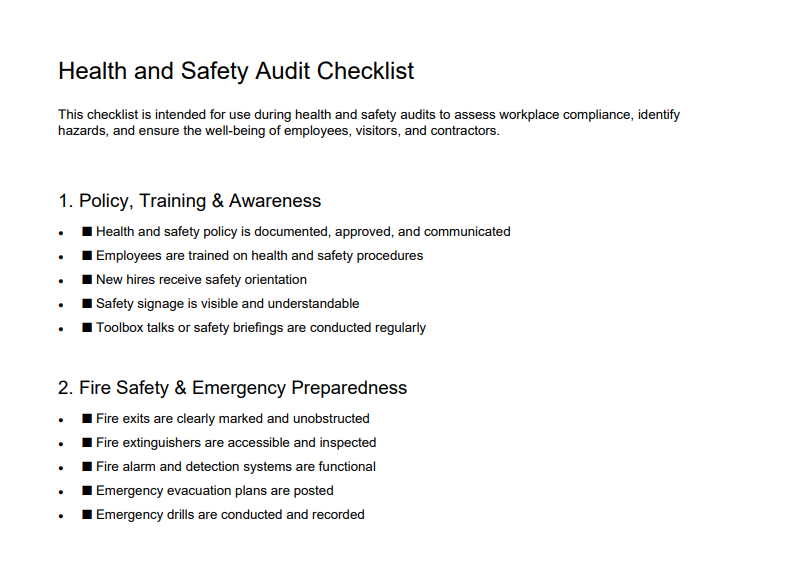
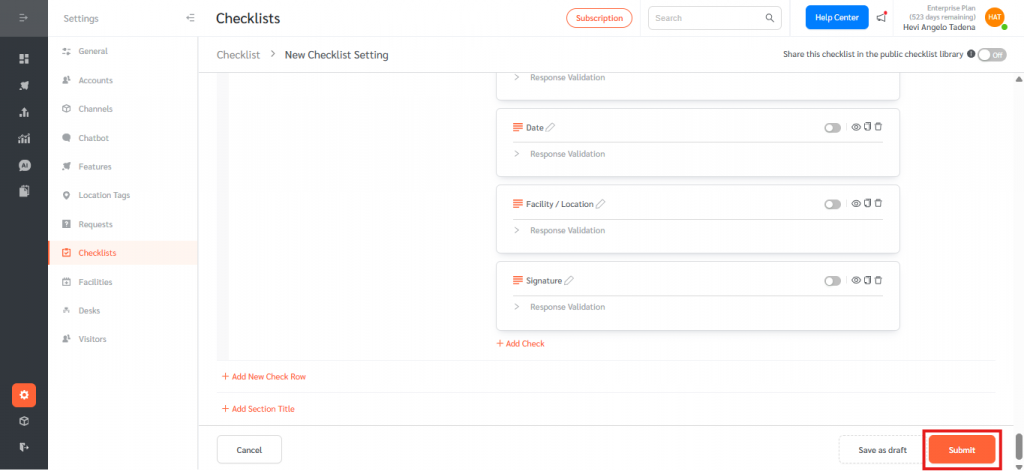
- Once a valid file is uploaded, the AI automatically processes the document. Review the generated checklist.
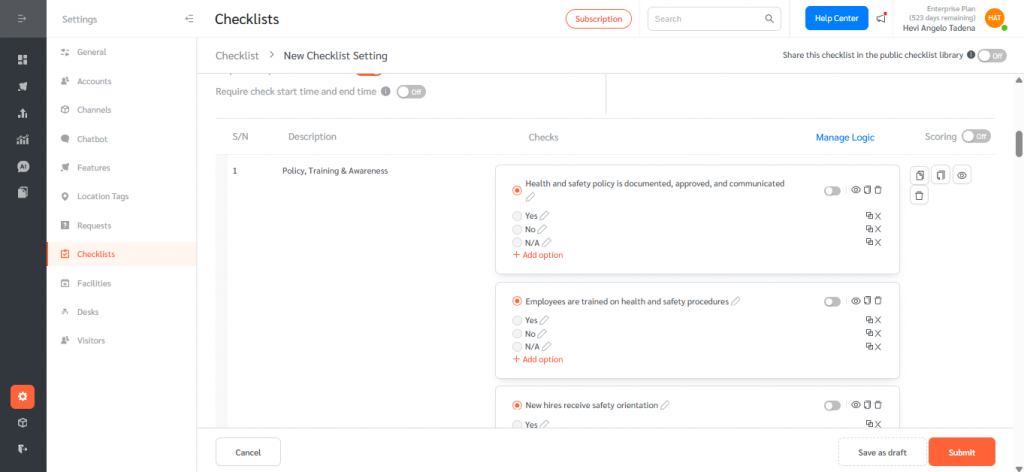
- Edit, refine, and submit the checklist as needed before publishing.
Smart Checklist Import simplifies onboarding and setup by transforming existing checklist documents into ready-to-use FacilityBot checklists using the power of Generative AI. With clear upload limits, automatic processing, and easy post-import editing, this feature helps teams save time, preserve existing processes, and standardize checklist management across facilities. As a Beta feature, continued improvements will further enhance accuracy, file support, and configuration handling.