Introduction
FacilityBot now supports the Time Sheets feature, allowing teams to record and manage work time associated with facility tasks. Time sheets can be linked directly to Requests or Checklists, helping administrators and managers track the time spent on operational activities more accurately.
The feature enables users to create time sheets while ensuring that time tracking is synchronized with task completion. When a checklist is completed with a start and end time, the system automatically validates and saves this information to the corresponding time sheet.
This functionality improves operational transparency and provides better visibility into staff activity and workload across facility operations.
Accessing the Time Sheets Module
To access Time Sheets in FacilityBot:
- Log in to the FacilityBot Web Portal.
- Navigate to Features, then Time Sheets section in the portal menu.
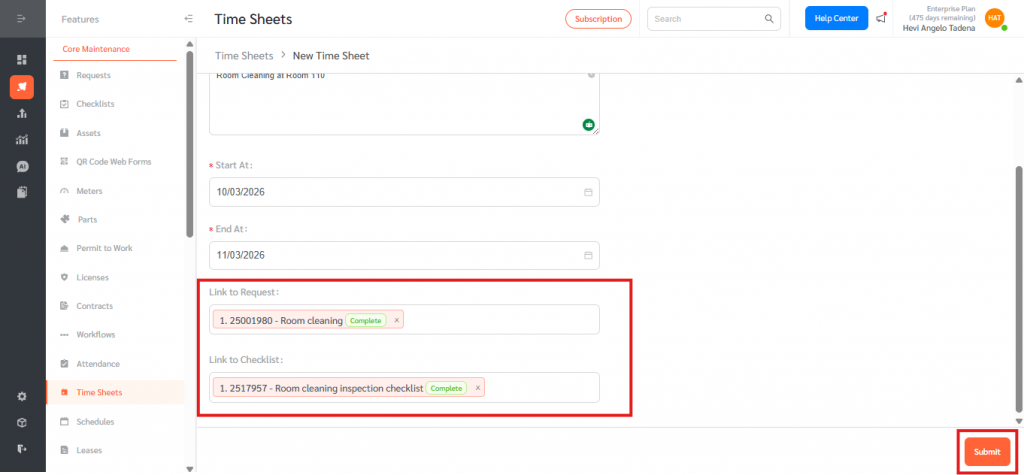
How It Works
Creating a Time Sheet
Users can manually create a new time sheet to log work activities.
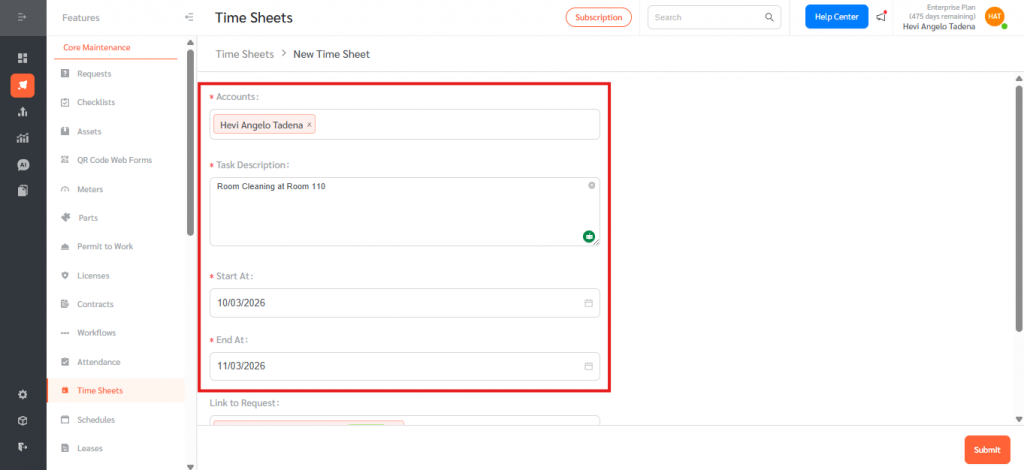
- Click + New Time Sheet.
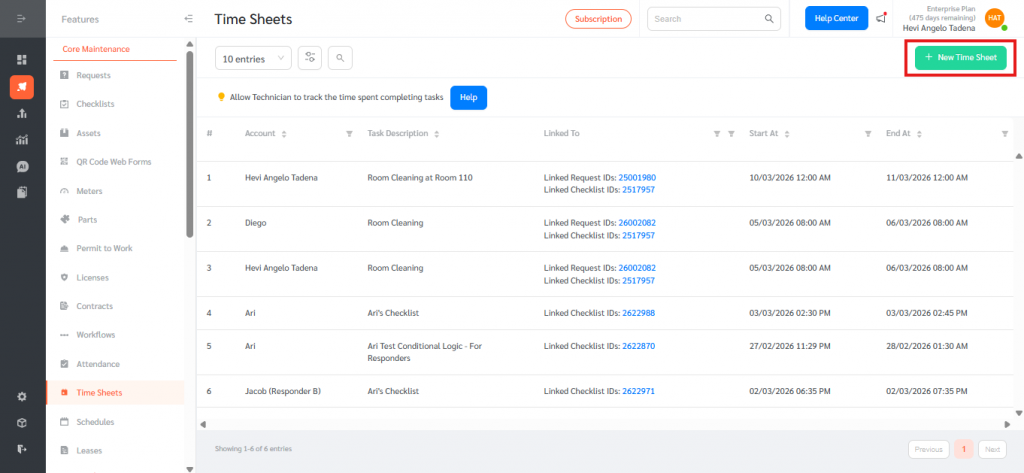
- Select the relevant Account/User, enter the task description, and specify the Start Time and End Time for the activity.
Linking Time Sheets to Requests or Checklists
- Time sheets can be linked to operational tasks to track time spent on specific work items. Click Save to record the entry.
Link to Request – associates the recorded time with a specific facility request.
Link to Checklist – associates the time with a checklist activity.
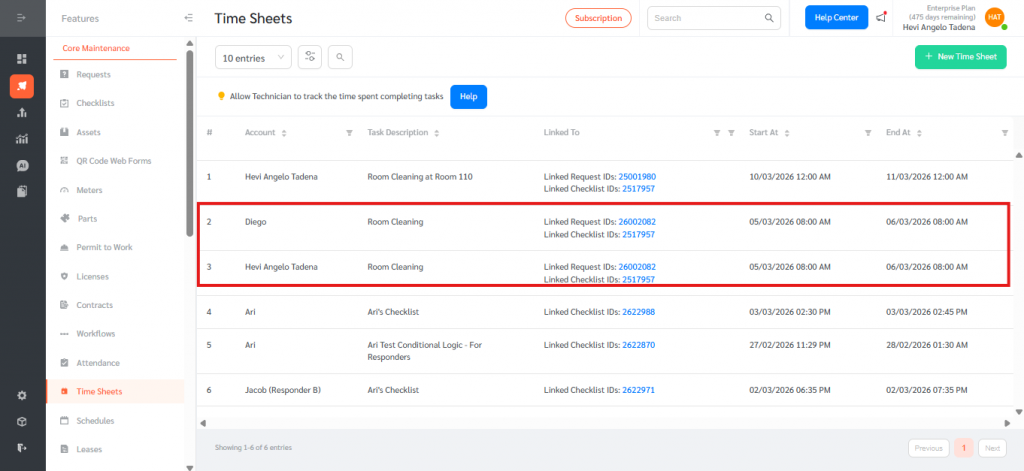
- If multiple accounts are selected, the system will automatically create separate rows for each account. Clicking the linked item in the Time Sheets dashboard will redirect users to the relevant Request or Checklist page, with the appropriate filters applied.
Automatic Time Sheet Creation from Checklists
When a Checklist is completed with a defined start time and end time, FacilityBot will:
- Validate the recorded times.
- Automatically create or update the corresponding Time Sheet entry.
This ensures that time tracking remains consistent with completed operational tasks.
The Time Sheets feature improves operational tracking by providing accurate time records for facility tasks and linking them directly to Requests and Checklists. It also enables automatic time capture when checklists are completed, allowing managers to better monitor workforce activity and productivity. By integrating time tracking into FacilityBot workflows, teams gain clearer visibility into work performed while improving reporting, operational efficiency, and accountability.