
Introduction
FacilityBot now supports Approval Flows for Expenditures, allowing administrators to define structured approval processes with multiple approval stages. Each stage can have its own status name and assigned approvers, including individual accounts or account tags.
When an Approval Flow is attached to an Expenditure, the Expenditure progresses through each approval stage until all required approvals have been completed. This provides a clear, standardized, and auditable approval process for maintenance-related expenditures.
Creating an Approval Flow
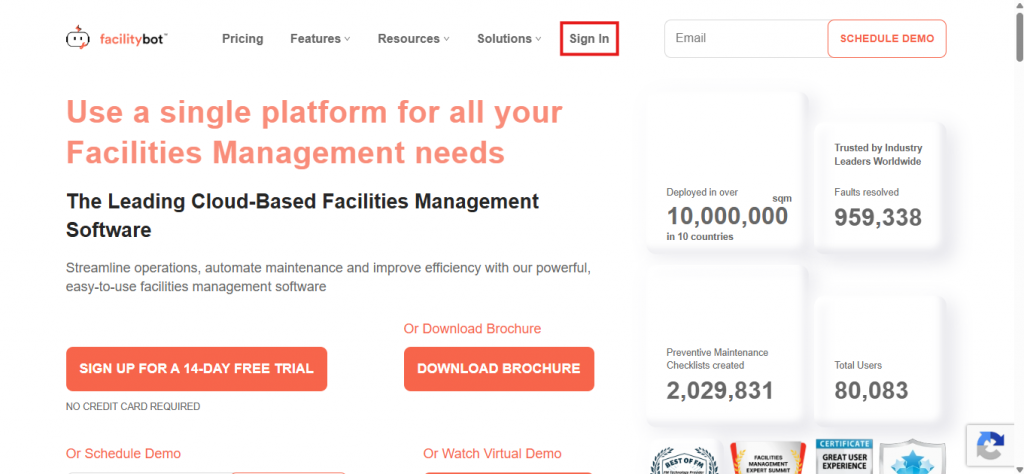
- Log in to the FacilityBot Web Portal.
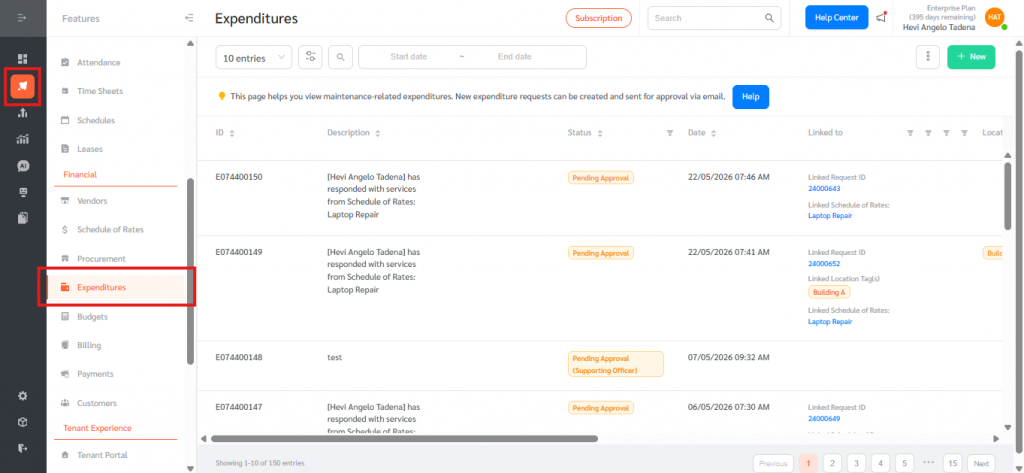
- Navigate to Features → Expenditures.
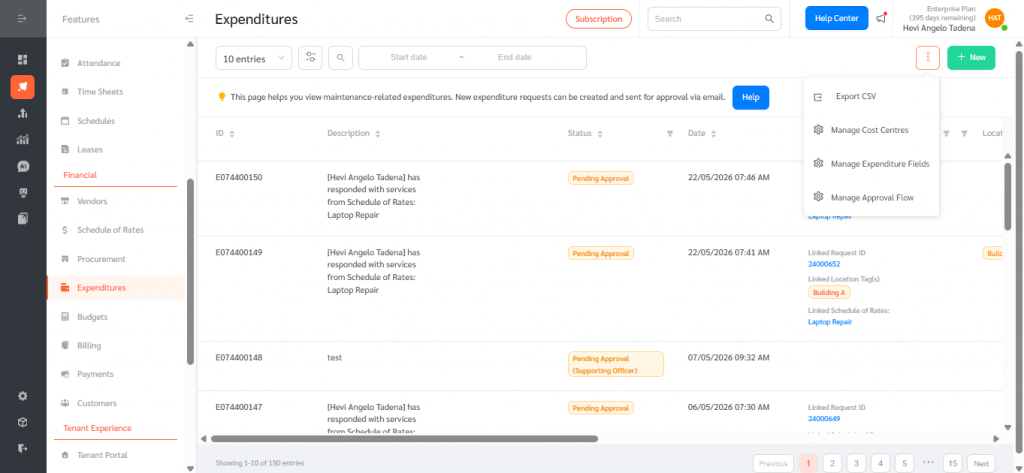
- Click the Options (3 dot icon) in the top-right corner and select Manage Approval Flow.
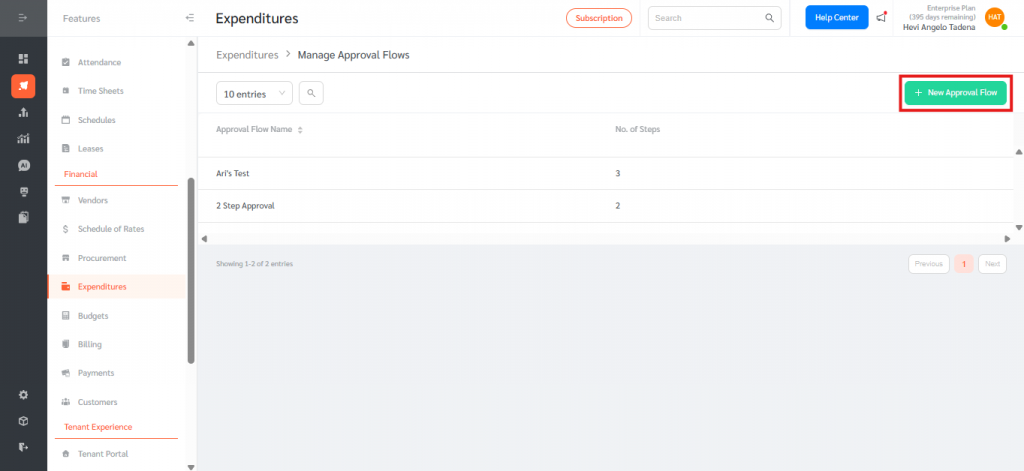
- Click + New Approval Flow.
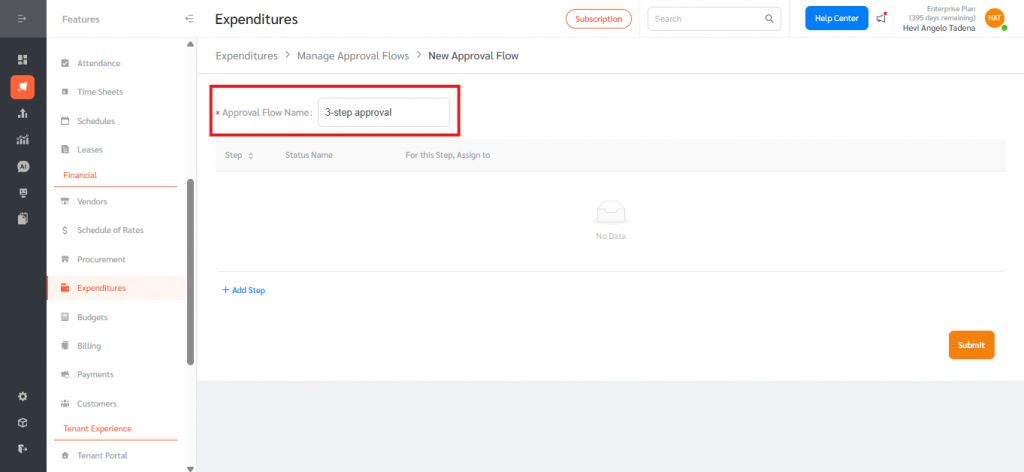
- Enter an Approval Flow Name.
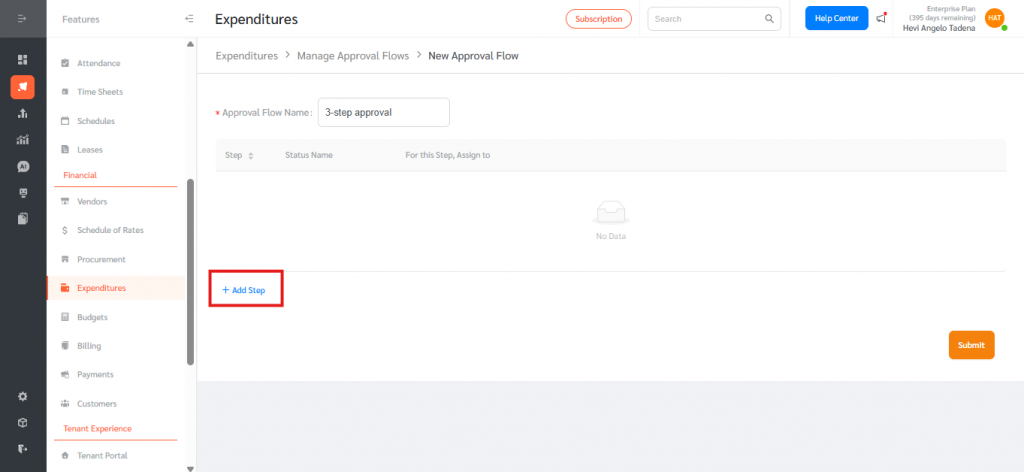
- Click + Add Step to create an approval stage.
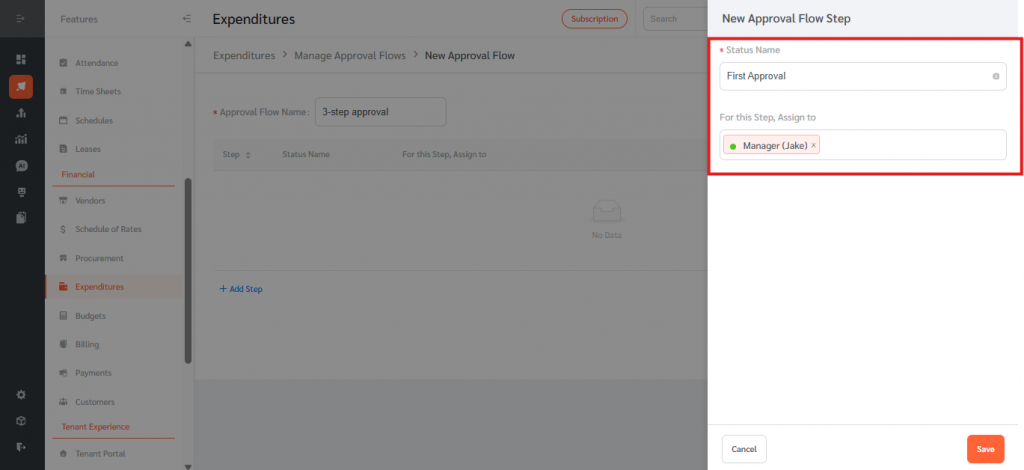
- Enter a Status Name and, under For this Step → Assign to, select the accounts or account tags responsible for approving that stage.
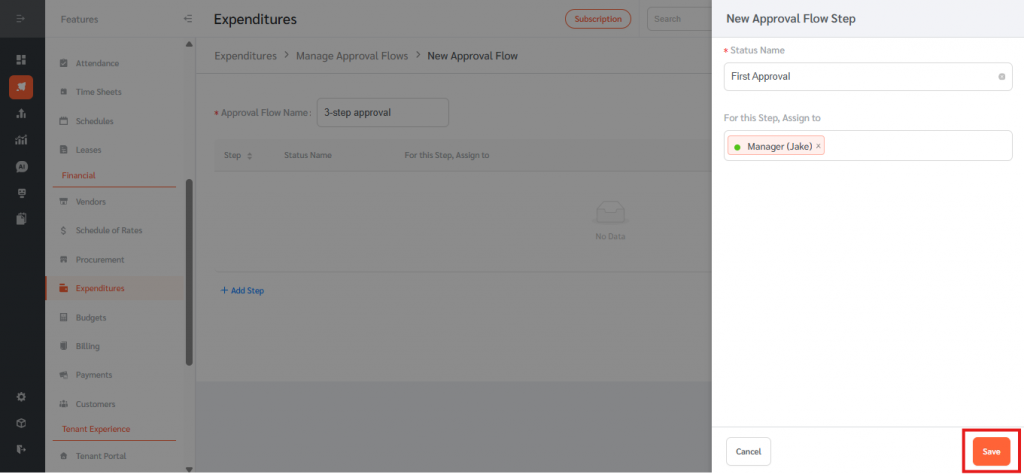
- Click Save. Repeat the process to add additional approval stages in the required sequence.
- Click Submit to save the Approval Flow.
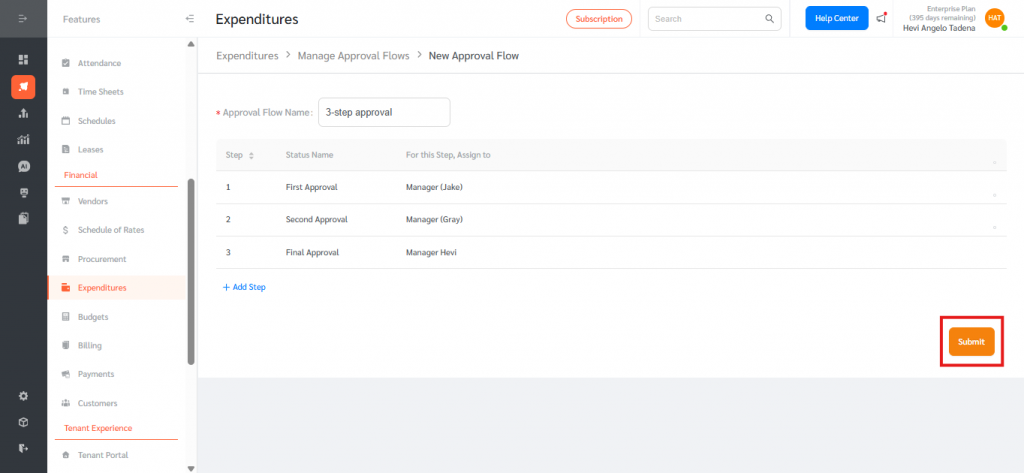
Attaching an Approval Flow to an Expenditure
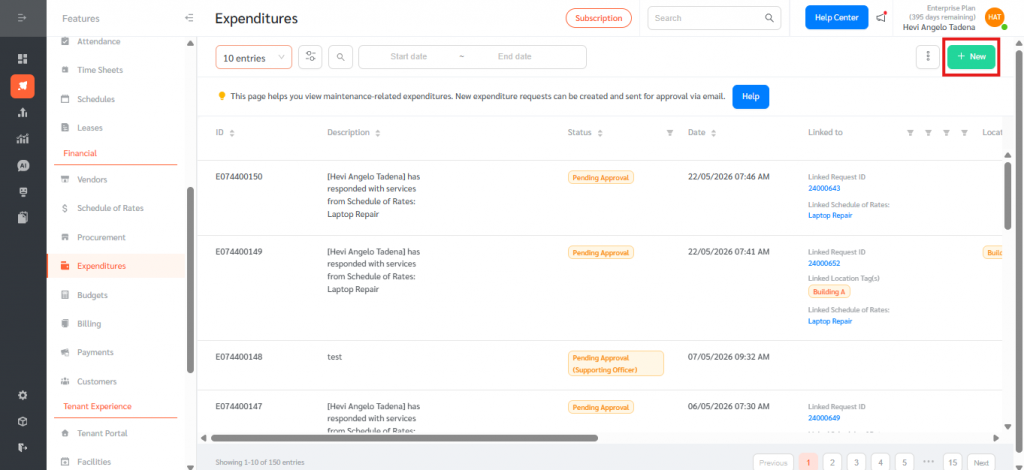
- From the Expenditures page, click + New.
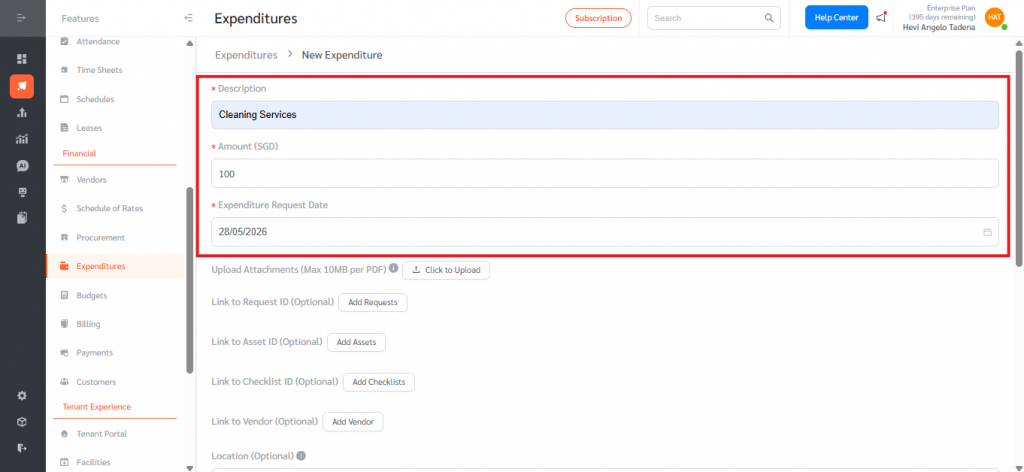
- Enter the required Expenditure details, including:
- Description
- Amount (SGD)
- Expenditure Request Date
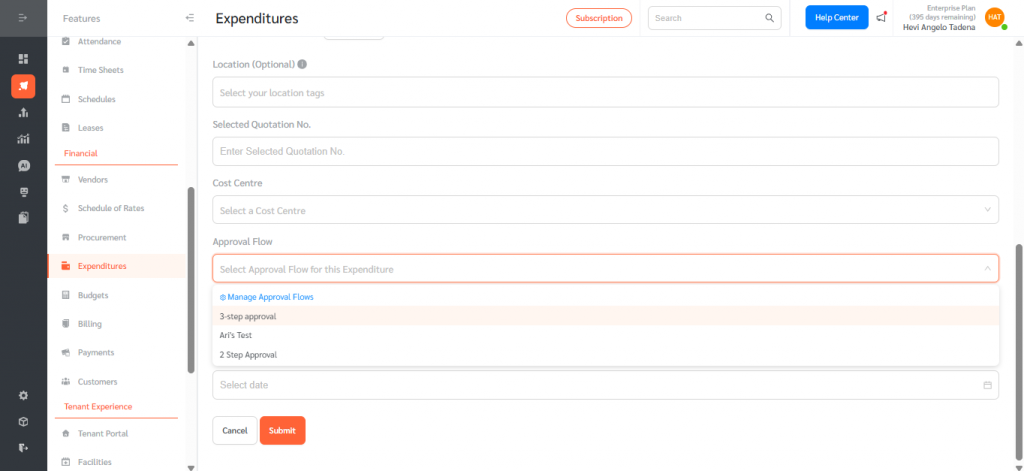
- Scroll down to the Approval Flow field.
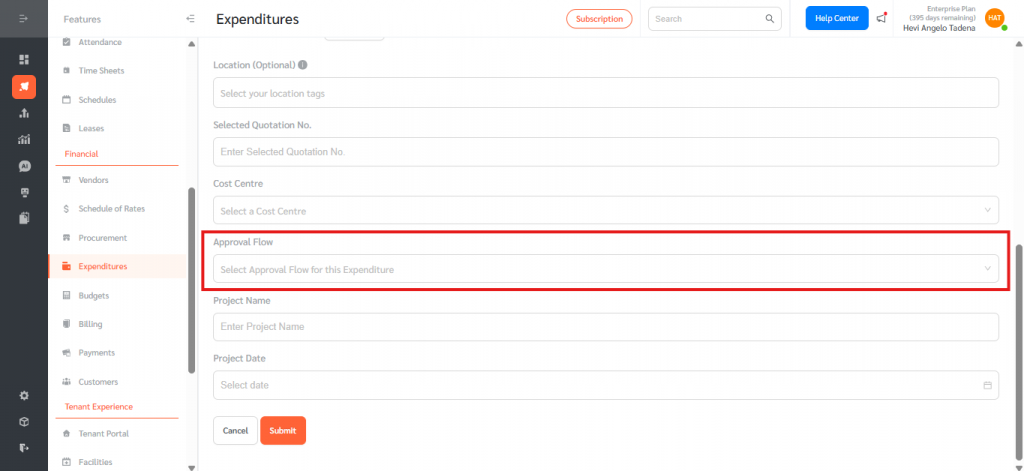
- Select the desired Approval Flow from the dropdown list. Leave the field blank to use the default approval process.
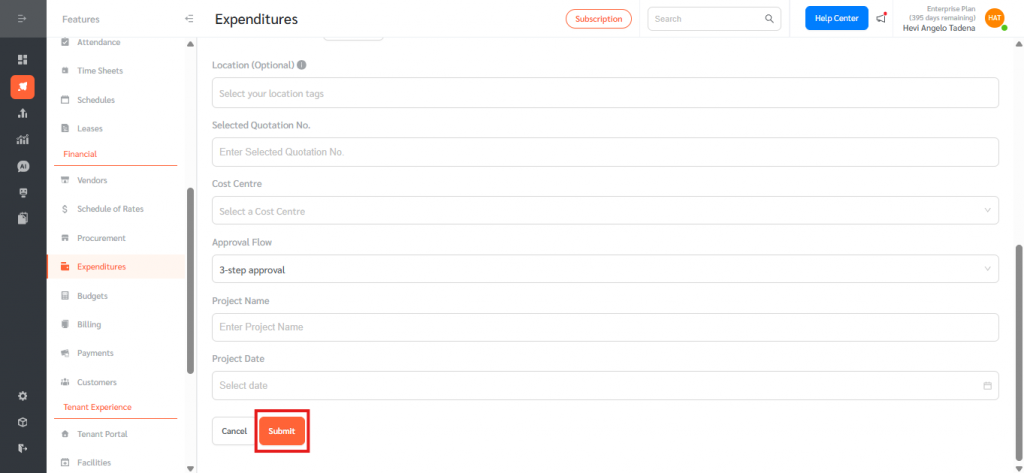
- Click Submit to create the Expenditure.
Tracking Approval Progress
Current Approval Status
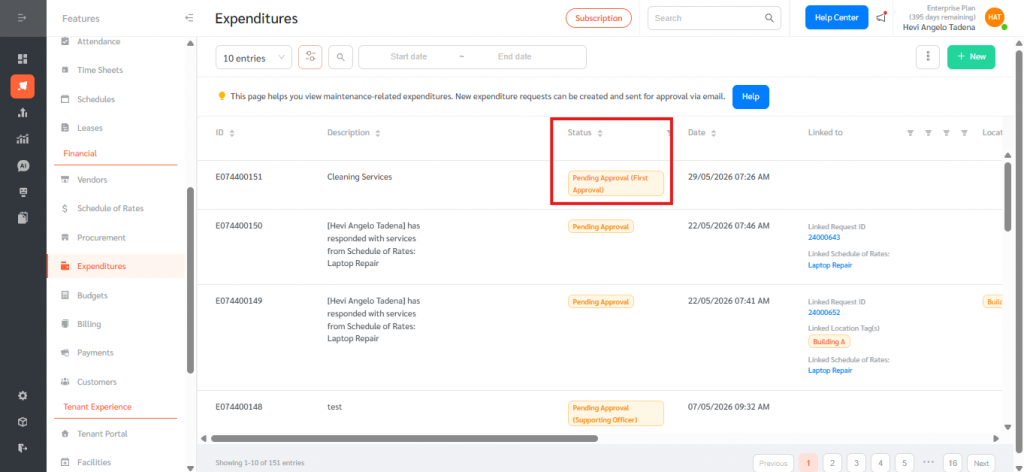
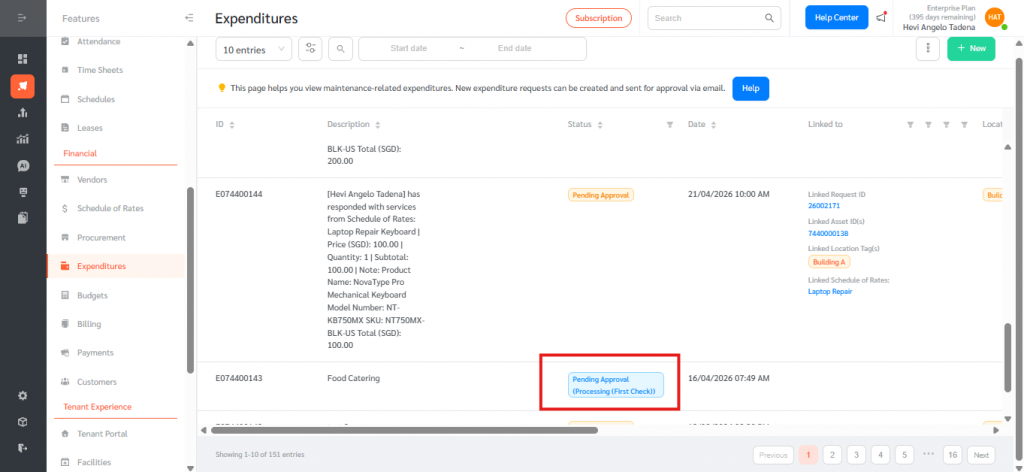
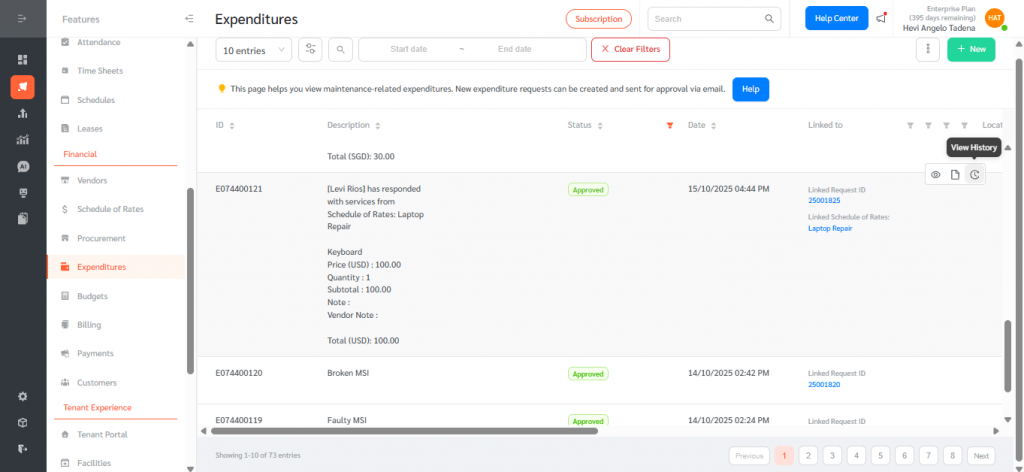
The Status column on the Expenditures page displays the current approval stage using the format:
Pending Approval (Status Name)
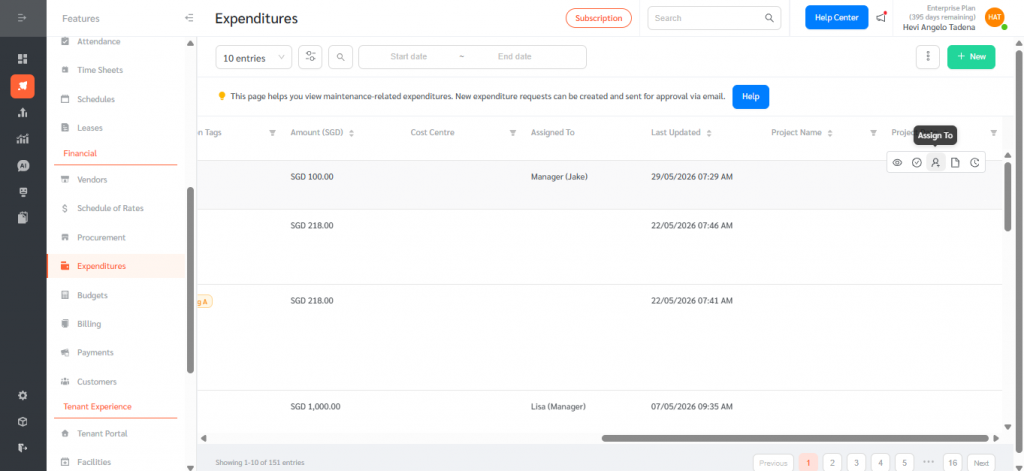
Assigned Approvers
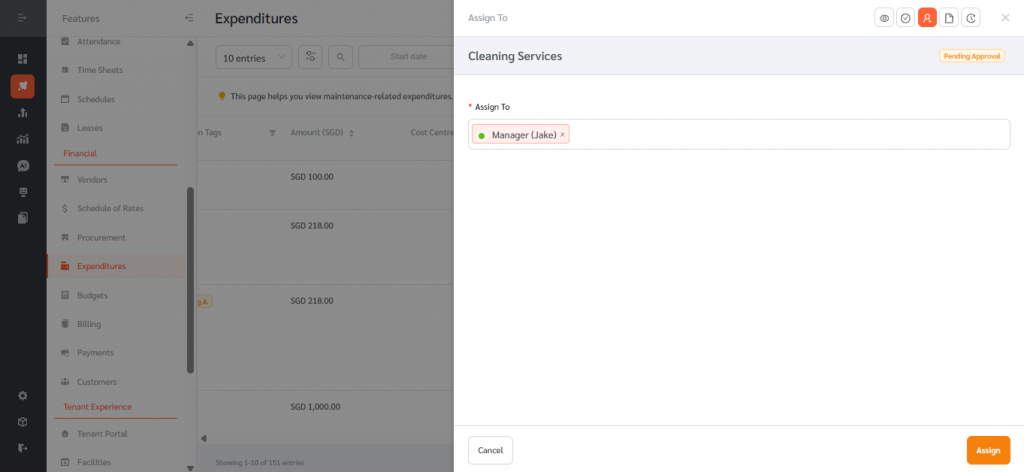
The Assigned To column displays the account(s) responsible for the current approval stage.
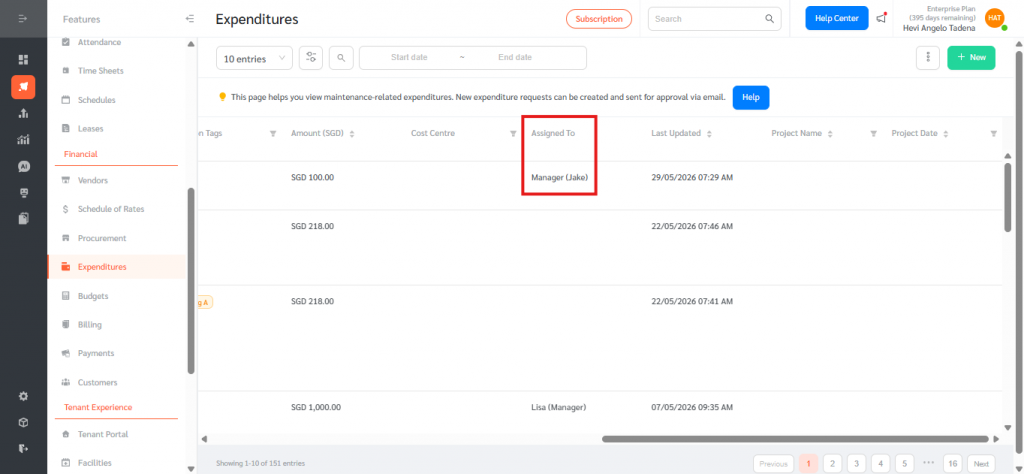
Administrators and Managers can reassign the current approval stage by editing the Assigned To field.
Multiple Approvers
When a stage is assigned to multiple accounts or an account tag, approval from any one assigned approver will move the Expenditure to the next stage in the Approval Flow.
Final Approval
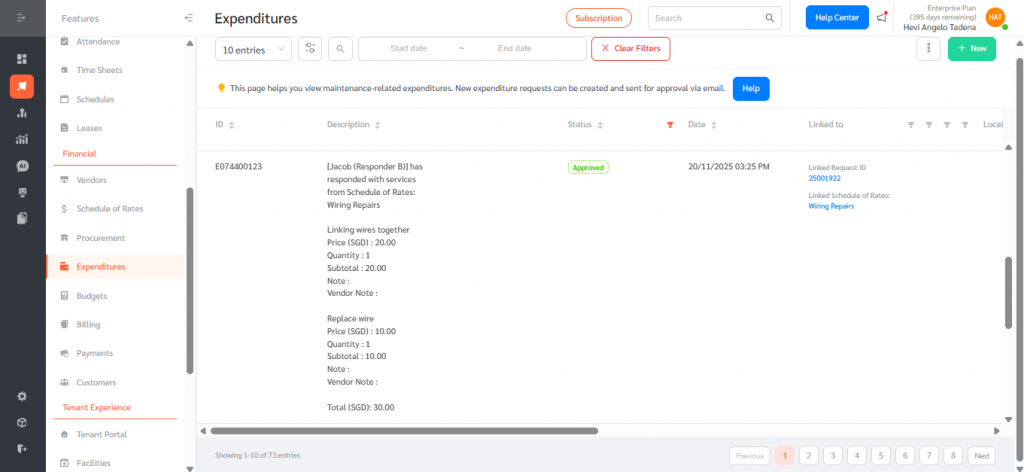
Once all approval stages have been completed, the Expenditure status automatically changes to Approved.
Approval History
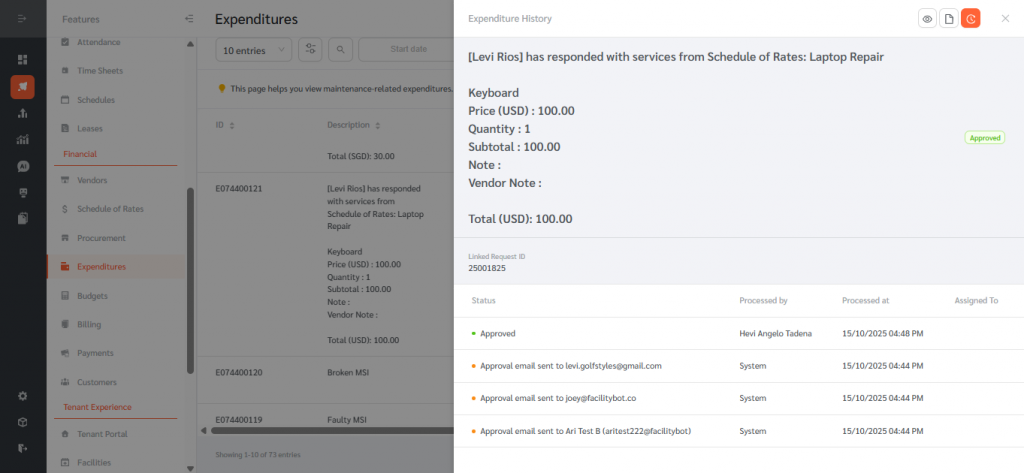
The Expenditure History records every approval action, including:
- Approval stage
- Approver name
- Date and time of approval
This provides a complete audit trail for all approval activities.
Benefits of Approval Flows
The Approval Flow feature provides facility operations teams with a structured and auditable workflow for reviewing and approving expenditures. By defining reusable approval sequences with designated approvers and customized status names, organizations can standardize expenditure approval processes across teams and locations.
Common use cases include:
- Multi-level financial approvals for maintenance purchases
- Department- or location-based approval routing using account tags
- Centralized tracking of pending approvals
- Improved accountability and governance
- Faster approval cycle times through clearly defined workflows
By implementing Approval Flows, organizations can ensure consistent oversight and greater control over maintenance-related expenditure requests within FacilityBot.