
Introduction
FacilityBot now supports Passkey sign-in for the FacilityBot Mobile App. A passkey lets you sign in using your device’s built-in Face ID, Touch ID, fingerprint, or screen lock, instead of typing a password every time. Passkeys are more secure than passwords because they can’t be phished, guessed, or reused, and they make signing in faster and easier for frontline staff such as cleaners, technicians, and responders who log in throughout the day. This mirrors the approach recently adopted by Singapore’s Singpass, which introduced passkeys to make mobile sign-in more resistant to phishing scams.
How It Works
Enable Passkey Sign-In
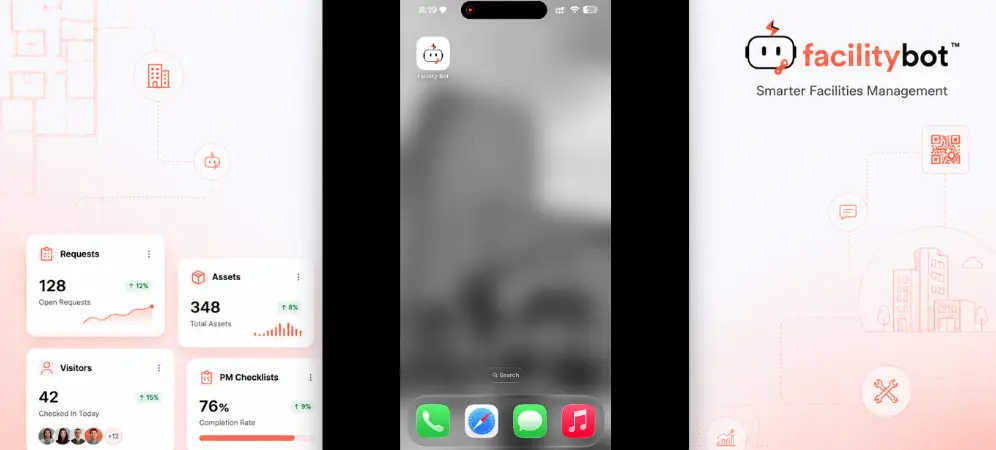
- Open the FacilityBot Mobile App and sign in with your existing username and password.
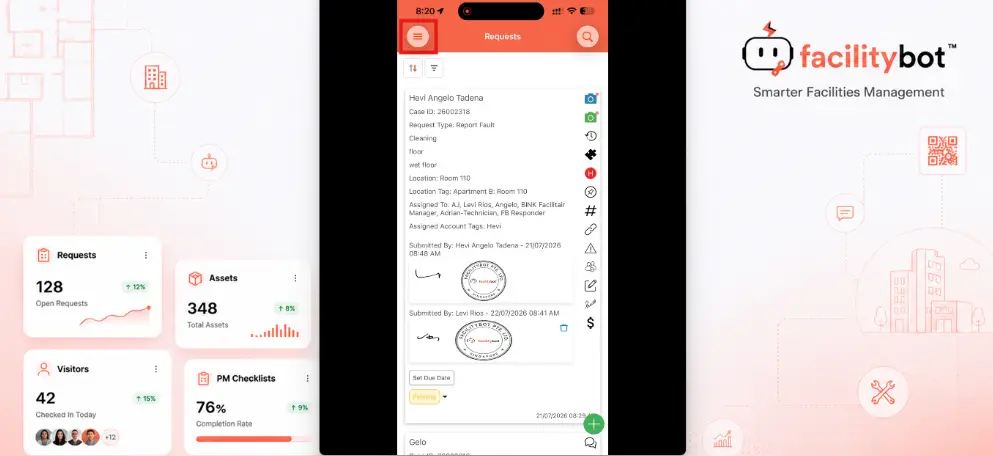
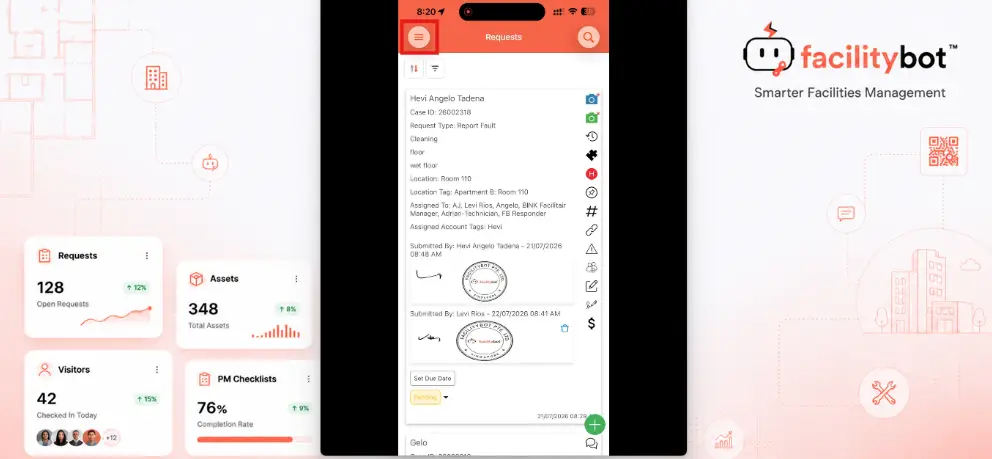
- Tap the menu icon at the top-left of the Requests screen.
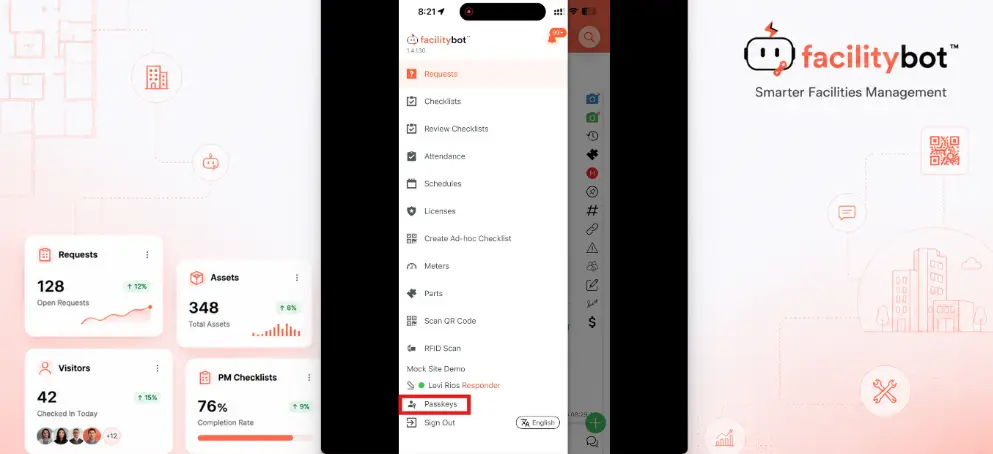
- Select Passkeys from the menu.
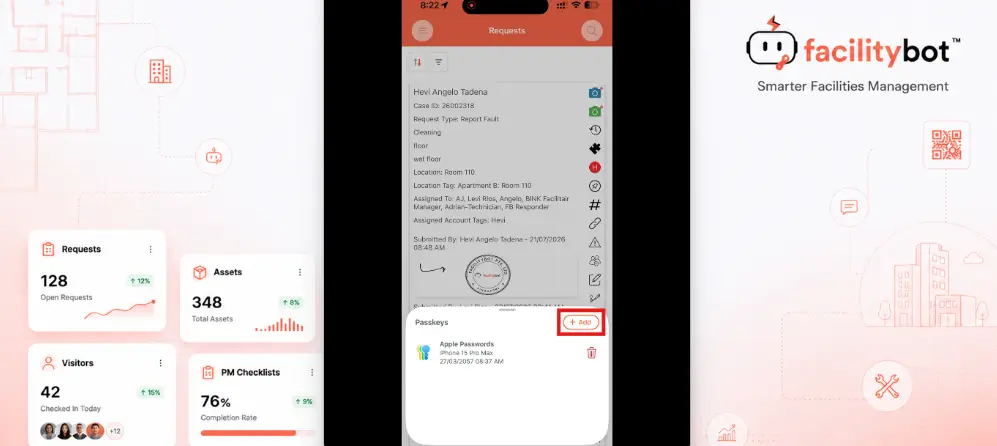
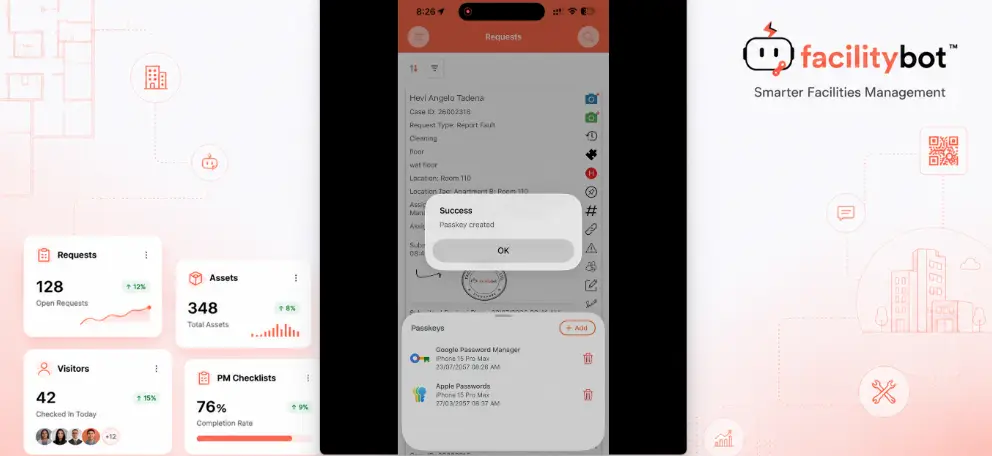
- On the Passkeys screen, tap +Add to create a new passkey.
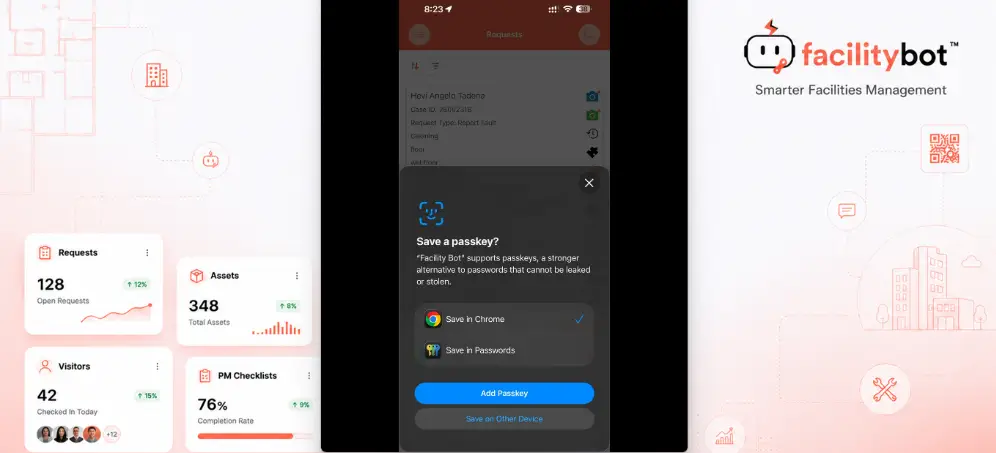
- A “Save a passkey?” prompt appears. Choose where to save it (e.g., Save in Chrome or Save in Passwords), then tap Add Passkey.
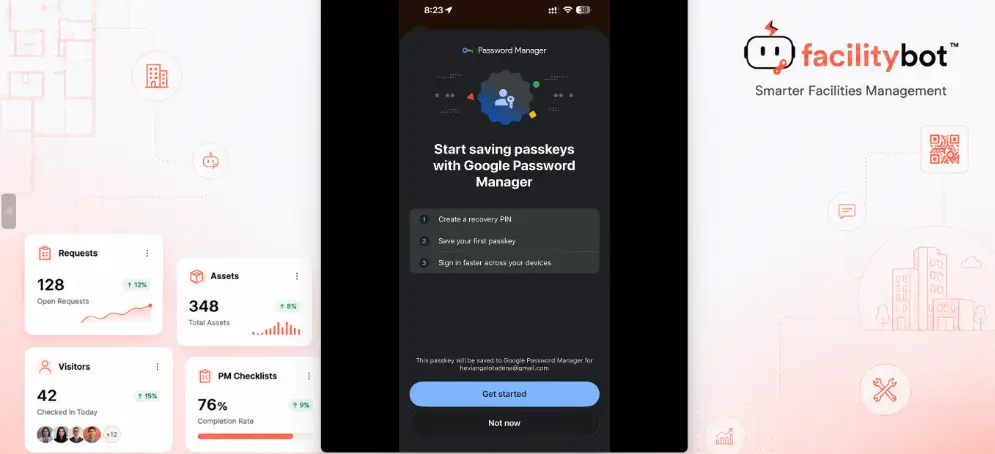
- If saving to Google Password Manager for the first time, tap Get started on the introductory screen (or Not now to skip).
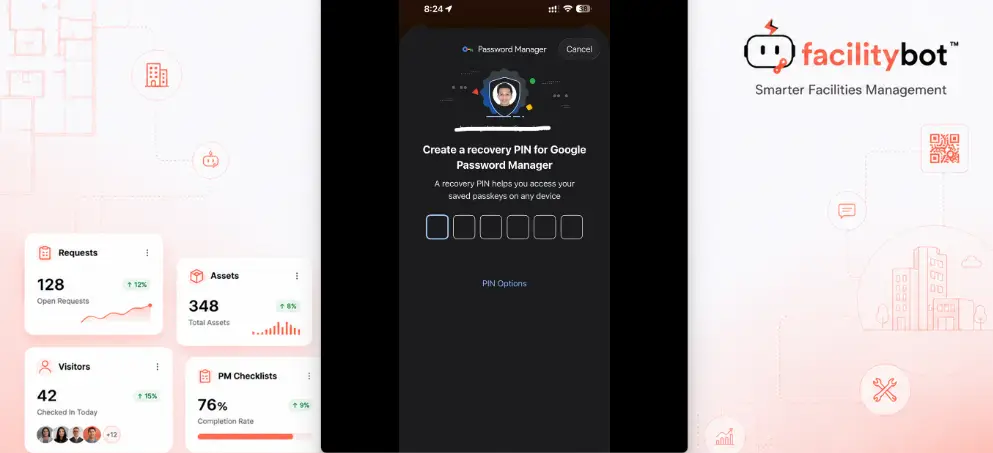
- Create a recovery PIN for Google Password Manager. This PIN helps you access your saved passkeys on any device.
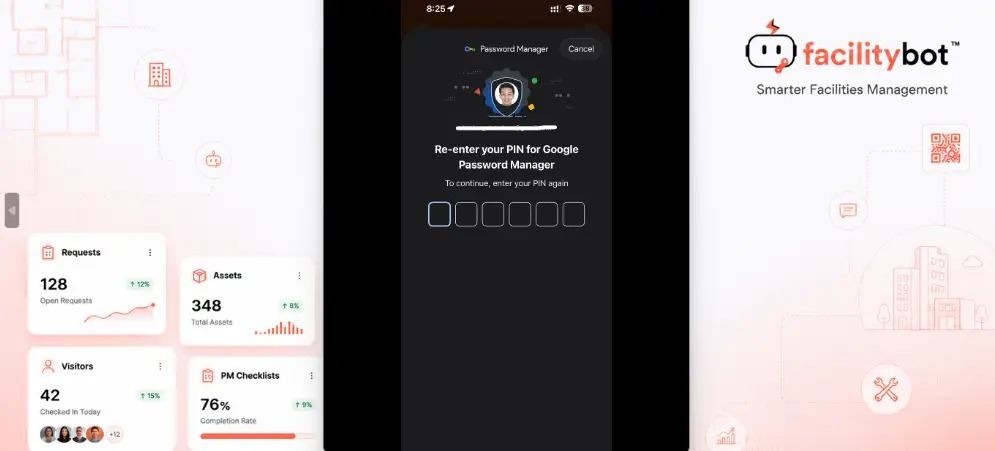
- Re-enter the PIN to confirm it.
- A passkey is created and stored securely on your device, and a confirmation message shows that Passkey sign-in is enabled.
Sign In with a Passkey
- Open the FacilityBot Mobile App.
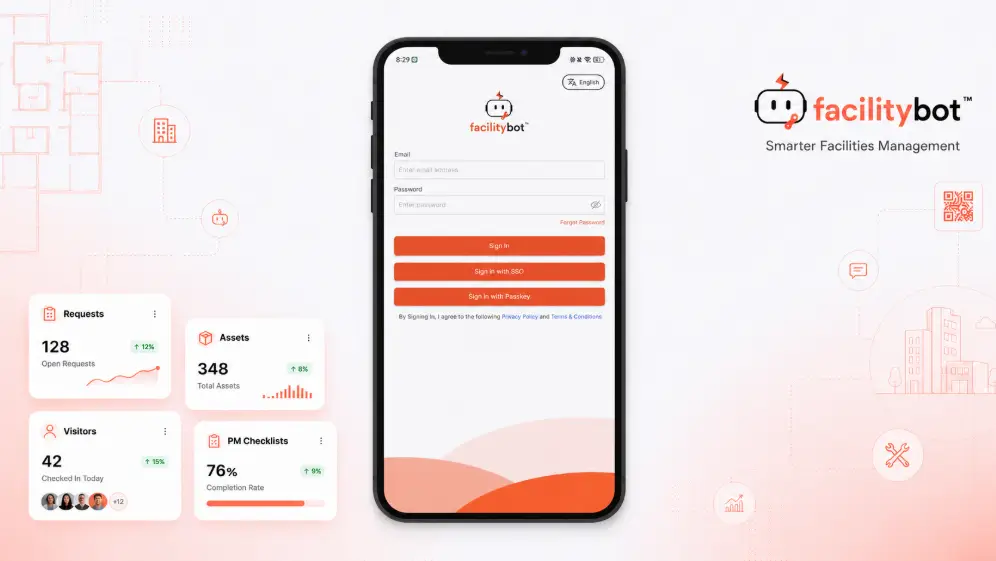
- Enter your username, then tap Sign In with Passkey when prompted.
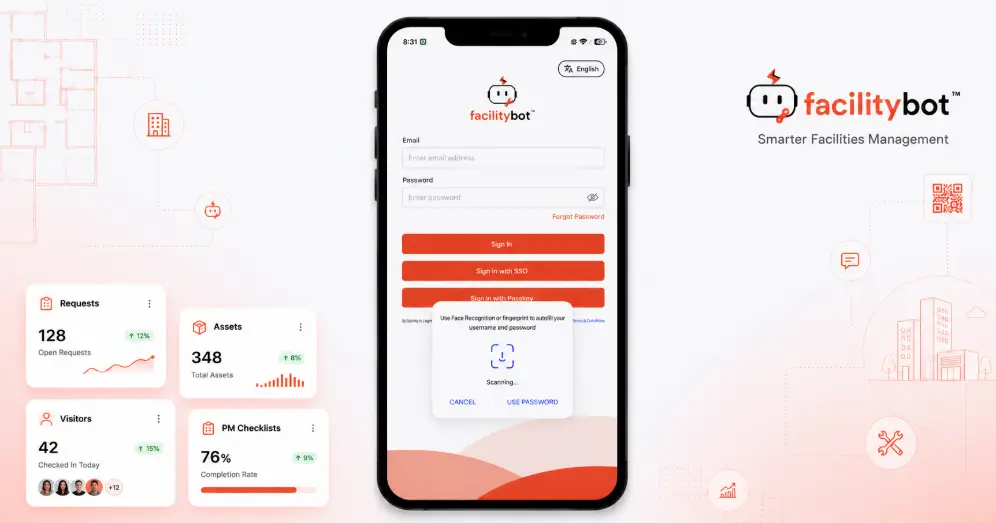
- Confirm using your device’s Face ID, Touch ID, fingerprint, or screen lock passcode.
- You’re signed in immediately, without needing to type your password.
The Passkey Login feature strengthens account security for FacilityBot Mobile App users while making day-to-day sign-in faster and more convenient. Because passkeys rely on device biometrics rather than a typed password, they remove common risks such as phishing, weak passwords, and password reuse across accounts — the same principle behind Singapore’s Singpass adoption of passkeys. This is especially useful for frontline teams, such as cleaners, technicians, and responders, who sign in and out of the mobile app multiple times throughout their shift. Signing in with a username and password remains available as a fallback for devices that don’t support biometrics or for users who prefer not to enable a passkey.