
Introduction
The Sensor Data Decoding feature in FacilityBot allows encoded sensor payloads to be translated into meaningful, human-readable parameters before they are used in workflows, meters, and alerts. This ensures sensor readings such as temperature, ammonia levels, battery status, or activity counts are accurate, consistent, and usable across the platform.
Many IoT sensors transmit compact or encoded data to optimize bandwidth. With Sensor Data Decoding, FacilityBot can automatically interpret these payloads using predefined decoders, eliminating the need for manual data transformation and reducing data errors.
Configuring a Decoder for a Sensor
- Log in to FacilityBot. Go to Integrations → Sensors.
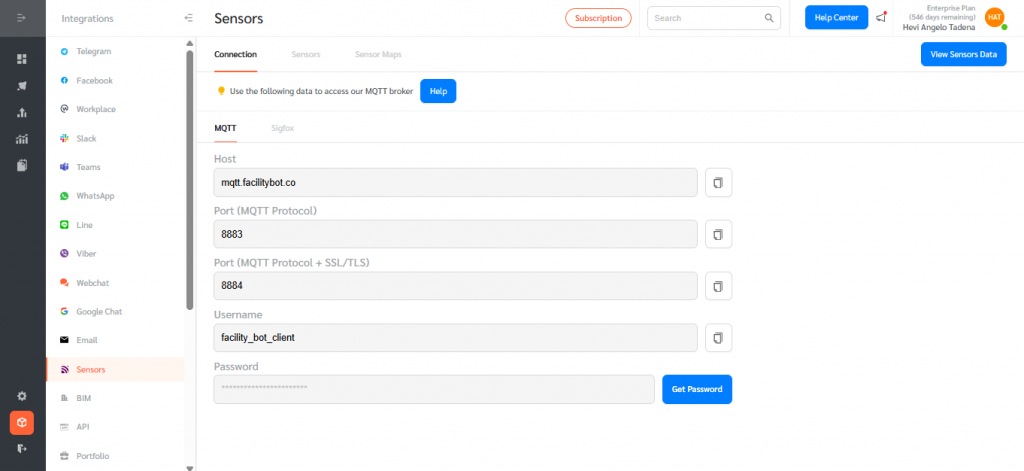
- Go to Sensors tab and create a new sensor or edit an existing one.
- In the sensor configuration panel, locate the Decoder field.
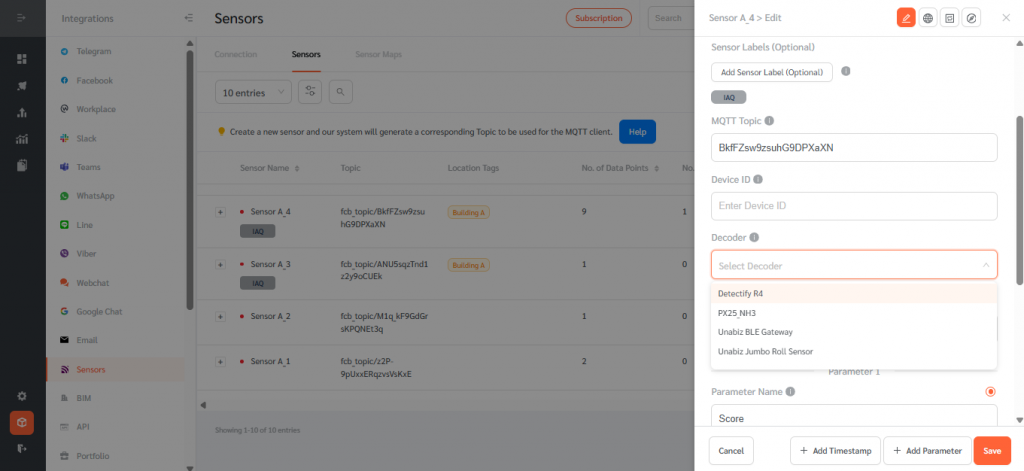
- Select the appropriate decoder for the sensor model from the dropdown list. Click Save.
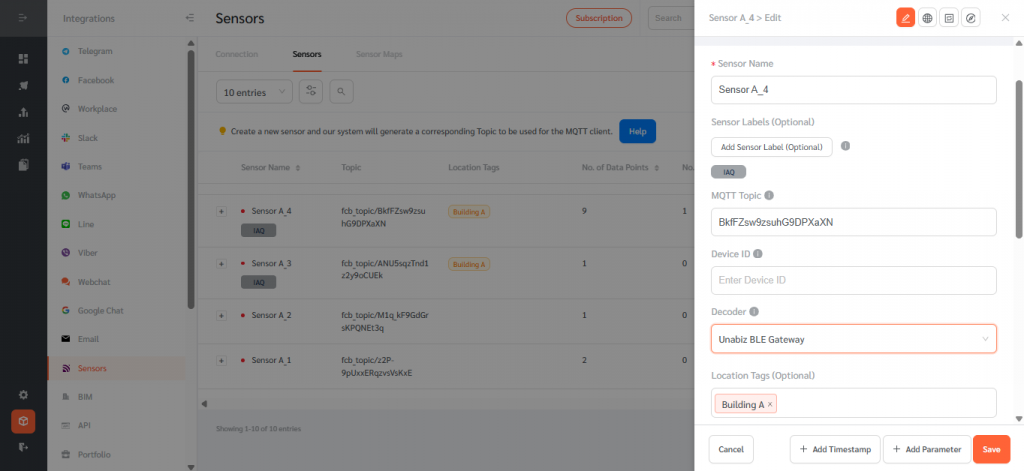
Decoders are preconfigured and managed by FacilityBot SuperAdmins. If the correct decoder is not available, contact the FacilityBot Help Center.
Sensor Data Decoding in FacilityBot ensures encoded IoT sensor payloads are accurately translated into clear, usable readings across the platform. By standardizing how raw sensor data is interpreted—while preserving full precision—the feature reduces data inconsistencies, minimizes manual intervention, and enables reliable automation, reporting, and alerting for facility operations.